Audio Mixing & Mastering Training Courses in Kenya
June 25, 2024
Keyboard & Piano Training Course & Classes in Kenya
June 25, 2024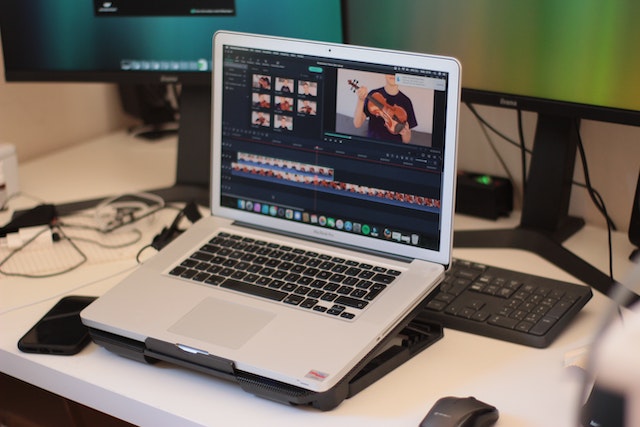
Learning Video Editing with Final Cut Pro X Training Course in Kenya
Final Cut Pro X is an advanced video editing software developed by Apple for macOS. It is widely used by professional filmmakers and video editors, as well as amateur video enthusiasts. The software is designed to meet the needs of both beginners and experienced users. It offers a wide range of features and tools that can help you create stunning videos with ease.
Final Cut Pro X provides you with powerful editing tools, such as trimming, cropping, and adding effects. You can also adjust the color, brightness, and contrast of your video. Additionally, you can add titles, transitions, and sound effects to your video.
You can also export your videos in multiple formats, such as QuickTime, MP4, and AVI. Final Cut Pro X also offers an intuitive interface and a range of tutorials to help you get started. It also has a helpful support community that can answer any questions you may have.
Final Cut Pro X is an incredibly powerful video editing tool, and can help you create amazing videos with ease. If you’re looking for easy-to-use video editing software, Final Cut Pro X is an excellent choice.
Overview of Final Cut Pro X
Final Cut Pro X is a professional video editing application developed by Apple Inc. It is the successor to Final Cut Pro and is used to edit, color grade, and produce videos.
It supports a wide variety of video formats and can be used to create high-quality videos for broadcast, web, and film. It features a comprehensive set of editing tools, including plugins, transitions, and effects.
It also has a powerful color correction and grading system. Additionally, it offers support for non-linear editing, with the ability to add metadata to clips, as well as support for a wide range of audio formats.
Final Cut Pro X also includes a library of royalty-free music and sound effects, as well as support for third-party plug-ins.
Basic Video Editing Techniques in Final Cut Pro X
- Importing footage:
- In the media browser, select the video files you want to import.
- Click the “Import Selected” button at the bottom of the browser.
- Choose the destination for the footage and select the “Create Optimized Media” and “Create Proxy Media” options if you plan to use them.
- Adding clips to the timeline:
- Open the timeline and drag the clips you want to use from the media browser into the timeline.
- You can also drag clips from the timeline directly into the timeline.
- Editing clips:
- Select the clip you want to edit and drag it onto the timeline.
- Use the trim tools to adjust the start and end points of the clip.
- Split the clip at the desired points by pressing the “Split Clip” button.
- Add transitions between clips by dragging the transition from the library onto the timeline.
- Adding Titles and Effects:
- Drag the titles or effects you want to use from the library onto the timeline.
- Adjust the properties of the titles and effects in the inspector.
- Add text to titles by double-clicking on them and typing in the desired text.
- Exporting the video:
- Go to File > Share > Master File.
- Choose the desired video format, resolution, and other settings.
- Click “Next” and enter a filename and destination for the file.
- Click “Share” to begin the export process.
Benefits of Using Final Cut Pro X
- Easy to Use Interface: Final Cut Pro X has an intuitive and user-friendly interface that makes it easy to learn and use. It also includes helpful tools like a timeline and keyboard shortcuts that help streamline the editing process.
- Powerful Editing Tools: Final Cut Pro X includes a wide range of powerful editing tools, including color correction, audio mixing, and special effects.
- Optimized for 4K Video: Final Cut Pro X is optimized for 4K video, so you can edit high-resolution videos without sacrificing performance.
- Professional Workflows: Final Cut Pro X includes professional workflows that allow you to create complex projects with ease.
- Compatible with Other Professional Applications: Final Cut Pro X is compatible with other professional applications like Motion and Compressor, so you can easily integrate them into your workflow.
- Cost-Effective: Final Cut Pro X is a cost-effective solution for video editing, allowing you to create high-quality videos without breaking the bank.
In Conclusion, Final Cut Pro X is an incredibly powerful and versatile video editing software package, and this training course can be a great way to get up to speed quickly. It offers comprehensive instruction on a wide range of topics, from basic editing to more advanced techniques. With this course, you’ll be able to take your video editing skills to the next level and become an even more skilled editor.
Janeson Institute Kenya offers the best in Learning Video Editing with Final Cut Pro X Training Course in Kenya.Visit our Website https://janeson.institute and feel free to reach us at +254729454570