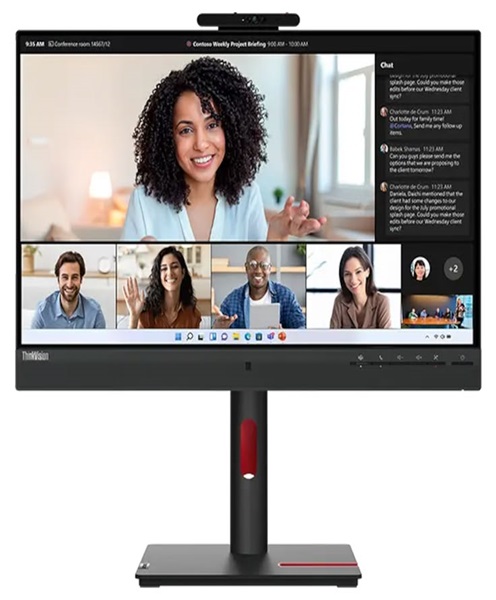
Conference Monitor Hire and Rental in Kenya
Introduction
Clear visual communication is an important part of successful meetings, conferences and corporate events. Whether an organisation is presenting a business proposal, conducting staff training, hosting a seminar or connecting participants through a virtual meeting, having an appropriate display makes it easier for everyone to follow the discussion. A conference monitor provides a practical way to present information, share visual materials and support professional communication.
Janeson Rentals offers conference monitor hire and rental in Kenya for businesses, organisations, event planners, training institutions and individuals who need dependable display equipment for temporary use. Instead of purchasing a monitor for a single meeting or occasional event, clients can rent equipment that suits their event requirements.
Our conference monitor rental service is suitable for events in Nairobi and other locations across Kenya. Whether you are organising a small boardroom meeting, a multi-day workshop, a product demonstration or a large corporate gathering, the right monitor can help make your presentations more organised and engaging.
What Is a Conference Monitor?
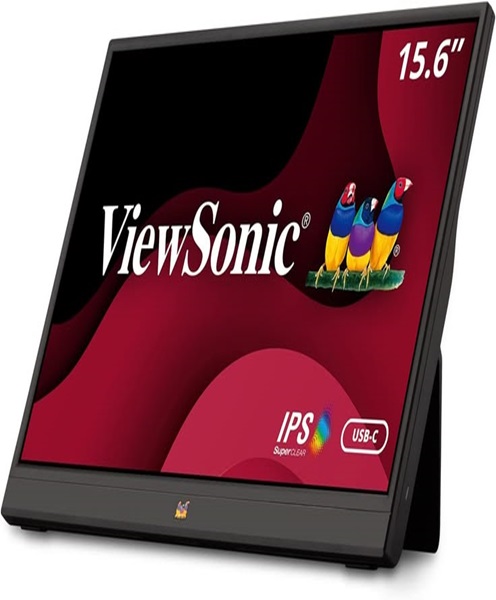
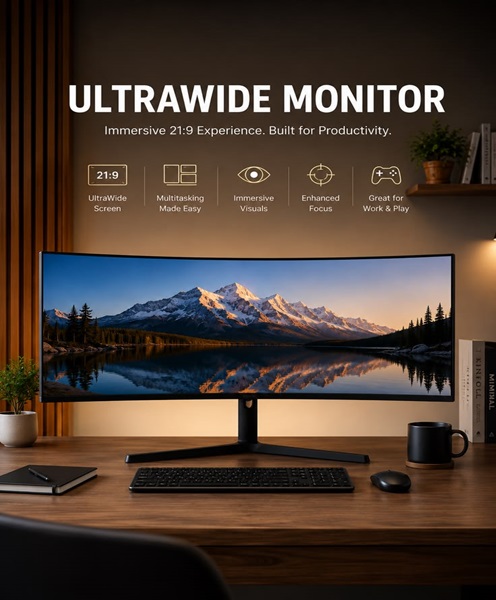
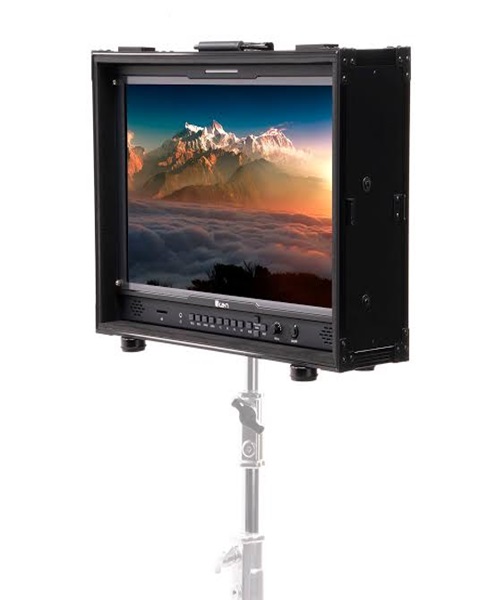
A conference monitor is a display screen used during meetings, presentations, conferences and other professional gatherings. It allows presenters and participants to view digital content such as slideshows, spreadsheets, videos, documents, charts, live camera feeds and video conferencing sessions.
Conference monitors are available in different screen sizes, resolutions and configurations. The appropriate option depends on the room layout, viewing distance, number of participants and type of content being displayed.
In a small meeting room, a standard monitor may be sufficient for displaying documents and presentations to a limited number of participants. Larger meeting spaces may require a bigger screen so that people seated farther away can comfortably view the information.
Depending on the equipment selected, a conference monitor may connect to a laptop, desktop computer, presentation system, video conferencing equipment or other compatible source device.
Why Hire a Conference Monitor Instead of Buying One?
Purchasing display equipment is not always practical, especially when it is only needed for occasional meetings or temporary events. Conference monitor hire gives organisations access to display equipment without the long-term financial and maintenance responsibilities associated with ownership.
Cost-Effective Equipment Access
Buying monitors for every meeting room, temporary venue or corporate event can become expensive. Hiring allows you to allocate your budget to the equipment you actually need for a particular occasion.
This is especially useful for event organisers who manage different types of functions throughout the year. Rather than purchasing several screens that may remain unused between events, they can arrange conference monitor rental according to individual project requirements.
Flexibility for Different Events
Not every event requires the same screen size or display arrangement. A boardroom meeting may need a different setup from a conference attended by hundreds of participants.
Hiring gives you the flexibility to select equipment based on the event’s specific needs. You can discuss the venue, audience size and intended use when planning your rental.
Avoid Long-Term Storage and Maintenance
Owning additional monitors requires suitable storage, handling and maintenance. For organisations that only need extra displays during busy periods, renting can reduce these responsibilities.
Support for Temporary and Mobile Venues
Conference monitors are useful for events held in hotels, conference centres, offices, training venues and temporary event spaces. Hiring makes it easier to arrange display equipment for a specific location without permanently installing screens at every venue.
Applications of Conference Monitor Rental in Kenya
Conference monitors support a wide range of professional activities. Their usefulness extends beyond traditional corporate meetings.
Corporate Meetings and Boardroom Presentations
Businesses regularly use displays to communicate financial reports, business strategies, performance updates and project information. A conference monitor helps participants follow presentations while allowing presenters to refer to supporting documents and visual material.
For boardroom meetings, the display should be positioned where everyone can view it without obstructing communication between participants.
Conferences and Seminars
During conferences and seminars, organisers may need screens for presentation slides, speaker information, supporting videos and other visual content. Conference monitor hire provides an additional display option for meeting rooms, breakout areas and smaller presentation spaces.
Workshops and Training Sessions
Training facilitators often rely on visual materials to explain procedures, demonstrate software and guide participants through learning activities.
A monitor can display training slides, instructional videos, diagrams and demonstrations. It can also support smaller group sessions where participants need to follow information presented by an instructor.
Video Conferencing and Hybrid Meetings
Modern meetings frequently involve participants joining from different locations. A conference monitor can display remote participants, shared presentations or meeting information, depending on the connected equipment and software.
For hybrid meetings, organisers should consider whether one display is sufficient or whether separate screens are needed for the presentation and remote participants.
Product Launches and Demonstrations
Companies introducing new products or services can use conference monitors to display product information, promotional videos, demonstrations and supporting graphics.
The screen can complement other event equipment, including sound systems, presentation computers and larger display solutions.
Interviews and Recruitment Sessions
Conference monitors can support recruitment events, assessment sessions and professional interviews by displaying candidate information, interview schedules, presentations and other relevant materials.
Exhibitions and Corporate Activations
At exhibitions and business activations, monitors can present promotional videos, product demonstrations, digital catalogues and company information. They provide an organised way to communicate with visitors and potential customers.
Choosing the Right Conference Monitor
Selecting an appropriate monitor is important for ensuring that the content is visible and the equipment works with the rest of the presentation setup.
Screen Size
Screen size should be considered in relation to the viewing distance and room dimensions. A screen that works well on a small meeting table may be difficult to view in a large conference room.
Before arranging a conference monitor rental, consider where the display will be positioned and how far participants will sit from it.
Display Resolution
Resolution affects the clarity of text, images and video. Higher-resolution displays can be useful when presentations contain detailed charts, small text or high-quality visual content.
The resolution should also be compatible with the source device and the type of content being presented.
Connectivity
The monitor must connect to the equipment being used during the meeting. Common connection options may include HDMI, DisplayPort and USB-C, depending on the monitor model.
Clients should confirm the laptop or presentation computer’s available output ports before booking. Where necessary, compatible adapters or cables may be required.
Screen Placement
A monitor should be positioned at a comfortable viewing height and angle. It should also be placed where it does not block walkways, speakers or participants.
For tabletop arrangements, a suitable stand or mounting solution may be needed. Larger screens may require a dedicated floor stand or another appropriate support system.
Audio Requirements
Some monitors include built-in speakers, while others rely on external audio equipment. If your presentation includes videos, remote speakers or other audio content, confirm how sound will be delivered.
For larger rooms, a separate PA system may be more appropriate than relying on monitor speakers.
Conference Monitors for Different Meeting Setups
Different meeting formats require different display arrangements.
Small meeting rooms: A suitably sized monitor can display documents, presentations and video calls to a small group.
Boardrooms: A centrally positioned display can help participants follow reports and presentations during management discussions.
Training rooms: Monitors can support instructors by displaying slides, software demonstrations and learning materials.
Breakout rooms: Additional monitors can help smaller groups review information or participate in separate discussions during larger conferences.
Hybrid meeting spaces: A monitor can display remote participants or shared content, depending on the video conferencing configuration.
Exhibition booths: Displays can be used to present product videos, promotional content and company information to visitors.
Equipment That Can Complement a Conference Monitor
A conference monitor may form part of a larger presentation or conferencing setup. Depending on the event, clients may also require:
-
Laptops or presentation computers for running slides and videos.
-
HDMI and DisplayPort cables for connecting compatible devices.
-
USB-C adapters and display converters where connection compatibility requires them.
-
Wireless presentation systems for sharing content from compatible devices.
-
Conference cameras for capturing in-room participants.
-
Conference microphones for clear speech pickup.
-
Conference speakerphones for smaller meeting spaces.
-
PA systems for delivering audio to larger audiences.
-
Monitor stands or suitable display supports.
-
Video conferencing systems for connecting remote participants.
The equipment should be selected as a coordinated setup. Confirming the connections and technical requirements before the event helps reduce the risk of compatibility problems.
Preparing for a Conference Monitor Rental
Good preparation helps ensure that the display equipment supports the event effectively.
Start by identifying the purpose of the monitor. Decide whether it will be used for PowerPoint presentations, video playback, video conferencing, live camera feeds, software demonstrations or a combination of activities.
Next, consider the number of participants and the dimensions of the venue. The screen should be large enough for the intended audience and positioned where it can be viewed comfortably.
Check the source device and its connection ports. If the presenter will use a laptop, establish whether it has an HDMI, DisplayPort or USB-C output and whether an adapter is necessary.
It is also useful to prepare presentation files in advance and test the display connection before participants arrive. For video conferencing, check the camera, microphone, speaker and software configuration separately.
Finally, discuss the event date, venue, rental duration and equipment requirements with Janeson Rentals so that the appropriate arrangement can be planned.
Why Choose Janeson Rentals for Conference Monitor Hire?
Janeson Rentals supports clients looking for practical event and presentation equipment in Kenya. Our conference monitor hire and rental service is intended for organisations and individuals who need display equipment for temporary professional use.
Clients choose Janeson Rentals because they can discuss their requirements and identify equipment suitable for their particular event. Whether you need a monitor for an office meeting, seminar, workshop, exhibition or corporate presentation, planning the display arrangement in advance helps create a more organised experience.
We serve clients in Nairobi and across Kenya, supporting different event locations and equipment requirements.
Our wider event equipment offering can also help clients plan complementary AV and event production needs. This is useful when a conference requires more than a display screen, such as presentation equipment, audio systems, microphones or video conferencing equipment.
Book a Conference Monitor for Hire in Kenya
Make your next meeting, conference or corporate presentation easier to follow with a suitable display solution from Janeson Rentals.
Contact Janeson Rentals to enquire about conference monitor hire and rental in Nairobi and across Kenya. Share your event date, venue, expected audience size and intended use so that the appropriate equipment can be discussed.
Whether you are preparing for a boardroom presentation, a training session, a seminar or a hybrid meeting, Janeson Rentals can help you plan your conference display requirements.