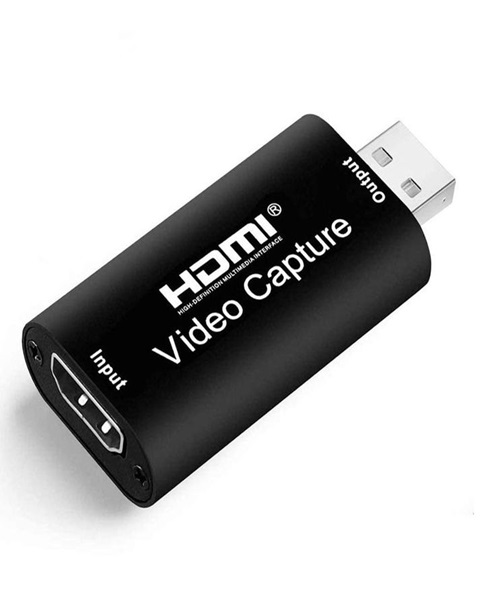
HDMI Capture Device Hire & Rental in Kenya
Live streaming and video recording have become important parts of modern event production. Churches broadcast services to online audiences, businesses stream conferences, educational institutions conduct virtual lessons, and event organisers record presentations for future use. To achieve a reliable production workflow, it is important to have equipment that can transfer video signals from cameras and other sources into a computer. An HDMI capture device makes this connection possible.
At Janeson Rentals, we provide event equipment hire and rental solutions in Nairobi and across Kenya. If you are preparing a conference, church service, webinar, concert, product launch or corporate presentation, hiring an HDMI capture device can help you connect compatible video equipment to a computer for streaming or recording.
An HDMI capture device receives a video signal through an HDMI input and makes that signal available to a compatible computer or production system. Depending on the model, the device may connect through USB, Thunderbolt or another supported interface. Once connected and configured, it can be selected as a video source in compatible streaming, recording or production software.
HDMI capture device hire and rental in Kenya is useful for organisations and individuals who need a temporary video connection solution without purchasing equipment for occasional use. Whether you are producing a simple single-camera broadcast or connecting a video switcher to a streaming computer, the correct capture device can form an important part of your setup.
What Is an HDMI Capture Device?
An HDMI capture device is a hardware accessory that receives video through an HDMI connection and transfers the signal to a compatible computer or recording system.
HDMI, short for High-Definition Multimedia Interface, is widely used to transmit digital video and audio between compatible electronic devices. Cameras, laptops, video switchers, gaming systems and media players may provide HDMI outputs.
An HDMI capture device allows a computer to receive video from an external HDMI source. This is particularly useful when a production team wants to use a professional camera instead of relying on the computer’s built-in webcam.
For example, a church may connect a PTZ camera to an HDMI capture device, which then connects to a streaming computer. The computer can receive the camera feed through compatible software and broadcast the service online.
HDMI capture devices are commonly used for:
-
Church service live streaming.
-
Corporate conference broadcasting.
-
Webinar and virtual meeting production.
-
Video recording and content creation.
-
Educational presentations.
-
Concert and entertainment streaming.
-
Product demonstrations.
-
Gaming broadcasts.
-
Hybrid events.
-
Interviews and online training.
-
Camera-to-computer video production.
The device is not a camera, video switcher or complete streaming system. It is a connection and capture component that allows a compatible computer to receive an external video signal.
How Does an HDMI Capture Device Work?
An HDMI capture device operates by receiving a video signal from an HDMI source and making it available to a computer.
1. Connect the Video Source
The first step is connecting a compatible source to the HDMI input of the capture device. This source may be a DSLR camera, mirrorless camera, camcorder, PTZ camera, laptop or video switcher.
The source must provide an HDMI output in a format supported by the capture device.
2. Connect the Capture Device to the Computer
The capture device is then connected to a compatible computer using its supported interface. Many external capture devices use USB, while some professional models use other high-bandwidth connections.
The computer should meet the device’s hardware and software requirements.
3. Configure the Capture Software
After connecting the equipment, the production team opens compatible streaming or recording software and selects the capture device as the video input.
Depending on the model, drivers or additional configuration may be required.
4. Adjust the Video Settings
The operator checks the incoming resolution, frame rate, aspect ratio and other supported settings. The selected configuration should match the source signal and the requirements of the production.
5. Stream or Record the Video
Once the capture device is recognised and the signal is working correctly, the computer can use the video feed for recording, live streaming or further production.
The video can be combined with graphics, presentation slides, other camera feeds and audio sources, depending on the software and workflow.
HDMI Capture Device Hire for Live Streaming in Kenya
Live streaming allows an event to reach audiences beyond the physical venue. It is useful for churches, companies, schools, event organisers and production teams that want to broadcast programmes online.
An HDMI capture device can connect a professional camera to a computer running live streaming software. This provides an alternative to using a built-in webcam and can give the production team more flexibility when positioning cameras around the venue.
For example, a conference may use a mirrorless camera to capture the main speaker. The camera’s HDMI output is connected to a capture device, which transfers the video to a computer. The computer then uses streaming software to broadcast the presentation.
A typical streaming setup may include:
-
HDMI-compatible camera.
-
HDMI capture device.
-
Streaming computer.
-
Live streaming software.
-
Microphones.
-
Audio mixer or interface.
-
Lighting equipment.
-
Internet connection.
-
Monitoring display.
For multi-camera productions, a video switcher may be used to manage several camera feeds before the selected programme output is sent to the capture device.
HDMI Capture Device Rental for Churches
Churches increasingly use video production equipment to broadcast sermons, worship sessions, prayer meetings, conferences and special services.
An HDMI capture device can help connect a camera to a computer so that the church production team can stream services to an online audience.
A small church may use one camera positioned at the back of the sanctuary to capture the pulpit and worship area. A larger church may use multiple cameras to cover the pastor, choir, worship team and congregation.
Where several cameras are involved, the production team may connect them to an HDMI video switcher. The switcher can then send the selected programme output to the HDMI capture device.
This arrangement allows the operator to change camera angles without manually reconnecting equipment during the service.
HDMI capture device rental can be useful for:
-
Sunday services.
-
Worship conferences.
-
Gospel concerts.
-
Church anniversaries.
-
Special prayer meetings.
-
Youth programmes.
-
Religious seminars.
-
Online ministry broadcasts.
When planning a church broadcast, consider the distance between cameras and production equipment, available HDMI cable lengths, audio routing and the computer’s processing capacity.
HDMI Capture Device Hire for Corporate Conferences
Corporate conferences often involve speakers, panel discussions, presentations and product demonstrations. Recording or broadcasting these activities can help businesses reach remote participants and preserve important sessions.
An HDMI capture device can receive video from a camera or video switcher and transfer it into a computer for live streaming or recording.
For example, a production team may position a camera at the back of a conference hall to capture the stage. A second camera may be used for close-up shots of the presenter. The feeds can be managed through a compatible switcher before being sent to the computer.
HDMI capture devices are useful for:
-
Corporate conferences.
-
Business seminars.
-
Annual general meetings.
-
Product launches.
-
Training workshops.
-
Panel discussions.
-
Executive presentations.
-
Hybrid meetings.
-
Award ceremonies.
-
Company announcements.
A suitable capture device helps establish the video connection, but the overall production also requires proper sound management, lighting, computer configuration and internet connectivity where online broadcasting is involved.
HDMI Capture Devices for Webinars and Online Training
Webinars and online training sessions often require clear video of presenters, demonstrations and teaching materials. While a computer webcam may be adequate for simple meetings, an external camera can provide greater flexibility.
An HDMI capture device allows a compatible camera to be connected to a computer and selected as a video input in supported webinar software.
This arrangement can be useful for trainers, educational institutions, business consultants and organisations conducting virtual programmes.
A professional webinar setup may include:
-
DSLR or mirrorless camera.
-
HDMI capture device.
-
Computer.
-
Microphone.
-
Audio interface.
-
Lighting.
-
Presentation software.
-
Webinar platform.
The camera captures the presenter, while the computer handles the meeting or streaming application. The capture device provides the connection between the camera and the computer.
HDMI Capture Device Rental for Concerts and Entertainment Events
Concerts and entertainment productions may require live video coverage for online audiences, venue displays or recording purposes.
An HDMI capture device can be used to transfer a compatible camera or video switcher output into a computer for recording or streaming.
A production team may use different camera angles to capture performers, musicians, presenters and audience reactions. The selected feeds can be managed through a video switcher before being captured by the computer.
This makes HDMI capture device rental useful for concerts, festivals, award ceremonies, fashion shows, cultural performances and other entertainment productions.
For larger events, the production team should consider video signal distribution, cable routing, power availability and the distance between the video sources and the capture computer.
Important Features to Consider When Hiring an HDMI Capture Device
Not all HDMI capture devices have the same capabilities. Before arranging HDMI capture device hire, consider the following factors.
Supported Resolution
Check the maximum input resolution and supported output or capture resolution. A device may accept a particular high-resolution signal but capture or output it at a different resolution.
The capture device should support the format required by the camera and production workflow.
Frame Rate
Frame rate determines how many individual frames are captured each second. It affects how smooth movement appears in the resulting video.
The capture device should support the frame rate required by the production, especially when recording performances, concerts or other activities involving movement.
HDMI Input Compatibility
Confirm that the device has the correct HDMI input and can accept the signal from the intended camera or switcher.
Some cameras provide different HDMI output formats depending on their settings. It is important to confirm compatibility before the event.
Computer Connection
External capture devices may connect through USB or another supported interface. Check the required connection and ensure that the computer has a compatible port.
The available bandwidth also matters because high-resolution video requires sufficient data transfer capacity.
Software Compatibility
Confirm that the capture device is recognised by the intended streaming or recording software. Some devices may require drivers or particular operating system versions.
Testing the complete setup before the event helps identify compatibility issues early.
Audio Capture
Some HDMI capture devices can receive embedded audio through the HDMI connection. In other setups, audio is managed separately through an audio mixer or interface.
Confirm whether the production will use camera audio, a separate microphone system or a dedicated audio feed.
Latency
Capture devices may introduce some processing delay. This can matter when video and audio are being combined from separate sources.
For live production, test the complete signal chain and make any necessary synchronisation adjustments.
Power Requirements
Some devices receive power through their computer connection, while others require a separate power supply. Confirm the power requirements before installation.
HDMI Capture Device vs Video Capture Card
The terms HDMI capture device and video capture card are sometimes used interchangeably, but they can describe different equipment configurations.
An HDMI capture device generally refers to equipment designed specifically to receive HDMI video. It is often an external unit that connects to a computer.
A video capture card is a broader term that may describe external or internal hardware capable of capturing video through HDMI, SDI or other supported interfaces.
The most important consideration is not the product name but whether the device supports the required input signal, computer connection, resolution, frame rate and software workflow.
Supporting Equipment for HDMI Capture Device Hire
A capture device works as part of a larger production system. Depending on the event, you may also require:
-
HDMI camera: Provides the video source for streaming or recording.
-
PTZ camera: Offers remote pan, tilt and zoom functionality.
-
PTZ camera controller: Allows the operator to control compatible PTZ cameras.
-
HDMI video switcher: Manages multiple HDMI video sources.
-
Streaming computer: Runs the software used to receive and broadcast video.
-
HDMI cables: Connect compatible video equipment.
-
Audio mixer: Combines and manages microphone and other audio signals.
-
Microphones: Capture presenters, performers and speakers.
-
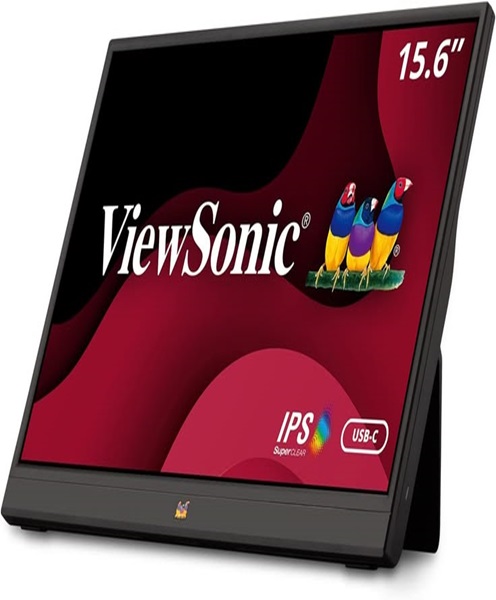
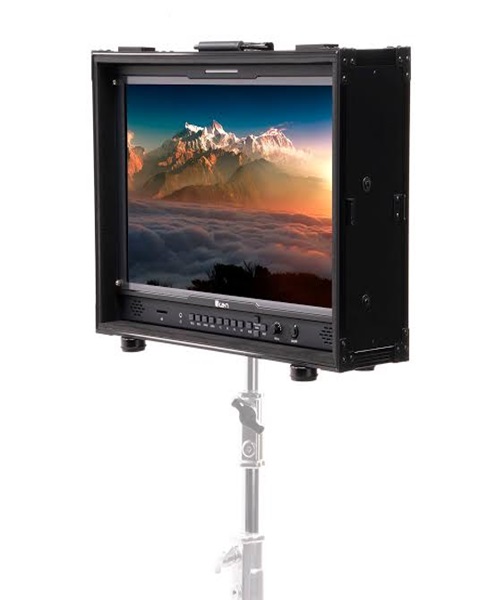
Monitors: Allow operators to view camera feeds and production output.
-
Lighting equipment: Helps improve visibility and video quality.
Choosing compatible equipment helps reduce setup difficulties and supports a more organised production workflow.
Why Choose Janeson Rentals?
Janeson Rentals provides event equipment hire and rental solutions in Nairobi and across Kenya. We understand that live streaming and video production depend on equipment compatibility and careful preparation.
When enquiring about HDMI capture device hire and rental, provide information about your camera, HDMI output, computer, intended software and production requirements. This helps establish the most appropriate capture arrangement for your event.
You can enquire about equipment for:
-
Church broadcasts and worship services.
-
Corporate conferences.
-
Live streaming productions.
-
Webinars and online training.
-
Concerts and entertainment events.
-
Product launches.
-
Educational programmes.
-
Hybrid meetings.
-
Video recording projects.
You can also enquire about related audio-visual equipment to support your camera, streaming and recording setup.
Book HDMI Capture Device Hire and Rental in Kenya
Are you organising a live stream, corporate conference, church broadcast, webinar or video recording project? An HDMI capture device can help connect your camera or video switcher to a computer for professional video production.
Contact Janeson Rentals to enquire about HDMI capture device hire and rental in Kenya. Share your event date, video source, required resolution, computer connection and intended production workflow.
For a complete setup, you can also enquire about HDMI cables, video switchers, cameras, PTZ camera systems, monitors, microphones and audio mixers.
Choose Janeson Rentals for practical event equipment hire and rental solutions in Nairobi and across Kenya.