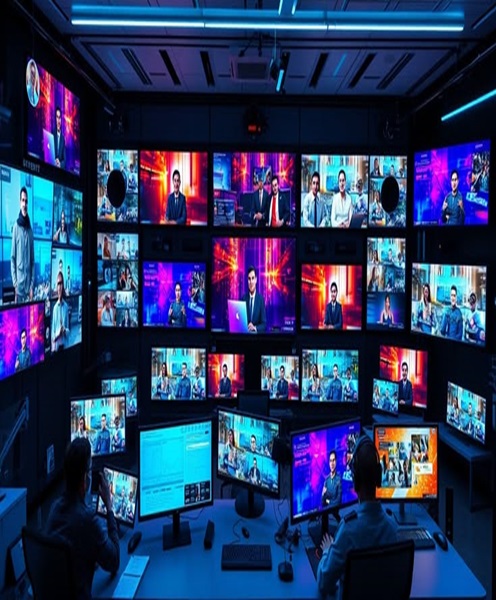
Hybrid Event Streaming Package Hire and Rental in Kenya
Introduction
Events are increasingly designed to reach audiences beyond the physical venue. Businesses, institutions, churches, conference organisers and event planners are combining in-person attendance with online participation to create experiences that connect people in different locations.
A hybrid event brings together a physical audience and remote attendees who participate through an online platform. This format allows organisations to host conferences, seminars, workshops, product launches and other gatherings while extending access to people who cannot attend in person.
For a hybrid event to work effectively, the venue’s sound, cameras, presentations and internet connection must be coordinated with the online streaming arrangement. Remote participants need to see and hear the programme clearly, while the people attending physically should still enjoy a professional event experience.
Janeson Rentals offers hybrid event streaming package hire and rental in Kenya for businesses, event organisers, institutions, production teams and individuals planning hybrid events.
Our hybrid event streaming rental service is suitable for events in Nairobi and across Kenya. Whether you are hosting a corporate conference, a church gathering, a training session or a product launch, hiring a coordinated package can help you plan the audiovisual requirements without purchasing an entire production setup.
What Is a Hybrid Event Streaming Package?
A hybrid event streaming package is a combination of audiovisual equipment used to capture a live event and transmit its content to remote participants.
The package may include cameras, microphones, audio equipment, video switching devices, streaming computers, encoders, displays and other accessories.
The exact equipment depends on the event format, venue size, number of speakers, production requirements and streaming platform.
A typical hybrid event streaming arrangement may involve:
-
Video cameras: Capture speakers, panels, audience activities and other important parts of the event.
-
Microphones: Capture speech from presenters, moderators, panelists and participants.
-
Audio equipment: Manage microphone signals and provide sound to the venue and online audience.
-
Video switcher: Selects and combines different camera or presentation sources where supported.
-
Streaming computer or encoder: Processes and sends the event feed to the selected streaming platform.
-
Internet connection: Provides the network access needed to transmit the event.
-
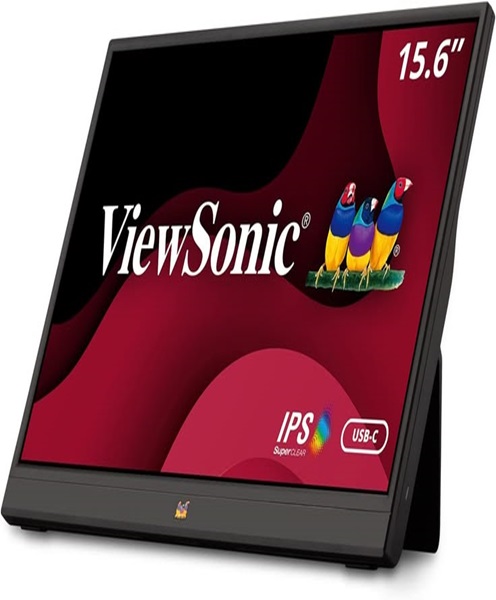
Monitors: Allow presenters and production teams to view presentations, camera feeds and other content.
-
Cables and accessories: Connect the different components of the production setup.
Not every event needs every component. A simple hybrid workshop may require one camera and a basic audio arrangement, while a large corporate conference may need multiple cameras, a dedicated audio mixer and a more advanced production workflow.
Why Hire a Hybrid Event Streaming Package?
Hybrid production involves several types of equipment that must work together. Hiring can make it easier to arrange the required components for a particular event.
Connect In-Person and Online Audiences
A hybrid streaming setup allows people who cannot attend physically to participate remotely.
This can help organisations reach employees, clients, members, partners and audiences in different locations.
Extend Event Reach
Streaming makes it possible to share event content with people beyond the venue.
For businesses, this may support wider participation in conferences, launches and presentations. For educational institutions, it can help connect remote learners with instructors and speakers.
Reduce Equipment Purchase Costs
A complete streaming setup can involve a significant investment in cameras, microphones, switching equipment and computers.
Hiring allows organisers to access equipment for a particular event without purchasing every component.
Access a Coordinated Production Setup
Hybrid events require equipment that can communicate effectively. Cameras need to connect to the video workflow, microphones must reach the audio system and the final programme feed must be delivered to the streaming platform.
Planning a package helps organisers consider these requirements together rather than selecting individual devices without checking compatibility.
Adapt to Different Event Sizes
A small hybrid meeting has different production requirements from a large multi-speaker conference.
A rental package can be planned according to the number of cameras, speakers, participants and presentation sources required.
Support Professional Presentations
A coordinated audiovisual arrangement can help deliver clear images, understandable speech and organised transitions between speakers and presentations.
These elements contribute to a better experience for both in-person and online attendees.
Applications of Hybrid Event Streaming Package Rental in Kenya
Hybrid streaming equipment supports a wide range of events.
Corporate Conferences
Businesses can use hybrid streaming to connect employees, clients, stakeholders and business partners who are unable to attend a conference in person.
The production setup may capture keynote presentations, panel discussions, demonstrations and audience activities.
Seminars and Workshops
Training organisations and professional institutions can use hybrid streaming to make learning sessions accessible to remote participants.
Cameras can capture instructors, while microphones and audio equipment help communicate discussions and questions.
Product Launches
Companies launching products or services can use hybrid streaming to reach audiences outside the venue.
The production may include live demonstrations, presentations, interviews and promotional videos.
Annual General Meetings
Organisations may use hybrid streaming to allow remote stakeholders to follow presentations and discussions.
Where formal voting or participation procedures are involved, organisers should ensure that the online meeting and voting arrangements meet the applicable governance and legal requirements. A streaming package alone does not provide a secure or compliant voting system.
Church Services and Ministry Conferences
Churches and ministries may use hybrid streaming to connect physical congregations with members watching remotely.
A suitable setup can capture sermons, worship sessions, announcements, guest speakers and other programme activities.
Educational Events
Schools, colleges, universities and training institutions can use hybrid streaming for lectures, workshops, graduation-related sessions and academic presentations.
The equipment should be selected according to the room layout and the number of people who need to be captured.
Panel Discussions and Industry Forums
A hybrid panel discussion may involve several speakers, a moderator and questions from both physical and remote participants.
Multiple cameras and microphones can help the production team manage different speakers and presentation angles.
Awards Ceremonies and Corporate Celebrations
Hybrid streaming can extend the reach of awards ceremonies and corporate events by allowing remote guests to follow the programme.
The production arrangement may include cameras covering the stage, microphones for presenters and a streaming computer or encoder.
Main Equipment in a Hybrid Event Streaming Package
Understanding the main components helps event organisers plan the right package.
Video Cameras
Cameras capture the event for the online audience.
The number and type of cameras depend on the production style. A single-camera arrangement may be suitable for a straightforward presentation, while a multi-camera production can provide different angles of speakers, panels and stage activities.
Camera selection should consider resolution, available connections, lens requirements and the lighting conditions at the venue.
Audio Equipment
Audio is one of the most important parts of a hybrid event.
Remote attendees need to hear presenters and discussions clearly. Depending on the venue, the audio setup may include wireless microphones, wired microphones, a mixing console, audio interfaces and suitable signal connections.
The production team should also consider how sound will be delivered to the physical audience and how a separate feed will be sent to the streaming system.
A common mistake is to assume that the sound heard through the venue’s PA system will automatically provide the best audio feed for the online audience. The audio routing should be planned and tested separately.
Video Switcher
A video switcher allows the production team to select between compatible video sources.
For example, an operator may switch from a wide camera shot to a close-up of a speaker or display a presentation feed.
Some switchers support picture-in-picture layouts, transitions and other production functions. The available features depend on the selected model.
Streaming Computer
A streaming computer runs compatible software and manages the outgoing video and audio feed.
It may receive video from capture devices or a switcher and transmit the programme to the chosen streaming platform.
The computer should be suitable for the software, resolution and number of sources involved.
Streaming Encoder
A hardware or software encoder prepares the video and audio for transmission over the internet.
The appropriate encoding solution depends on the production workflow, streaming platform and available network connection.
Monitors and Displays
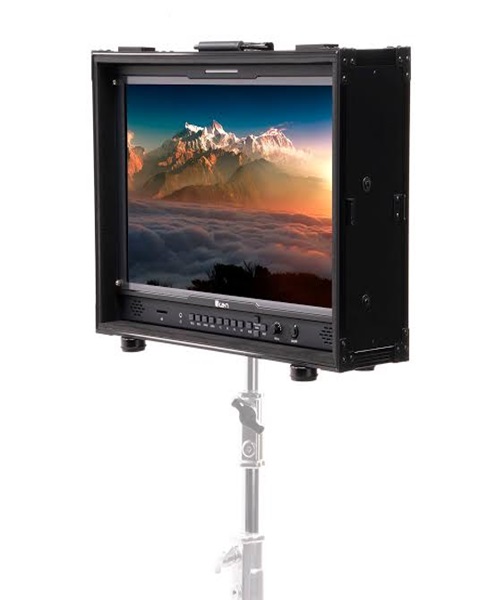
Production monitors allow operators to view camera feeds, programme output and presentation content.
Additional displays may be used for presenters or in-person participants who need to follow slides and other visual material.
Internet Connectivity
A stable internet connection is essential for reliable streaming.
The required upload speed depends on the video resolution, streaming bitrate and other network activity. The venue’s connection should be tested before the event, preferably under conditions similar to the expected production load.
Planning the Audio for a Hybrid Event
Audio planning deserves particular attention because online attendees depend on the sound feed to understand what is happening at the venue.
A presenter may use a wireless handheld microphone, while panelists may require separate microphones. Audience questions may need additional microphones so that remote participants can hear contributions from the room.
The audio mixer can manage microphone levels and route suitable signals to the venue’s PA system and streaming computer.
The production team should also check for echo, feedback, background noise and differences in volume between speakers.
If remote participants need to speak during the event, their audio must be routed back into the room appropriately. This helps people attending physically hear remote contributions.
A full sound check with all microphones and connected devices is recommended before the programme starts.
Planning the Video Production
The video arrangement should reflect the event’s format and the experience expected by online viewers.
For a single-speaker presentation, one camera may provide sufficient coverage. A panel discussion may benefit from multiple angles, allowing the operator to show the moderator, individual speakers and the full panel.
Presentations may also need to be included in the stream. This requires a suitable connection between the presenter’s computer and the video production system.
The production team should decide whether remote viewers will see the speaker, the presentation slides or a combination of both.
Camera positions should be selected carefully to avoid obstructing the audience and to capture the important parts of the programme.
Hybrid Event Streaming for Different Venue Sizes
Different venues require different equipment configurations.
Small meeting rooms: A simple camera, microphone, computer and suitable streaming arrangement may be sufficient for a small hybrid meeting.
Boardrooms: A conference camera, tabletop microphones, display and computer can support remote participation in management meetings.
Training rooms: The production may need to capture the instructor, presentation screen and questions from participants.
Conference halls: Larger spaces may require multiple cameras, a video switcher, a dedicated audio mixer and additional production monitors.
Church auditoriums: Cameras and audio equipment can capture speakers, worship leaders and programme activities for remote viewers.
Outdoor venues: Outdoor hybrid events require additional planning for power, internet connectivity, camera positioning, weather protection and cable safety.
Equipment That Can Complement a Hybrid Event Streaming Package
Depending on the event, clients may also need:
-
PTZ cameras for remotely controlled camera movement.
-
Professional video cameras for different production angles.
-
Conference cameras for meeting and discussion coverage.
-
Wireless handheld microphones for speakers.
-
Lavalier microphones for presenters who need hands-free operation.
-
Conference microphones for boardroom and panel discussions.
-
Digital mixing consoles for audio control.
-
Video switchers for selecting camera and presentation sources.
-
HDMI and SDI cables for compatible video connections.
-
Video capture cards for computer-based video input.
-
Hardware streaming encoders for supported streaming workflows.
-
Streaming computers for software-based production.
-
LED screens for in-person audiences.
-
Projectors and projection screens for presentations.
-
Monitors for production control and presenter viewing.
-
Lighting equipment for stage and speaker visibility.
-
Tripods and camera mounts for secure camera positioning.
-
Backup power arrangements where required and available.
The final equipment list should be developed around the production plan rather than assuming that every hybrid event needs the same package.
Preparing for a Hybrid Event Streaming Package Rental
A successful hybrid event begins with clear planning.
First, identify the event format and the number of people attending physically and remotely. Establish whether the event involves one speaker, several presenters, a panel discussion, audience questions or a combination of activities.
Next, confirm the venue layout. Identify the stage, speaker positions, audience seating, camera locations, presentation screens and production control area.
Choose the streaming platform and establish how the event will be transmitted. Confirm the platform’s requirements and whether the streaming workflow will use a software application, hardware encoder or another supported method.
Plan the audio setup carefully. List the microphones required, the speakers who will use them and how audience questions will be captured. Establish how the venue sound and streaming sound will be managed.
Check the internet connection and upload capacity. If possible, test the network at the venue before the event. Avoid relying entirely on an untested public Wi-Fi connection for an important production.
Prepare presentations, video clips, graphics and other content in advance. Confirm that the production computer and video switcher can handle the intended sources.
Finally, conduct a full technical rehearsal. Test cameras, audio, switching, presentation playback, internet connectivity and the final stream. Where possible, use a private or unlisted test broadcast before the actual event.
Common Challenges in Hybrid Event Streaming
Understanding potential challenges can help organisers prepare more effectively.
Unstable Internet Connection
An unreliable network can interrupt the stream or reduce video quality. Test the venue connection and establish an appropriate backup plan where possible.
Poor Audio Quality
Incorrect microphone placement, excessive background noise and unsuitable audio routing can make the online experience difficult to follow.
Conduct a full sound check and confirm that remote viewers receive a clear audio feed.
Camera Positioning Problems
Cameras placed too far away or at unsuitable angles may fail to capture speakers clearly.
Plan camera positions according to the venue and programme.
Presentation Compatibility
Different computers and video systems may use different connection types and resolutions.
Check presentation outputs, cables, adapters and switcher compatibility before the event.
Insufficient Rehearsal Time
Testing equipment only after attendees arrive can create unnecessary pressure.
Allow time for technical setup and rehearsal before the programme begins.
Why Choose Janeson Rentals for Hybrid Event Streaming Package Hire?
Janeson Rentals provides event and audiovisual equipment hire for businesses, institutions, event planners and production teams in Kenya.
Our hybrid event streaming package hire and rental service is intended for clients who want to connect physical and remote audiences through a coordinated audiovisual setup.
We understand that every hybrid event has its own requirements. A small business meeting may need a basic camera and conferencing arrangement, while a large conference may require several cameras, dedicated audio mixing, video switching and streaming equipment.
By discussing the venue, event programme, audience size, streaming platform and production requirements before booking, clients can plan a suitable equipment arrangement.
Janeson Rentals serves clients in Nairobi and across Kenya. Our wider AV and event equipment range can also support additional production needs, including cameras, microphones, LED screens, monitors, projectors, audio systems and presentation equipment.
Book a Hybrid Event Streaming Package for Hire in Kenya
Connect your in-person and online audiences with hybrid event streaming package hire and rental from Janeson Rentals.
Contact Janeson Rentals to enquire about equipment for your next conference, seminar, product launch, workshop, church event or corporate gathering.
Share your event date, venue, expected audience size, streaming platform and production requirements. This will help establish the camera, audio, video switching and streaming equipment needed for your event.
Whether you are organising a small hybrid meeting or a large conference with remote attendees, Janeson Rentals can help you plan the audiovisual equipment required to bring both audiences together.