
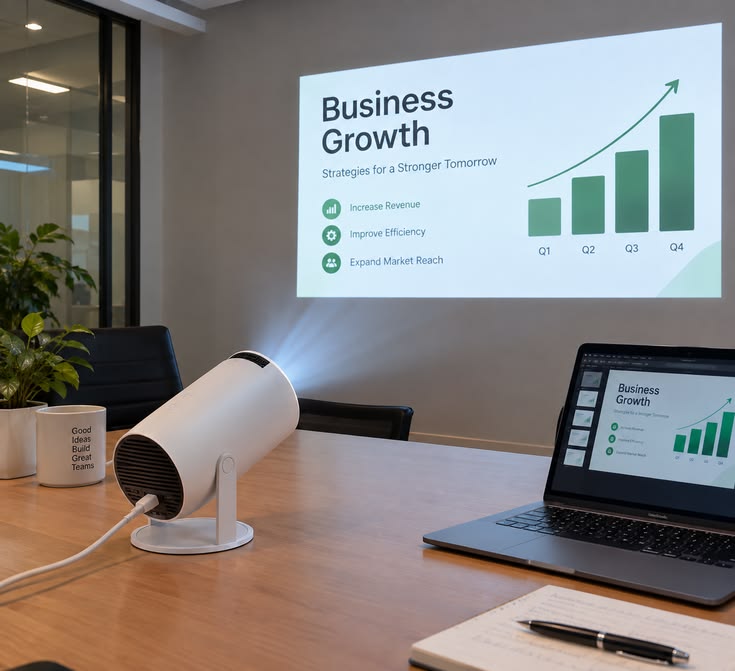
Introduction to Interactive Projector Hire
Modern presentations increasingly focus on participation, collaboration, and practical learning rather than simply displaying information on a screen. Businesses, educational institutions, trainers, and event organisers are adopting interactive presentation technology to encourage audiences to participate and engage with content.
An interactive projector allows users to interact with projected material through compatible interactive pens, touch systems, or other supported technologies. Depending on the model, users may be able to write on projected slides, annotate diagrams, highlight information, and participate in collaborative activities.
Janeson Rentals provides event equipment hire and rental solutions in Kenya for organisations arranging conferences, training sessions, seminars, workshops, and professional meetings. Hiring an interactive projector offers temporary access to presentation technology without requiring a permanent purchase.
When choosing an interactive projector, organisers should confirm the available interaction features, compatible software, computer requirements, projection surface, and accessories.
What Is an Interactive Projector?
An interactive projector is a projection device that allows users to interact with the displayed content through a compatible input system. Unlike a standard projector, which primarily displays images and videos, an interactive model can support activities such as writing, drawing, selecting objects, and annotating information.
Some models use interactive pens, while others support finger-touch interaction or require a separate interactive module. The specific features vary between manufacturers and models.
Interactive projectors can be used with compatible computers and applications to support digital whiteboarding, presentations, educational activities, group exercises, and business discussions.
Before hiring, confirm whether the necessary pens, touch modules, software, cables, and computer equipment are included in the rental arrangement.
Interactive Projector Hire for Corporate Training
Corporate training programmes frequently involve explaining processes, analysing information, developing skills, and solving workplace challenges.
An interactive projector can help trainers present information while allowing participants to contribute ideas directly to the projected material. For example, a facilitator can display a workflow diagram and annotate it during a discussion.
Participants can identify challenges, suggest improvements, and review information as a group. If the connected software supports saving or exporting annotations, the results may be shared with attendees after the session.
Interactive projector rental can be useful for employee induction, leadership development, team training, customer service workshops, and professional development programmes.
To achieve the best results, organisers should confirm that the projector supports the intended activities and that participants can see the displayed content clearly.
Interactive Projector Rental for Conferences and Workshops
Conferences and workshops often involve discussions, brainstorming, group activities, and presentations from different speakers. Interactive projection can support these activities by allowing facilitators to modify or annotate displayed information during a session.
During a strategy workshop, for example, a facilitator may display a diagram and invite participants to contribute ideas. In a technical workshop, a trainer may annotate a drawing to explain a process.
These activities can encourage participation and help facilitators respond to questions as they arise.
For large conferences, organisers should ensure that the projected image remains readable from the back of the venue. They should also test the interactive system before the programme begins.
Interactive Projector Hire for Schools and Educational Institutions
Schools, colleges, universities, and training centres can use interactive projectors to support teaching and learning.
Teachers may display diagrams, highlight important information, solve mathematical problems, and guide learners through interactive exercises. The technology can be useful in subjects that benefit from visual explanation, including mathematics, science, geography, business studies, and technical training.
Interactive projection can also support educational conferences, teacher training, academic seminars, and professional learning sessions.
The appropriate projector depends on the classroom dimensions, ambient lighting, projection surface, software requirements, and number of learners.
Before arranging projector hire, institutions should confirm that the interactive features are compatible with their teaching materials and intended applications.
Interactive Projector Rental for Product Demonstrations
Businesses introducing products or services can use interactive projection to make demonstrations more engaging. Presenters may navigate product information, highlight features, explain processes, and annotate diagrams during discussions with clients.
Interactive projectors can support professional demonstrations, sales presentations, training exhibitions, and selected trade show activities.
For a product launch, organisers should test the demonstration software and confirm that the computer, projector, and interactive system work together correctly.
If the presentation only involves playing videos or displaying slides, a conventional projector may be sufficient. Interactive projection is most useful when the presenter needs to manipulate or annotate displayed content.
Benefits of Hiring an Interactive Projector
Increased audience participation
Interactive features can encourage attendees to contribute ideas, answer questions, and engage with presentation material.
Flexible presentations
Speakers can highlight information, annotate diagrams, and adapt their presentations as discussions develop.
Collaborative learning
Teams can use the projected surface for brainstorming, practical exercises, and group problem-solving.
Temporary access to technology
Hiring provides access to interactive projection equipment for a specific conference, training programme, or workshop without requiring permanent ownership.
Multiple applications
Interactive projectors can support educational activities, professional training, conferences, seminars, and business meetings.
Reduced equipment storage responsibilities
Rental reduces the need to store and maintain a projector between occasional events.
The effectiveness of interactive projection depends on the selected equipment and the way facilitators incorporate interaction into the programme.
What to Consider Before Hiring an Interactive Projector
Interaction technology: Confirm whether the projector supports pen input, finger-touch interaction, or another system.
Computer compatibility: Check whether the equipment works with the operating system and computer that will be used.
Software requirements: Identify the applications required for presentations, annotations, or interactive exercises.
Projection surface: Ensure that the surface is suitable for the projector’s interactive system. Some models require a particular surface or calibration process.
Image quality: Select suitable brightness and resolution based on the venue lighting and screen dimensions.
Audience size: Make sure the projected content is visible to everyone who needs to participate.
Accessories: Confirm the availability of interactive pens, touch modules, cables, and any required adapters.
Technical support: Ask whether setup, calibration, testing, and technical assistance are available.
How to Prepare for an Interactive Presentation
Begin by identifying the activities you want participants to complete. This helps determine which interactive features and software are necessary.
Prepare the presentation and test it on the computer that will be used during the event. Check whether annotations work correctly, whether the interactive pen or touch system responds properly, and whether files can be saved if required.
Arrange the room so that the presenter can access the projection surface comfortably. Ensure that the audience has a clear view and that cables do not obstruct walkways.
A technical rehearsal is especially valuable for important conferences, training sessions, and product demonstrations. It gives the presenter time to practise using the system and identify potential compatibility problems.
Interactive Projector Hire Versus Buying
Purchasing an interactive projector may be suitable for institutions and businesses that use the technology regularly. However, buying requires an initial investment and creates ongoing responsibilities involving storage, maintenance, and future replacement.
Hiring can be more practical for organisations that only require interactive projection for a specific seminar, workshop, conference, or training programme.
Rental also allows event planners to match equipment requirements to individual occasions. Before making a booking, compare the rental cost, available features, accessories, installation arrangements, and technical support.
Why Choose Janeson Rentals for Interactive Projector Hire?
Janeson Rentals provides event equipment hire and rental solutions in Kenya for professional, educational, and social events.
When requesting an interactive projector, explain the event type, venue dimensions, participant numbers, intended software, and required interaction features. Also clarify whether you will provide your own laptop and presentation materials.
Before confirming the booking, check the projector specifications, accessory availability, rental period, delivery arrangements, calibration requirements, and any additional charges.
For events outside Nairobi, confirm delivery availability and transport costs in advance.
Book an Interactive Projector in Kenya
If you are planning a corporate training session, educational seminar, workshop, conference, or interactive product demonstration, an interactive projector may be a useful addition to your audiovisual setup.
Contact Janeson Rentals to discuss interactive projector hire and rental options in Kenya. Sharing your technical requirements in advance helps you plan a presentation environment that supports participation, collaboration, and effective communication.



