SDI Capture Device Hire & Rental in Kenya
Professional video production requires reliable connections between cameras, video switchers, computers and recording systems. Whether you are broadcasting a church service, covering a corporate conference, recording a concert or producing a multi-camera live stream, having the right video capture equipment is essential. An SDI capture device helps connect professional video equipment to a computer-based production system, allowing video signals to be received for streaming, recording and further processing.
At Janeson Rentals, we provide event equipment hire and rental solutions in Nairobi and across Kenya. If you are planning an event that requires professional video production, SDI capture device hire and rental can help you access suitable equipment without having to purchase hardware for occasional projects.
SDI stands for Serial Digital Interface. It is a professional digital video connection standard commonly used in broadcast, studio and live production environments. SDI capture devices receive compatible SDI video signals and transfer them to a computer through a supported connection, such as USB or an internal capture-card interface.
This makes an SDI capture device particularly useful when working with professional cameras, production switchers and other equipment that provides SDI output. Instead of relying on an HDMI connection, the production team can use the SDI signal path to bring video into a compatible computer for live streaming or recording.
SDI capture device rental in Kenya is suitable for event production companies, churches, television production teams, corporate organisations, educational institutions, broadcasters and independent videographers.
What Is an SDI Capture Device?
An SDI capture device is a hardware component designed to receive a digital video signal through an SDI connection and make that signal available to a computer or compatible production system.
Professional cameras and video switchers may provide SDI outputs through BNC connectors. An SDI capture device receives the signal through its SDI input and transfers the video to a computer using its supported host interface.
Depending on the model, the device may also capture embedded audio carried within the SDI signal. Some units provide an SDI loop-through output, allowing the incoming signal to continue to another compatible device or monitor while the computer receives the captured feed.
SDI capture devices are available in different configurations. Some are compact external units that connect through USB, while others are internal cards installed in desktop computers. Professional models may support different SDI signal standards, resolutions, frame rates and audio configurations.
They are commonly used for:
-
Professional live streaming.
-
Church service broadcasts.
-
Corporate conference recording.
-
Television and broadcast production.
-
Concert and festival coverage.
-
Multi-camera event production.
-
Video studio recording.
-
Educational video production.
-
Hybrid conferences.
-
Live interviews and presentations.
-
Webinars and online training.
-
Video production and post-production workflows.
The capture device acts as a bridge between SDI video equipment and a computer. It does not replace the camera, switcher, streaming software or internet connection required for a complete production.
Understanding SDI Technology
SDI is widely used in professional video production because it provides a standardised way of transporting digital video signals through compatible coaxial cable connections.
Unlike HDMI, which is commonly found on consumer and many professional cameras, SDI is particularly common in broadcast equipment, professional cameras, video switchers and production infrastructure.
SDI connections typically use BNC connectors, which provide a secure locking connection. This is useful in production environments where cables may be handled frequently or where equipment is positioned at a distance from the production desk.
Different SDI standards support different signal capabilities. These include SD-SDI, HD-SDI, 3G-SDI, 6G-SDI and 12G-SDI. The appropriate standard depends on the required resolution, frame rate and equipment compatibility.
For example, a capture device designed for HD-SDI or 3G-SDI should not automatically be assumed to support a 12G-SDI signal. Always confirm the supported signal standards before connecting equipment.
Some professional SDI capture devices support high-definition signals, while advanced models can handle higher-resolution video formats. The actual capture performance also depends on the computer interface, available bandwidth and supported software.
magewell.com+2
How Does an SDI Capture Device Work?
An SDI capture device receives a video signal from an SDI source and makes it available to a computer. The process involves several connections and configuration steps.
1. The Camera or Video Source Captures the Video
The process begins with a professional camera, PTZ camera or another compatible video source.
The camera captures the event and sends its video output through an SDI connection. The camera must be configured to output a signal supported by the capture device.
2. The SDI Cable Connects to the Capture Device
An SDI cable with compatible BNC connectors links the camera or video switcher to the capture device’s SDI input.
The cable and signal standard must be appropriate for the intended video format and cable distance.
3. The Capture Device Connects to the Computer
An external SDI capture device may connect to a computer through USB, while an internal capture card may use a compatible expansion slot.
The computer must meet the manufacturer’s system requirements, including interface bandwidth, processing capability and software compatibility.
4. The Production Software Receives the Signal
The operator opens compatible recording or streaming software and selects the SDI capture device as a video input.
Depending on the device, the software may allow the operator to select video resolution, frame rate, audio input and other capture settings.
5. The Video Is Recorded or Streamed
Once the incoming signal is recognised, the computer can use it for live broadcasting, recording, monitoring or further production.
Software such as OBS Studio and other compatible video production applications can receive supported capture devices as video sources. The exact compatibility depends on the device and computer configuration.
Magewell+1
Types of SDI Capture Devices
Different productions require different capture configurations. Understanding the available options helps you select a suitable device for your event.
External SDI-to-USB Capture Devices
External SDI capture devices receive video through an SDI input and transfer it to a computer through a USB connection.
They are useful for portable production setups because they can be connected to compatible laptops and desktop computers without requiring installation inside the computer.
Depending on the model, they may support embedded SDI audio, external audio input and SDI loop-through.
These devices can be suitable for church broadcasts, conference recording, webinars and small production studios.
Internal SDI Capture Cards
Internal SDI capture cards are installed inside compatible desktop computers. They are often used in more permanent production environments where a dedicated computer handles video capture and streaming.
Depending on the model, an internal capture card may provide one or several SDI inputs. Multi-input cards can be useful when a production team needs to bring several camera feeds directly into a computer.
Before hiring an internal capture card, confirm the computer’s available expansion slots, operating system and hardware compatibility.
Multi-Channel SDI Capture Cards
Multi-channel capture cards are designed to receive multiple video signals simultaneously. They are useful for productions that require separate camera feeds to be available inside a computer.
For example, a conference may use one camera to capture the main speaker, another to capture a panel discussion and a third to provide a wide view of the venue.
A multi-channel capture system can help bring these sources into a computer-based production workflow. However, the number of usable simultaneous feeds depends on the card’s specifications, computer resources and software configuration.
SDI Capture Devices with Loop-Through
Some SDI capture devices provide an additional SDI output, often called loop-through. This allows the incoming video signal to be passed to another compatible device while the capture device sends a copy to the computer.
For example, the camera feed may be connected to the capture device, with the loop-through output connected to a separate monitor.
This can be useful when the production team needs to monitor the source signal independently of the computer preview.
High-Resolution SDI Capture Devices
Advanced SDI capture devices may support higher-resolution formats and more demanding frame rates. These devices are appropriate for production environments that use compatible professional cameras and high-resolution video workflows.
However, the camera, cable, capture device, computer interface and software must all support the required format. A device’s maximum input resolution does not necessarily mean that every computer connection can capture that signal at the same resolution and frame rate.
SDI Capture Device Hire for Live Streaming in Kenya
Live streaming is an important part of modern event production. Organisations use online broadcasts to reach audiences who cannot attend physically, while churches and educational institutions use streaming to share programmes with wider communities.
An SDI capture device can help connect professional SDI cameras to a computer running live streaming software.
For example, a production company may use an SDI camera positioned at the back of a conference hall. The camera sends video through an SDI cable to a capture device connected to a streaming computer. The computer receives the feed and uses compatible software to broadcast the event.
For larger productions, a video switcher may first combine several camera feeds before sending the programme output to the SDI capture device.
A live streaming setup may include:
-
Professional SDI cameras.
-
SDI capture devices.
-
SDI video switchers.
-
SDI cables and connectors.
-
Streaming computers.
-
Live streaming software.
-
Audio mixers.
-
Microphones.
-
Monitoring displays.
-
Lighting equipment.
-
Reliable internet connectivity.
The equipment requirements depend on the number of cameras, venue size, streaming quality and production complexity.
SDI Capture Device Rental for Churches
Churches that broadcast services online need dependable video connections between their cameras and production computers.
An SDI capture device can help a church connect professional video cameras to a computer for live streaming and recording. It is especially useful in setups where SDI cameras or switchers are already part of the production system.
A church may have cameras positioned at the rear of the sanctuary, along the sides or near the stage. These cameras can capture the pastor, worship team, choir and congregation.
In a multi-camera production, the video signals can be sent to an SDI switcher. The switcher allows the operator to select the appropriate camera angle and send the programme output to an SDI capture device.
This arrangement supports organised production without requiring the team to physically reconnect cameras whenever the camera angle changes.
SDI capture device hire can support:
-
Sunday worship services.
-
Church conferences.
-
Gospel concerts.
-
Prayer meetings.
-
Church anniversaries.
-
Worship and music festivals.
-
Youth services.
-
Special ministry broadcasts.
-
Online sermons and teaching programmes.
For churches planning a temporary broadcast, renting an SDI capture device may provide a practical way to expand the available production setup.
SDI Capture Device Hire for Corporate Conferences
Corporate conferences often involve several presenters, panel discussions, presentations and audience interactions. Recording or streaming these activities requires a well-planned video production system.
Professional cameras can capture the stage and other important areas of the venue. Their SDI outputs can be connected to capture devices or a video switcher, depending on the production arrangement.
An SDI capture device can transfer the selected video signal into a computer for streaming or recording.
It can be useful for:
-
Corporate conferences.
-
Annual general meetings.
-
Business seminars.
-
Product launches.
-
Executive presentations.
-
Panel discussions.
-
Training workshops.
-
Hybrid meetings.
-
Award ceremonies.
-
Corporate announcements.
For a successful production, the team should test the camera outputs, capture device, computer and streaming software before the event begins.
SDI Capture Devices for Concerts and Entertainment Productions
Concerts and entertainment events often require multiple cameras to capture performers, musicians, presenters and audience activities.
Professional production teams may use SDI cameras because they are designed to integrate into broadcast-style video workflows.
An SDI capture device allows a compatible computer to receive a camera feed or selected switcher output. The video can then be recorded, streamed or processed using suitable production software.
This makes SDI capture device rental useful for:
-
Live music concerts.
-
Gospel events.
-
Festivals.
-
Fashion shows.
-
Award ceremonies.
-
Cultural performances.
-
Theatre productions.
-
Entertainment broadcasts.
-
Corporate celebrations.
For events with several cameras, the production team should decide whether each feed will be captured separately or whether a switcher will provide one programme output to the computer.
Important Factors to Consider When Hiring an SDI Capture Device
Before arranging SDI capture device hire and rental, consider the following factors.
SDI Signal Standard
Confirm the SDI standard supported by the camera and capture device. SD-SDI, HD-SDI, 3G-SDI, 6G-SDI and 12G-SDI have different capabilities.
The equipment must support the signal being transmitted.
Resolution and Frame Rate
Check the camera’s output resolution and frame rate. The capture device must accept the intended format, and the computer must be capable of processing it.
Do not assume that all SDI capture devices support 4K or high-frame-rate video.
BNC Connections
SDI equipment commonly uses BNC connectors. Confirm that the cables and connectors are suitable for the equipment and installation.
Cable Distance
SDI is commonly used for professional video connections over longer cable runs than many typical unamplified HDMI setups, but the reliable distance depends on the SDI standard, cable quality and signal format.
For example, some capture devices support specified transmission distances for 3G-SDI signals, but these limits should not be applied to every cable or installation.
magewell.com+1
Computer Compatibility
Confirm that the computer has the required USB interface or internal expansion slot. It should also meet the device’s processing, memory and operating system requirements.
Software Compatibility
The capture device must be recognised by the software being used. Check support for the intended operating system and production application before the event.
Embedded Audio
SDI can carry embedded audio along with video. Some capture devices can receive this audio, while others may provide additional analogue audio connections.
Confirm how the sound will be routed into the production computer.
Loop-Through Monitoring
If the production team needs to monitor the incoming SDI signal on a separate display, consider whether the capture device has a loop-through output or whether another monitoring arrangement is required.
Number of Inputs
A single-channel capture device may be sufficient for a simple production. A multi-camera workflow may require multiple capture inputs or an SDI video switcher.
Latency and Synchronisation
Video processing can introduce delay. Where audio and video are captured through separate devices, the production team should test synchronisation and make adjustments where necessary.
SDI Capture Device vs HDMI Capture Device
SDI and HDMI capture devices perform a similar basic function: they receive video signals from external equipment and make those signals available to a computer. However, they are designed for different connection environments.
An HDMI capture device is commonly used with cameras, laptops, video switchers and other equipment that provides HDMI output. It is suitable for many small and medium-sized streaming productions.
An SDI capture device is designed for professional equipment that uses SDI connections. It is particularly useful in broadcast-style environments and productions that require professional BNC cable connections.
The main differences include:
-
Connection type: HDMI capture devices use HDMI inputs, while SDI capture devices use compatible SDI inputs, commonly through BNC connectors.
-
Production environment: HDMI is common in consumer and professional AV equipment, while SDI is widely used in professional broadcast and live production systems.
-
Cable infrastructure: SDI is often selected for professional installations requiring longer cable runs and secure connections.
-
Signal compatibility: Each device supports specific video standards, resolutions and frame rates.
-
Equipment integration: The correct choice depends on the camera, switcher, computer and other equipment already being used.
Neither option is automatically better for every production. The appropriate device is the one that matches the available video source and the required workflow.
Supporting Equipment for SDI Capture Device Rental
An SDI capture device is one part of a complete video production system. Depending on the event, you may also require the following equipment.
Professional SDI cameras: Capture video and provide an SDI output for connection to the capture device or video switcher.
PTZ cameras: Provide remotely controlled pan, tilt and zoom functionality for churches, conferences and other fixed-camera productions.
PTZ camera controllers: Allow operators to manage compatible PTZ cameras remotely.
SDI video switchers: Allow production teams to select between multiple camera feeds and other compatible video sources.
SDI cables: Carry video signals between cameras, switchers, capture devices and other production equipment.
Streaming computers: Receive and process the captured video using compatible streaming or recording software.
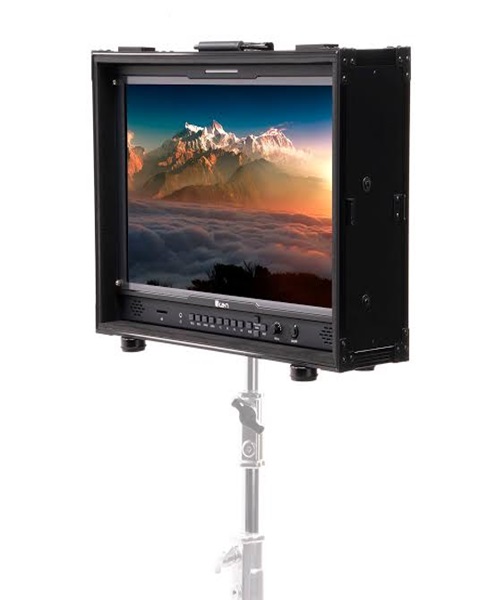
Video monitors: Allow the production team to monitor camera feeds and programme output.
Audio mixers: Combine microphones and other sound sources before sending audio to the streaming or recording system.
Microphones: Capture presenters, speakers, performers and audience contributions.
Lighting equipment: Supports visibility and improves the quality of the captured footage.
The complete equipment list should be based on the number of cameras, venue arrangement and intended production output.
Preparing for an SDI Capture Device Rental
Proper preparation helps reduce technical difficulties during an event. Before hiring an SDI capture device, establish the equipment requirements and production arrangement.
Consider the following steps:
-
Identify the camera or video switcher that will provide the SDI signal.
-
Confirm the SDI standard, resolution and frame rate required.
-
Check the type and length of SDI cables needed.
-
Confirm the capture device’s computer connection.
-
Check the computer’s available ports and hardware specifications.
-
Confirm compatibility with the intended streaming or recording software.
-
Decide how audio will enter the computer.
-
Determine whether a separate monitor or SDI loop-through connection is needed.
-
Test the complete signal path before the event starts.
-
Prepare backup cables and suitable power arrangements where necessary.
A technical rehearsal is particularly important for conferences, church broadcasts and concerts where video production must run continuously throughout the programme.
Why Choose Janeson Rentals?
Janeson Rentals provides event equipment hire and rental solutions in Nairobi and across Kenya. We understand that professional event production requires equipment that works together, from camera connections and signal capture to audio management and live broadcasting.
When enquiring about SDI capture device hire and rental, provide details about your camera or video switcher, SDI output standard, computer specifications and intended production application. This information helps establish the appropriate capture requirements.
Clients can enquire about equipment for:
-
Church services and religious broadcasts.
-
Corporate conferences and meetings.
-
Television-style video production.
-
Concerts and entertainment events.
-
Live streaming and recording.
-
Educational programmes.
-
Hybrid conferences.
-
Product launches and exhibitions.
-
Professional video production projects.
You can also enquire about related audio-visual equipment, including PTZ cameras, camera controllers, video switchers, HDMI capture devices, monitors, cables and audio equipment.
Book SDI Capture Device Hire and Rental in Kenya
Are you organising a professional live stream, church broadcast, corporate conference or multi-camera production? An SDI capture device can help connect compatible professional video equipment to a computer for recording and online broadcasting.
Contact Janeson Rentals to enquire about SDI capture device hire and rental in Kenya. Share your event date, camera or switcher model, SDI signal requirements, computer specifications and intended production setup.
For a complete video production arrangement, you can also enquire about professional cameras, PTZ camera systems, SDI cables, video switchers, HDMI capture devices, streaming computers and audio equipment.
Choose Janeson Rentals for practical event equipment hire and rental solutions in Nairobi and across Kenya.