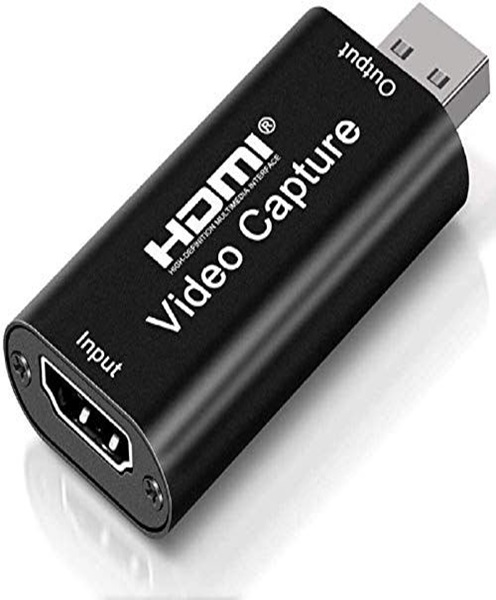
Video Capture Card Hire & Rental in Kenya
Live streaming and professional video production require reliable equipment for transferring video signals between cameras, computers and production systems. Whether you are broadcasting a church service, streaming a corporate conference, recording a concert or producing a webinar, a video capture card plays an important role in connecting video sources to a computer.
A video capture card is a device that receives a video signal from a compatible camera, video switcher, gaming system or other video source and makes that signal available to a computer for streaming, recording or further processing. It helps bridge the gap between professional video equipment and computer-based production software.
At Janeson Rentals, we provide event equipment hire and rental solutions in Nairobi and across Kenya. If you are organising an event that requires live video transmission, recording or online broadcasting, hiring a video capture card can help you access the equipment needed for your production without making a permanent purchase.
Video capture card hire and rental in Kenya is suitable for event organisers, churches, production companies, corporate organisations, educational institutions, content creators and technical teams looking for practical video production solutions.
From simple single-camera streaming to more advanced multi-camera productions, the right capture device can help your computer receive video from external equipment and make it available to compatible software.
What Is a Video Capture Card?
A video capture card is a hardware device designed to receive video signals from an external source and transfer them into a computer or another compatible recording system.
For example, a professional camera may send a video signal through an HDMI or SDI connection. A compatible capture card receives that signal and makes it available to a computer, where software can display, record, stream or process the video.
Some capture cards are installed internally in a desktop computer, while others are external devices that connect through USB, Thunderbolt or another supported interface. The appropriate type depends on the computer, video source, required resolution, connection type and production workflow.
Video capture cards are commonly used for:
-
Live streaming church services.
-
Broadcasting corporate conferences.
-
Recording seminars and workshops.
-
Producing online training sessions.
-
Streaming concerts and entertainment events.
-
Recording interviews and presentations.
-
Connecting professional cameras to computers.
-
Capturing video from video switchers.
-
Gaming and content creation.
-
Hybrid meetings and virtual events.
-
Multi-camera video production.
A capture card does not usually function as a complete streaming system on its own. It is one component of a production setup that may also require cameras, computers, software, microphones, audio interfaces, internet connectivity and other accessories.
How Does a Video Capture Card Work?
A video capture card receives a video signal from an external source and makes it accessible to a computer. The exact process depends on the type of capture card and the connections supported by the equipment.
A typical live streaming arrangement follows several steps.
1. The Camera Captures the Video
The process begins with a video source such as a DSLR camera, mirrorless camera, professional video camera or PTZ camera.
The camera captures the presenter, speaker, performers or activities taking place during the event. It then sends the video signal through a compatible output connection.
2. The Video Signal Travels to the Capture Card
The camera connects to the capture card using a supported connection, commonly HDMI or SDI, depending on the equipment.
The selected capture card must support the signal format being sent by the camera. This includes considerations such as resolution, frame rate, signal type and connection compatibility.
3. The Capture Card Connects to the Computer
An external capture card may connect to a computer through USB or another supported interface. An internal capture card is installed into a compatible computer expansion slot.
The computer must also have the required drivers, software support and processing capacity.
4. Streaming or Recording Software Receives the Video
Compatible software can detect the capture card as a video input device. The production team can then select the incoming video source and incorporate it into a live stream, recording or presentation.
Depending on the software and production setup, the video may be combined with graphics, presentation slides, other camera feeds and audio sources.
5. The Video Is Streamed, Recorded or Displayed
The final video can be transmitted to an online platform, recorded onto a computer or routed into another production workflow.
This makes the capture card an important connection point between external video equipment and computer-based production.
Types of Video Capture Cards
Different productions require different capture arrangements. Video capture cards are available in several configurations, and selecting the right type is important for achieving a reliable setup.
HDMI Video Capture Cards
HDMI capture cards receive video signals through an HDMI connection. They are commonly used with DSLR cameras, mirrorless cameras, camcorders, gaming systems and video switchers that provide compatible HDMI outputs.
HDMI capture cards can be suitable for small and medium-sized productions, including webinars, online presentations, church broadcasts and single-camera live streams.
Before selecting an HDMI capture card, check the supported input resolution, frame rates, colour formats and computer connection requirements.
SDI Video Capture Cards
SDI capture cards are designed for video production environments that use Serial Digital Interface connections.
SDI is commonly found in professional video cameras, broadcast equipment and production systems. It is particularly useful in installations where equipment needs to be connected through professional video infrastructure.
Some capture cards support multiple SDI standards and signal formats. The production team should confirm compatibility between the camera output and the capture card input.
SDI capture cards can be useful for:
-
Television-style production.
-
Multi-camera conferences.
-
Professional live streaming.
-
Concert video production.
-
Church broadcasting.
-
Studio recording.
-
Corporate event coverage.
USB Video Capture Devices
USB capture devices are external accessories that connect to a computer through a supported USB interface. They are often considered for portable production setups because they can be easier to transport and connect than internal expansion cards.
However, not every USB capture device offers the same performance. The supported resolution, frame rate, input type and USB bandwidth should be checked before use.
A USB capture device may be appropriate for a small webinar, presentation, interview or simple camera-to-computer streaming arrangement.
PCIe Internal Capture Cards
PCIe capture cards are installed inside compatible desktop computers. They are commonly used in more permanent production systems where internal expansion slots are available.
Depending on the model, an internal card may provide one or multiple video inputs. Some models are designed to capture several video sources simultaneously.
Internal capture cards can be useful in professional streaming workstations, broadcast environments, recording studios and multi-camera event production systems.
Multi-Channel Video Capture Cards
Multi-channel capture cards allow a computer to receive multiple video inputs through one device. This can be useful for productions that use several cameras or video sources.
For example, a conference production may use one camera for the main speaker, another for the audience and a third for a presentation area.
A multi-input capture card may allow these sources to be brought into a compatible computer workflow. However, the number of physical inputs does not automatically determine how many independent sources the software can process simultaneously. The computer’s hardware, card specifications and software configuration must also be considered.
Video Capture Card Hire for Live Streaming in Kenya
Live streaming has become an important part of event production. Organisations use online broadcasts to reach audiences who cannot attend an event physically, while churches, educational institutions and businesses use streaming to extend the reach of their programmes.
A video capture card can help connect a professional camera to a computer running live streaming software.
For example, a church may use a PTZ camera to capture a worship service. The camera sends its video output to a capture card connected to a computer. The streaming software then combines the video with the audio feed before broadcasting the service online.
A similar setup can be used for conferences, seminars, product launches, concerts and corporate presentations.
Video capture card rental is useful when an organisation needs streaming equipment for a particular event, campaign or production period without purchasing hardware for occasional use.
A live streaming setup may include:
-
Professional video cameras.
-
PTZ cameras.
-
Video capture cards.
-
Video switchers.
-
Streaming computers.
-
Streaming software.
-
Audio mixers.
-
Microphones.
-
Audio interfaces.
-
Lighting equipment.
-
Internet connectivity.
-
Monitoring displays.
The equipment requirements depend on the number of cameras, the production quality required and the platform receiving the stream.
Video Capture Card Rental for Churches
Churches increasingly use video production to share sermons, worship sessions, conferences, prayer meetings and special services with people watching remotely.
A video capture card can form part of the church’s computer-based streaming system by receiving video from cameras positioned around the worship space.
A single-camera setup may be sufficient for a small church, while a larger ministry may use several cameras to capture the pastor, choir, worship team and congregation.
In a multi-camera environment, video signals may first be sent to a video switcher. The selected output from the switcher can then be connected to a capture card for streaming or recording. Alternatively, a production computer may receive several independent feeds through a suitable multi-input capture system.
The correct arrangement depends on the available equipment and how the production team intends to manage camera switching.
For churches organising special services, conferences or temporary broadcasts, video capture card hire can provide an additional connection option without requiring a permanent equipment investment.
Video Capture Card Hire for Conferences and Corporate Events
Corporate events often involve presentations, speakers, panel discussions and demonstrations. Recording or streaming these activities can help organisations share information with remote participants and preserve important content for future use.
A video capture card can receive a signal from a professional camera or video switcher and transfer it to a computer for recording or broadcasting.
For example, a conference may have a camera capturing the main stage and another recording audience participation. The production team can use a switcher to manage the camera feeds before sending the programme output to a capture card.
This arrangement is useful for:
-
Corporate conferences.
-
Annual general meetings.
-
Product launches.
-
Business seminars.
-
Training sessions.
-
Panel discussions.
-
Executive presentations.
-
Hybrid meetings.
-
Virtual conferences.
-
Award ceremonies.
When planning a corporate production, it is important to consider the required recording resolution, audio quality, presentation integration and internet capacity.
Video Capture Cards for Webinars and Online Training
Webinars and online training sessions often require more than a computer’s built-in webcam. Professional cameras can provide improved flexibility in framing, positioning and production control.
A capture card can connect a compatible external camera to a computer so that webinar software can receive the video feed.
This is useful for trainers, presenters, educational institutions, consultants and organisations conducting online learning programmes.
A webinar production may include:
-
A professional camera.
-
A video capture card.
-
A computer.
-
A microphone.
-
An audio interface or mixer.
-
Presentation software.
-
Webinar or streaming software.
-
Lighting equipment.
The capture card helps bring the camera feed into the computer, while the other components support presentation, sound and online communication.
Video Capture Cards for Concerts and Entertainment Events
Concerts and entertainment productions may require video recording, live streaming or large-screen display. Cameras can capture performers, musicians, presenters and audience activities, while a video production team manages the different feeds.
A capture card can be used to bring an appropriate video output into a computer for recording, streaming or further processing.
For example, a production team may use a video switcher to select different camera angles and send the programme output to a computer through a compatible capture card.
This can support live coverage of concerts, festivals, award ceremonies, cultural events and entertainment programmes.
For larger productions, it is important to check the signal format, input requirements, cable arrangements and computer processing capacity before the event begins.
Important Factors to Consider When Hiring a Video Capture Card
Choosing a capture card requires careful consideration of the equipment being connected and the production requirements.
1. Input Connection
Check whether the video source provides HDMI, SDI or another supported output. The capture card must have a compatible input or be used with an appropriate signal conversion arrangement.
Do not assume that an HDMI capture card can receive an SDI signal without suitable conversion equipment.
2. Supported Resolution
Different capture cards support different video resolutions. Some are designed for standard high-definition signals, while others support higher resolutions.
Confirm the camera’s output resolution and ensure that the capture card can accept it.
3. Frame Rate
Frame rate affects how motion is represented in video. A capture card should support the frame rate required by the production.
This is particularly relevant for concerts, sports-related content, performances and other productions involving fast movement.
4. Computer Compatibility
The computer must have the appropriate connection, operating system support, processing capacity and available resources.
For internal PCIe capture cards, confirm that the computer has a compatible expansion slot and sufficient space.
For external devices, check the required USB or other interface specifications.
5. Software Compatibility
The capture card should work with the streaming or recording software being used. Some devices may require drivers or specific software configurations.
It is advisable to test the device with the intended computer and software before the event begins.
6. Number of Inputs
A single-input capture card may be suitable for a simple camera setup. A multi-camera production may require multiple inputs or a separate video switcher.
Consider how many independent sources need to be captured and whether they must be available simultaneously.
7. Audio Support
Some capture devices can receive audio through the same connection as the video signal, while other production arrangements require separate audio interfaces or mixers.
Confirm how the sound will enter the computer. A video capture card should not automatically be assumed to replace a dedicated audio interface.
8. Latency and Synchronisation
Some capture systems introduce processing delay. This may affect how video and audio align during live production.
For productions involving multiple cameras, audio mixers and presentation systems, test the complete signal chain before broadcasting.
Supporting Equipment for Video Capture Card Rental
A video capture card is most effective when it is selected as part of a complete production setup.
Depending on the event, you may also require:
Video cameras: Capture the original footage and provide the video signal.
PTZ cameras: Allow remote pan, tilt and zoom control for fixed-position production.
PTZ camera controllers: Help operators manage compatible PTZ cameras remotely.
Video switchers: Allow production teams to select between different video sources.
Streaming computers: Run the software used to receive, process, record or broadcast video.
Audio mixers: Manage microphones and other audio sources.
Microphones: Capture speakers, presenters, performers and audience contributions.
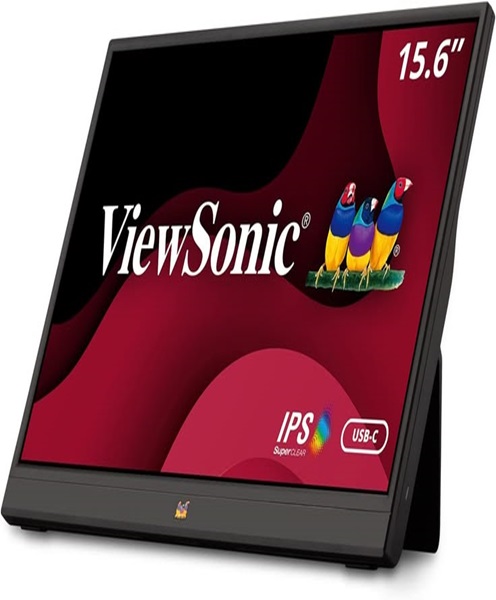
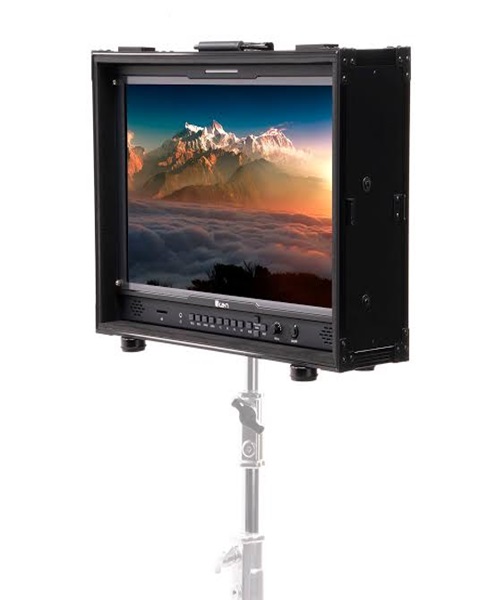
Monitors: Allow operators to view camera feeds and programme output.
HDMI and SDI cables: Connect compatible video equipment.
Signal converters: Convert between supported video connection formats where necessary.
The correct equipment combination will depend on the size of the production, the number of sources and the intended output.
Why Choose Janeson Rentals?
Janeson Rentals provides event equipment hire and rental solutions in Nairobi and across Kenya. We understand that successful event production requires equipment that works together, from video capture and camera control to sound management and live broadcasting.
When enquiring about video capture card hire and rental, share the details of your video source, computer, connection type and intended production. This makes it easier to identify a suitable capture arrangement and consider any additional accessories required.
Clients can enquire about equipment for:
-
Church services and religious broadcasts.
-
Corporate conferences and business meetings.
-
Live streaming and video recording.
-
Webinars and online training.
-
Concerts and entertainment productions.
-
Product launches and exhibitions.
-
Educational presentations.
-
Hybrid events and virtual conferences.
-
Professional video production.
Whether you are planning a simple camera-to-computer connection or a more advanced multi-camera production, Janeson Rentals can assist with your event equipment enquiry.
Book Video Capture Card Hire and Rental in Kenya
Are you planning a live stream, conference, webinar, church broadcast or video recording project? A suitable video capture card can help connect your camera or video production system to a computer for streaming and recording.
Contact Janeson Rentals to enquire about video capture card hire and rental in Kenya. Provide your event date, video source, required input connection, computer specifications and intended production setup.
You can also enquire about related equipment, including PTZ cameras, camera mounts, video switchers, streaming computers, monitors, audio mixers and professional microphones.
Choose Janeson Rentals for practical event equipment hire and rental solutions in Nairobi and across Kenya.