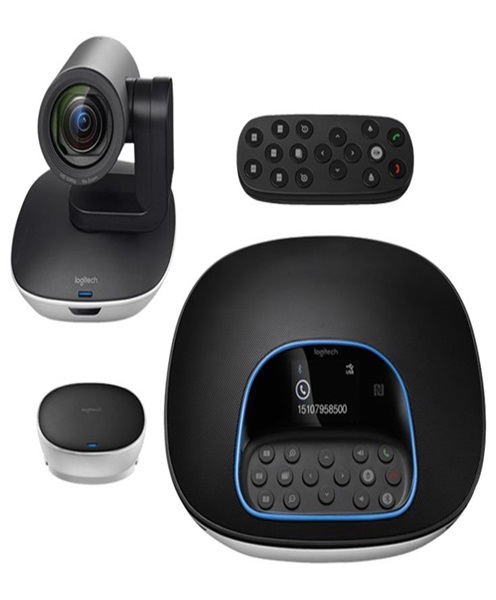
Video Conferencing System Hire and Rental in Kenya
Introduction
Professional communication is no longer limited to people meeting in the same physical room. Businesses, institutions and organisations increasingly rely on video conferencing to connect employees, clients, partners, speakers and audiences across different locations. A well-planned video conferencing system makes it possible to conduct meetings, share presentations, hold discussions and collaborate with people who are joining remotely.
Janeson Rentals provides video conferencing system hire and rental in Kenya for organisations that require professional conferencing equipment for temporary or event-based use. Whether you are hosting an executive meeting, a hybrid conference, a training session, a seminar or a virtual presentation, the right equipment can help create a more organised and effective communication experience.
Video conferencing equipment can include cameras, microphones, speakers, displays, connection devices and other components that work together to capture and transmit audio and video. The equipment required depends on the room size, number of participants, meeting format and conferencing platform.
Hiring a video conferencing system is a practical option for businesses that need professional equipment without investing in a permanent installation. Janeson Rentals serves clients in Nairobi and across Kenya, helping them plan equipment requirements for different meeting environments and event settings.
What Is a Video Conferencing System?
A video conferencing system is a combination of hardware and software that enables people in different locations to communicate through live audio and video.
Unlike a basic laptop video call, a dedicated conferencing setup can support communication in larger rooms, with multiple participants and more demanding presentation requirements.
A typical video conferencing arrangement may include:
-
Conference camera: Captures video of people in the meeting room.
-
Conference microphones: Capture the voices of participants.
-
Speakers or speakerphones: Allow people in the room to hear remote participants.
-
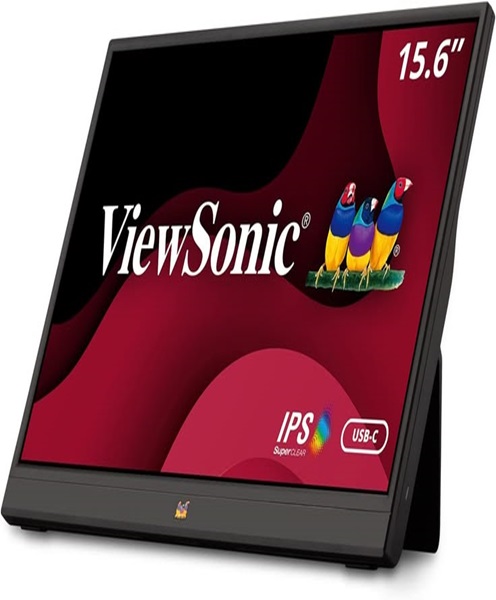
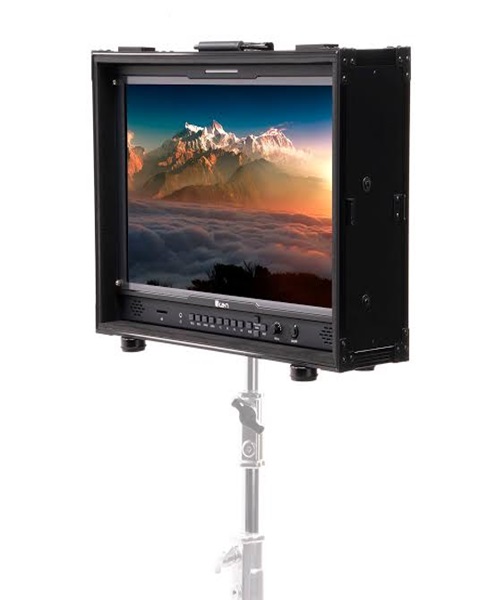
Conference monitor or display: Shows remote participants, shared presentations and meeting information.
-
Computer or conferencing device: Runs the meeting platform and manages connected equipment.
-
Connection cables and adapters: Connect compatible devices and displays.
-
Internet connection: Supports the transmission of live audio, video and shared content.
Not every meeting requires all these components. Smaller rooms may use an integrated conferencing device, while larger spaces may require separate cameras, microphones, speakers and displays.
The most suitable configuration depends on the event’s technical requirements and the equipment being used.
Why Hire a Video Conferencing System?
Purchasing a complete video conferencing setup can be expensive, particularly when the equipment is only needed for occasional meetings, temporary venues or special events. Video conferencing system rental provides access to suitable equipment without requiring a permanent investment.
Cost-Effective Access to Professional Equipment
A business may need advanced conferencing equipment for an annual conference, a temporary boardroom, a training programme or a short-term project. Buying equipment for occasional use may not be financially practical.
Hiring allows organisations to arrange the equipment they need for a specific period. This can help manage event budgets while providing access to a more suitable conferencing setup.
Flexibility for Different Meeting Environments
A small office meeting has different requirements from a large hybrid conference. A system hired for one event can be selected according to the room size, number of participants and meeting format.
This flexibility is particularly useful for event planners and organisations that use different venues.
Support for Hybrid Meetings
Hybrid meetings bring together participants who are physically present and others joining remotely. A suitable video conferencing system helps connect both groups.
With appropriate cameras, microphones, speakers and displays, people in the room can participate in the discussion while remote attendees can see and hear the meeting.
No Need for Permanent Installation
Some organisations do not have dedicated conference rooms or permanent video conferencing infrastructure. Hiring is useful when meetings take place in hotels, temporary offices, conference centres and event venues.
Access to Coordinated Equipment
A conferencing setup involves more than simply connecting a camera to a computer. The camera, microphones, speakers and display must work together.
Discussing the full equipment requirement before booking helps clients plan a more coordinated arrangement.
Applications of Video Conferencing System Rental in Kenya
Video conferencing systems are useful in many professional and organisational settings.
Corporate Meetings and Executive Boardrooms
Companies use video conferencing to connect management teams, employees, shareholders, consultants and business partners.
An appropriate system can support remote presentations, management discussions, project reviews and business planning sessions.
For executive meetings, camera placement and microphone coverage are especially important. Participants should be visible and audible without having to crowd around one computer.
Hybrid Conferences and Seminars
Hybrid events allow speakers and attendees to participate either in person or remotely. A video conferencing system can support remote speakers, virtual presentations and discussions between participants in different locations.
Event organisers should plan how remote contributions will be displayed and how questions from online participants will be heard in the venue.
Training and Educational Sessions
Training institutions and organisations may use video conferencing to connect instructors with learners in different locations. A conferencing setup can support live demonstrations, discussions, presentations and question-and-answer sessions.
For training environments, clear audio is particularly important because participants need to understand instructions and follow discussions.
Online Interviews and Recruitment
Businesses can use video conferencing systems for recruitment interviews, panel discussions and candidate assessments. A suitable setup helps create a professional meeting environment and allows participants to communicate across locations.
Remote Consultations and Professional Discussions
Consultants, service providers and business teams can use video conferencing to conduct consultations, project meetings and client presentations without requiring everyone to travel to one location.
Government, Institutional and Organisational Meetings
Institutions and organisations may require conferencing equipment for consultations, internal meetings, stakeholder discussions and formal presentations.
Hiring can be useful when an organisation needs additional equipment for a particular meeting or event.
Product Launches and Business Presentations
Companies launching products or introducing new services can use video conferencing to include remote stakeholders, presenters and guests. The system can also support live demonstrations and discussions.
Church and Ministry Meetings
Churches and ministries may use video conferencing to connect leadership teams, remote speakers, ministry departments and members in different locations.
A suitable setup can also support planning meetings, online teaching sessions and hybrid gatherings.
Main Components of a Video Conferencing System
Understanding the different components helps clients identify what they need before arranging a rental.
Conference Camera
The conference camera captures people in the meeting room and transmits the video to remote participants.
Different cameras serve different purposes. A basic USB conference camera may be suitable for a small room, while a PTZ camera can provide remote pan, tilt and zoom control where supported.
Camera selection should consider the size of the room, participant seating arrangement, viewing angle and conferencing platform requirements.
Microphones
Microphones capture the voices of people participating in the meeting. The microphone arrangement should match the room layout and number of speakers.
Possible options include tabletop conference microphones, wireless microphones, gooseneck microphones and integrated speakerphone microphones.
For larger rooms, multiple microphones may be necessary to ensure that participants can be heard clearly.
Speakers and Speakerphones
Speakers reproduce the voices of remote participants inside the meeting room. A conference speakerphone may combine a microphone and loudspeaker in one device, making it suitable for certain smaller meeting spaces.
Larger rooms may require a separate audio arrangement. The selected equipment should provide suitable coverage while minimising unwanted feedback and echo.
Conference Monitor or Display
A display allows participants to view remote attendees, presentations, documents and shared content.
The appropriate screen size depends on the venue and viewing distance. Some hybrid meeting arrangements benefit from separate displays for remote participants and presentation content.
Computer or Conferencing Device
A computer or dedicated conferencing device may be needed to run the meeting application, connect peripherals and share presentations.
Compatibility should be checked before the event. Different systems may support different operating systems, applications and connection methods.
Internet Connectivity
A stable internet connection is important for video conferencing. Poor connectivity can cause interrupted audio, frozen video and delays.
Organisers should assess the venue’s internet capacity and consider the number of devices expected to use the network during the meeting.
Choosing the Right Video Conferencing System
The best system is the one that meets the communication requirements of the event. Consider the following factors when arranging video conferencing equipment hire.
Number of Participants
Start by estimating how many people will be physically present in the room and how many will join remotely.
A small meeting with four or five participants may require a simpler setup than a conference involving several speakers and a large audience.
The number of participants influences camera coverage, microphone placement, speaker requirements and display size.
Room Size and Layout
The dimensions and shape of the venue affect equipment selection. A compact boardroom may work well with an integrated conferencing device, while a long meeting room may require a camera with a wider field of view and microphones distributed around the table.
Consider the seating arrangement, room acoustics, lighting and distance between participants.
Conferencing Platform Compatibility
Different organisations use different conferencing platforms. Before booking, identify the platform that will host the meeting and confirm that the selected equipment is compatible with the computer and software configuration.
Do not assume that every camera, microphone or conferencing device works with every platform.
Audio Quality
Clear audio is essential for effective remote communication. Participants should be able to hear speakers without excessive background noise, echo or interruptions.
Consider the number of microphones required, their placement and whether the venue needs additional speakers or audio equipment.
Video Quality and Camera Coverage
The camera should capture the people who need to participate in the meeting. Consider whether a fixed camera is sufficient or whether remote camera movement and zoom control would be useful.
For panel discussions and larger boardrooms, camera positioning should be planned carefully to avoid obstructed views.
Display Requirements
Determine whether the meeting needs one display or multiple screens. Participants may need to see remote attendees and shared presentations at the same time.
The screen should be appropriate for the venue and visible from the intended seating positions.
Video Conferencing for Hybrid Events
Hybrid events require careful coordination between the physical venue and the online meeting environment.
The event organiser should establish how speakers will communicate with remote participants, how presentations will be shared and how questions will be handled.
A conference camera should capture the relevant speakers and participants. Microphones should pick up the discussion, while speakers allow the people in the room to hear remote contributions.
If presentations are part of the event, the display arrangement should make it easy for in-person participants to follow the content. The online audience should also receive the appropriate video or screen-sharing feed.
It is important to test the entire setup before the event begins. A camera that works independently may still need configuration within the conferencing application. Similarly, audio devices should be checked to confirm that the correct microphone and speaker outputs are selected.
Equipment That Can Complement a Video Conferencing System
Depending on the event, clients may require additional AV equipment to create a complete setup.
Complementary equipment may include:
-
Conference monitors for displaying presentations and remote participants.
-
PTZ conference cameras for remote camera movement and zoom control.
-
USB conference cameras for compatible computer-based meetings.
-
Wireless conference microphones for flexible participant movement.
-
Wired conference microphones for fixed seating arrangements.
-
Conference speakerphones for suitable smaller meeting rooms.
-
Digital mixing consoles for more complex audio configurations.
-
PA systems for larger venues.
-
Laptops and presentation computers.
-
HDMI cables, USB cables and compatible adapters.
-
Wireless presentation systems for sharing content from compatible devices.
-
Video capture devices for supported recording or streaming workflows.
-
Lighting equipment where the meeting is being recorded or broadcast.
The final equipment list should be based on the meeting format rather than selecting devices individually without considering how they will connect.
Preparing for a Video Conferencing System Rental
Preparation helps ensure that the equipment is ready for the intended meeting.
Begin by identifying the purpose of the event and the number of participants expected. Explain whether the meeting will be fully online, conducted in person with remote attendees, or held as a hybrid conference.
Next, confirm the venue and room layout. The camera, microphones, speakers and displays should be positioned to support clear communication.
Identify the conferencing platform and the computer that will host the meeting. Check the available USB, HDMI and other connection ports. Where adapters are necessary, confirm compatibility before the event.
Internet connectivity should also be tested. If several participants will be using the venue’s network, consider whether sufficient bandwidth is available for the meeting.
Before the session begins, test the camera, microphone, speakers and display. Confirm that remote participants can hear and see the people in the room. Check screen sharing and presentation playback as well.
For important conferences, it is sensible to schedule a technical rehearsal before the actual event. This provides an opportunity to identify connection problems and make adjustments before participants arrive.
Why Choose Janeson Rentals for Video Conferencing System Hire?
Janeson Rentals provides event and audiovisual equipment hire for clients organising meetings, conferences, presentations and other professional events in Kenya.
Our video conferencing system hire and rental service is suitable for organisations that need temporary conferencing equipment without purchasing an entire system. Clients can discuss their meeting requirements and identify the equipment configuration that best suits the venue and intended use.
Whether you are organising a corporate boardroom meeting in Nairobi, a training session, a hybrid seminar or a conference in another part of Kenya, planning the equipment requirements in advance helps create a more professional meeting experience.
Janeson Rentals also offers complementary event and AV equipment that can support broader presentation and conferencing arrangements. This makes it possible to consider the display, sound and video requirements together when planning an event.
Book a Video Conferencing System for Hire in Kenya
Make communication easier between in-person and remote participants with a suitable video conferencing setup from Janeson Rentals.
Contact Janeson Rentals to enquire about video conferencing system hire and rental in Nairobi and across Kenya. Provide your event date, venue, expected number of participants, meeting format and conferencing requirements.
Whether you need equipment for a corporate meeting, hybrid conference, training programme, online presentation or professional discussion, Janeson Rentals can help you plan a suitable conferencing arrangement.
Hire a video conferencing system from Janeson Rentals and prepare your next meeting with the right equipment for effective communication.