Introduction to Conference Recording System Hire and Rental in Kenya
Conferences bring together professionals, business leaders, speakers, delegates, institutions and organisations to exchange information, discuss ideas and share expertise. These events often involve important presentations, keynote speeches, panel discussions, interviews and audience contributions. Recording the proceedings allows organisers to preserve valuable information and make it available for future reference.
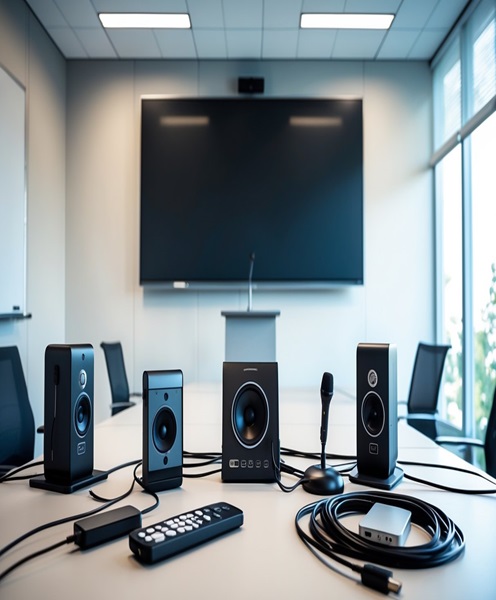
A conference recording system provides the equipment needed to capture the audio and, where required, video content of a conference. Depending on the programme, the system may include microphones, audio mixers, recording devices, video cameras, capture equipment, monitors, computers and storage devices.
Janeson Rentals provides conference recording system hire and rental in Kenya for event organisers, corporate organisations, conference planners, educational institutions, associations, churches and production companies. Based in Nairobi, Janeson offers equipment rental solutions with delivery arrangements across Kenya.
Hiring a conference recording system is useful when an organisation wants to document a professional event without investing in permanent recording equipment. The setup can be planned around the conference venue, number of speakers, programme duration, number of sessions and the intended use of the recordings.
Whether you are organising a small business meeting, a multi-day professional conference, a leadership forum or a large industry gathering, a suitable recording arrangement helps preserve the event’s most important contributions.
What Is a Conference Recording System?
A conference recording system is a collection of compatible audio and video equipment used to capture presentations, discussions, speeches and other proceedings during a conference.
The system can be configured for audio-only recording, video recording or combined audiovisual recording. The choice depends on what the organiser needs to preserve.
A basic setup may record a speaker’s microphone feed directly from a sound mixer. A more comprehensive arrangement may include cameras positioned around the conference room, microphones for panel members, a video switcher, recording computers and dedicated storage.
A conference recording system can capture:
-
Keynote addresses and opening speeches.
-
Panel discussions and round-table conversations.
-
Business presentations and executive briefings.
-
Audience questions and responses.
-
Training sessions and professional workshops.
-
Academic lectures and institutional forums.
-
Stakeholder consultations and industry meetings.
-
Award presentations and conference announcements.
-
Interviews and media engagements.
-
Multi-session conferences and professional summits.
The main objective is to preserve the conference content in a format that can be reviewed, edited, archived or distributed according to the organiser’s requirements.
Why Hire a Conference Recording System?
Preserve Important Presentations and Discussions
Conferences often contain information that remains useful after the event. Recording allows organisers to retain keynote addresses, expert opinions, discussions and presentations for future reference.
This can be particularly valuable for professional associations, businesses, educational institutions and organisations that host recurring conferences.
Support Delegates Who Cannot Attend
Some participants may be unable to attend every session because of travel arrangements, scheduling conflicts or limited conference capacity.
Where appropriate permissions are in place, recordings can help organisers share session content with absent delegates and other authorised audiences.
Create Professional Content for Marketing
Conference recordings can be edited into promotional videos, speaker highlights, interviews and short clips for websites and social media.
These materials can help demonstrate the value of an event, promote future editions and communicate the expertise of participating speakers.
Improve Training and Knowledge Sharing
Organisations can use recorded sessions as internal learning resources. Presentations, demonstrations and expert discussions can be reviewed by employees, students or members after the conference.
The recordings can also support knowledge transfer between departments and teams.
Maintain an Organised Record of Proceedings
For organisations that hold formal meetings, stakeholder forums or institutional conferences, recordings provide an additional record of discussions and presentations.
They should not automatically be treated as official minutes or legal records. Where formal documentation is required, the organisation should follow its own record-keeping and approval procedures.
Reduce the Cost of Equipment Ownership
Purchasing professional audio and video recording equipment can be costly. A conference recording system rental allows clients to access the equipment required for a particular event without maintaining a permanent production setup.
Main Components of a Conference Recording System
The equipment required depends on the size and format of the conference.
Conference Microphones
Microphones capture the voices of speakers, panel members and other participants.
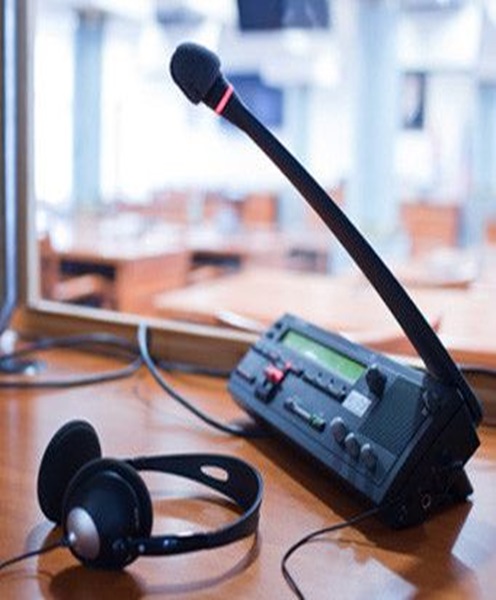
Depending on the event, the setup may include wireless handheld microphones, lapel microphones, gooseneck microphones, wired microphones or compatible delegate microphone units.
For panel discussions, each participant may require a separate microphone channel or a suitable shared microphone arrangement.
Audio Mixer
An audio mixer receives and manages microphone signals and other sound sources.
It allows the audio operator to control input levels and create an appropriate recording feed. A conference may use an existing venue mixer or a dedicated mixer for recording.
The recording feed should be checked independently to ensure that it receives the required microphone channels and is not simply relying on an unsuitable loudspeaker output.
Audio Recorder
A dedicated audio recorder can capture conference sound from a compatible mixer output or directly from selected microphones.
The recording format, input connections, channel count and storage capacity should be matched to the event’s needs.
For conferences with multiple speakers, recording separate audio channels can provide more flexibility during editing, where the equipment supports this workflow.
Video Cameras
Video cameras can capture the speaker, presentation area, panel participants and audience.
A straightforward conference may require one camera, while a larger event may benefit from a multi-camera recording arrangement.
Camera selection should consider the room size, shooting distance, lighting and recording duration.
Video Switcher and Capture Equipment
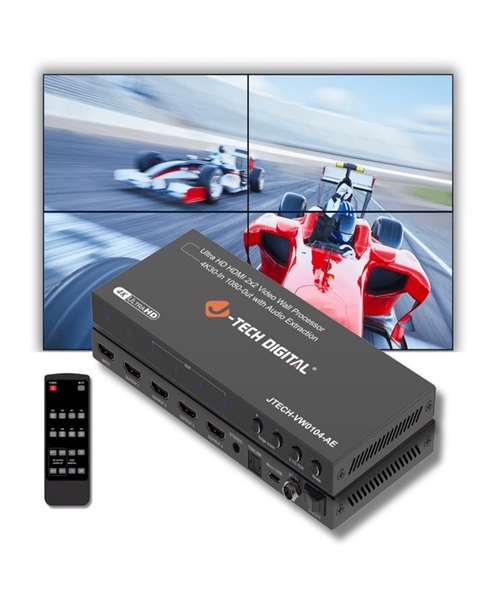
Where multiple cameras are used, a video switcher can allow the operator to select between camera feeds.
Video capture equipment may then record the selected programme output or connect supported video sources to a computer.
The required input channels and video formats should be confirmed before booking.
Recording Computer
A computer may be used with compatible recording software and capture equipment.
Its suitability depends on the number of incoming audio and video signals, recording resolution, software requirements and available storage.
Presentation Capture Equipment
Some conferences use presentation slides, videos, demonstrations and other digital materials.
Where these need to be included in the recording, suitable video connections or capture equipment may be required to capture the presentation source alongside the camera footage.
The production team should confirm the presentation system’s outputs and ensure compatibility with the recording setup.
Monitoring Equipment
Headphones and monitors help operators check audio and video signals during the conference.
Monitoring is important because problems such as disconnected cables, distorted sound, incorrect camera framing and missing presentation feeds can otherwise go unnoticed.
Storage and Backup Equipment
A conference may run for several hours or several days. Adequate storage is therefore essential.
The required capacity depends on the number of recording channels, video quality, audio format, programme duration and file settings.
Organisers should establish a file-management and backup plan before recording begins.
Applications of Conference Recording System Hire
Corporate Conferences
Businesses often organise annual conferences, leadership meetings, strategy sessions and industry gatherings.
A recording system can preserve executive presentations, panel discussions and important announcements for internal communication and future review.
Academic Conferences
Universities, colleges, research institutions and professional organisations may host academic conferences involving lectures, research presentations and specialist discussions.
Recording allows organisers to preserve contributions from presenters and make approved sessions accessible to participants and researchers.
Seminars and Professional Workshops
Seminars often involve one or more speakers delivering detailed information to an audience.
A conference recording setup can capture the speaker and the corresponding audio, helping participants revisit important material after the session.
Stakeholder and Industry Forums
Public institutions, businesses, associations and development organisations may host forums to discuss industry developments, projects and policy matters.
Recording can help document presentations and discussions, subject to the event’s confidentiality and consent requirements.
Religious Conferences
Churches and religious organisations may arrange conferences, leadership meetings and large gatherings with multiple speakers.
A suitable recording arrangement can capture sermons, panel discussions, presentations and other programme activities.
Multi-Day Conferences and Summits
Large conferences may run across several days and include multiple rooms or parallel sessions.
The equipment plan should identify which sessions require recording, where the recording systems will be installed and how files will be labelled and stored.
If several rooms operate simultaneously, each room may need its own recording setup or a coordinated central production arrangement.
Audio-Only Versus Audiovisual Conference Recording
Conference organisers should decide whether they need audio recording alone or both audio and video.
Audio-only recording can be suitable for panel discussions, lectures, interviews and meetings where the spoken content is the main priority.
Audiovisual recording is more appropriate when camera footage, speaker presentation and visual demonstrations are important.
A combined system can also capture presentation slides or other visual material when the appropriate equipment and connections are provided.
The decision affects equipment selection, installation time, staffing, storage requirements and the final recording workflow.
Choosing the Right Conference Recording System
Consider the Number of Speakers
A conference with one keynote speaker has different requirements from a panel discussion involving several participants.
The number and type of microphones should be selected according to the speaking arrangement and the audio mixer or recording device’s available inputs.
Evaluate the Venue
The conference room’s dimensions, layout, acoustics and seating arrangement influence microphone and camera placement.
A large auditorium may require different equipment and cable arrangements from a small boardroom.
Confirm the Number of Sessions
For multi-session conferences, organisers should determine whether every session requires recording.
If parallel sessions take place in different rooms, the recording plan should account for the separate spaces and simultaneous programme activities.
Decide on Camera Coverage
If video is required, determine whether the event needs one camera or multiple camera angles.
A single camera may be sufficient for a straightforward presentation. Panel discussions and large conferences may benefit from wider coverage.
Check Presentation Capture Requirements
If presentation slides and demonstrations must appear in the recording, the technical team should establish how those sources will be connected and recorded.
The camera recording and presentation feed should be tested together before the conference starts.
Plan for Long Recording Sessions
Conference recordings can involve long periods of continuous operation.
The system should have adequate power, storage and recording capacity. Where recording devices have file-size or recording-duration limitations, these should be considered during planning.
Consider Post-Production Needs
Some clients require raw recordings, while others want edited session videos, speaker highlights or organised recordings for online distribution.
The intended output should influence the recording format, audio channel arrangement and file-management approach.
Conference Recording System Versus General Event Recording System
A general event recording system can be configured for many types of occasions, including concerts, weddings, exhibitions and corporate functions.
A conference recording system is more specialised. It focuses on preserving spoken information, presentations, discussions and the flow of formal sessions.
It may therefore place greater emphasis on microphone coverage, individual speaker audio, presentation capture, session separation and clear speech recording.
Although both systems can use similar cameras, microphones and recording devices, the conference configuration should reflect the way the event is structured.
Technical Planning and Recording Best Practices
A successful conference recording depends on preparation and monitoring throughout the programme.
Before the event, organisers and production teams should:
-
Confirm the complete session schedule.
-
Identify all speakers and panel participants.
-
Test microphones and audio mixer outputs.
-
Check camera framing and video connections.
-
Verify presentation capture where required.
-
Confirm recording formats and storage capacity.
-
Check power supply and backup arrangements.
-
Test the complete recording workflow.
-
Establish file naming and session organisation.
-
Confirm who is authorised to access and distribute recordings.
During the conference, operators should monitor audio levels, recording indicators, video signals and available storage.
Organisers should also communicate recording arrangements to speakers and attendees, obtain appropriate consent and identify sessions that must remain private or confidential.
Why Choose Janeson Rentals for Conference Recording System Hire?
Janeson Rentals provides event equipment hire and rental solutions for corporate organisers, conference planners, institutions, associations and production teams in Kenya.
When arranging a conference recording system rental, clients can discuss the event format and identify suitable equipment for their programme.
Reasons to consider Janeson Rentals include:
-
Conference-focused equipment planning: The recording setup can be discussed according to the number of speakers, sessions and recording requirements.
-
Flexible rental options: Hire suitable equipment for a specific conference without purchasing a complete recording system.
-
Related AV equipment: Coordinate microphones, mixers, cameras, monitors, cables and recording devices where required.
-
Support for different event formats: Plan equipment for seminars, corporate conferences, academic forums, workshops and stakeholder meetings.
-
Nairobi-based service: Janeson Rentals is based in Nairobi, with delivery arrangements available across Kenya.
Exact equipment availability, specifications, installation requirements and technical support arrangements should be confirmed when requesting a quotation.
How to Hire a Conference Recording System from Janeson Rentals
To help identify a suitable recording setup, provide the following information when contacting Janeson Rentals:
-
Conference date and venue.
-
Expected number of delegates.
-
Number of speakers and panel participants.
-
Number of conference rooms requiring recording.
-
Total programme duration.
-
Whether audio-only or audiovisual recording is required.
-
Whether presentation slides must be captured.
-
Whether individual sessions need separate recordings.
-
Whether live streaming is also required.
-
Whether installation, setup or technical operation is needed.
Sharing these details early helps the team plan the equipment and connections required for the conference.
Book Conference Recording System Rental in Kenya
Preserve the important presentations, speeches and discussions from your next professional gathering with a suitable conference recording system. Whether you are organising a corporate conference, seminar, academic forum, stakeholder meeting, training programme or multi-day summit, reliable recording equipment helps make valuable event content available beyond the conference itself.
Contact Janeson Rentals to enquire about conference recording system hire and rental in Nairobi and across Kenya. Discuss your programme, venue and recording requirements to identify an appropriate equipment solution.