Introduction to Event Recording System Hire and Rental in Kenya
Recording an event is an important way to preserve presentations, speeches, performances, discussions and memorable moments for future use. Whether an organisation is hosting a corporate conference, a business seminar, a product launch, a training workshop, a church service or a public gathering, professional recording helps ensure that important content is not lost when the event ends.
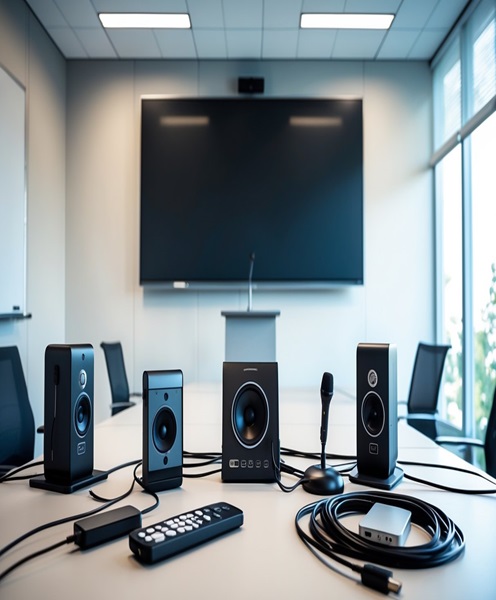
An event recording system provides the equipment and connections required to capture event content in an organised and reliable manner. Depending on the production requirements, the system may include cameras, microphones, audio interfaces, video capture equipment, recording computers, storage devices, monitoring screens, video switchers and other supporting accessories.
Janeson Rentals offers event recording system hire and rental in Kenya for organisers who need suitable recording equipment without purchasing an entire production setup. Based in Nairobi, Janeson supports event production requirements with rental solutions for corporate clients, event planners, institutions, production teams, churches, agencies and private organisers.
Hiring an event recording system is particularly useful when the event contains information that needs to be reviewed, distributed, archived, edited or repurposed after the programme. A properly configured system can capture both the visual and audio elements of an event, helping create useful recordings for internal communication, marketing, education, documentation and future reference.
What Is an Event Recording System?
An event recording system is a collection of compatible audio and video equipment used to capture and store the proceedings of an organised event.
Unlike a basic camera recording, a professional event recording setup considers the complete recording environment. It accounts for camera positioning, microphone placement, sound sources, video connections, recording formats, storage requirements and monitoring.
The configuration depends on what the organiser wants to capture. A small seminar may require a camera, an audio feed from the venue’s sound system and a recording device. A large corporate conference may require multiple cameras, dedicated audio recording, video switching, recording computers and additional storage.
The system may be configured to record:
-
Presentations and keynote speeches.
-
Panel discussions and interviews.
-
Training sessions and workshops.
-
Corporate announcements and award ceremonies.
-
Product launches and demonstrations.
-
Church services and religious conferences.
-
Entertainment performances and stage programmes.
-
Educational lectures and institutional events.
-
Public forums and stakeholder meetings.
-
Exhibitions, demonstrations and promotional activities.
The objective is to create a clear and usable record of the event rather than simply capturing random footage.
Why Hire an Event Recording System?
Purchasing professional recording equipment can involve a substantial investment. Cameras, recording devices, microphones, computers, storage and accessories may only be required for occasional events.
Event recording system rental offers a practical alternative by allowing organisers to access equipment for the duration of their production.
Cost-Effective Event Production
Hiring allows an organisation to allocate its budget towards the equipment required for a particular event without purchasing equipment that may remain unused for long periods.
This is particularly useful for event agencies, conference organisers, institutions and businesses that manage occasional productions.
Preserve Important Event Content
Some events contain information that remains valuable long after the original programme. A recording can preserve presentations, speeches, discussions, announcements and demonstrations.
Organisations can refer to the footage when preparing reports, reviewing presentations or documenting institutional activities.
Support Post-Event Marketing
Event recordings can provide useful content for websites, social media, promotional campaigns and future event marketing.
A recorded product launch, corporate conference or exhibition can be edited into shorter videos that communicate the event’s highlights and key messages.
Create Training and Educational Resources
Training workshops, seminars and educational conferences can be recorded for later review. Where appropriate permissions are obtained, organisers may distribute the recordings to participants who could not attend physically.
Improve Accountability and Documentation
Recording can provide an additional record of proceedings, especially for professional conferences, institutional meetings and formal presentations.
The recording approach should be agreed with participants and organisers, particularly where confidential discussions or personal information may be involved.
Main Components of an Event Recording System
The equipment included in an event recording system depends on the type of production and the required recording quality.
Professional Video Cameras
Cameras capture the visual content of the event. Depending on the venue, the setup may use professional camcorders, mirrorless cameras, cinema cameras or other suitable video cameras.
Camera selection depends on the lighting conditions, shooting distance, recording duration, output connections and required resolution.
For example, a conference may need a camera positioned towards the stage to record speakers, while an awards ceremony may require additional coverage of presenters and recipients.
Audio Recording Equipment
Clear audio is essential for producing useful event recordings. A video can contain excellent images but still be difficult to use if the speech is unclear.
An event recording setup may receive sound from the venue’s professional PA system, a mixing console, wireless microphones or dedicated microphones.
Depending on the production, audio interfaces, recorders, microphones and suitable cables may also be required.
Video Capture Equipment
Video capture equipment allows compatible video signals to be recorded using a computer or dedicated recording platform.
The choice depends on the camera outputs, connection standards, recording software and the number of video sources.
Recording Computer or Dedicated Recorder
A computer or dedicated recording device may be used to capture and store video and audio.
The recording solution should support the intended format, resolution, frame rate and recording duration. Storage capacity and system performance should be checked before the event begins.
Video Monitoring Equipment
Monitoring equipment allows operators to check camera feeds and recording signals.
A suitable monitor helps the production team identify framing problems, signal interruptions and other technical issues during the programme.
Storage Devices
Recordings require adequate storage. Depending on the system, this may involve internal drives, external SSDs, hard drives or other supported storage media.
The required capacity depends on recording quality, number of sources, duration and file format.
Cables and Signal Accessories
The system may require HDMI, SDI, USB, audio and power connections. Appropriate adapters, extension cables, signal converters and distribution equipment may also be needed.
Compatibility between cameras, capture devices, recorders and monitors should be checked before installation.
Event Recording System Applications
Corporate Conferences and Business Events
Corporate conferences often include keynote speeches, panel sessions, executive presentations and announcements. Recording helps organisations preserve these sessions for internal communication, professional documentation and future reference.
Janeson Rentals can help organisers identify an event recording configuration based on the venue, stage layout and recording objectives.
Seminars and Workshops
Seminars and workshops frequently contain detailed presentations that participants may want to review later.
A recording system can capture the speaker, presentation screen and relevant discussions, depending on the camera and audio configuration.
Product Launches
Product launches involve demonstrations, announcements, presentations and audience engagement. Recording these activities gives the business content that can be used for marketing, reporting and promotional communication.
Church Services and Religious Conferences
Churches and religious organisations may require recordings of sermons, worship sessions, conferences and special programmes.
A suitable setup should capture the speaker clearly while considering the stage, congregation, musical performances and venue sound system.
Training and Educational Institutions
Schools, colleges, universities and training organisations can use event recording systems to preserve lectures, demonstrations, workshops and academic presentations.
The equipment should be selected according to the room size, number of presenters and intended distribution of the recordings.
Exhibitions and Trade Shows
Exhibitions often include product demonstrations, interviews and presentations. Recording these activities helps exhibitors document their participation and create promotional material.
Award Ceremonies and Special Occasions
Award ceremonies, graduation celebrations and formal functions can benefit from recording that preserves speeches, presentations and important moments.
For these events, camera placement should consider the stage, presenters, recipients and audience activities.
Choosing the Right Event Recording System
The best recording system depends on the requirements of the event. Before arranging an event recording system rental, organisers should consider several factors.
Event Size and Venue Layout
A small boardroom meeting may need a straightforward recording setup. A large auditorium or conference venue may require more cameras, longer signal connections, additional audio feeds and dedicated operators.
The venue layout also affects camera positioning and cable routing.
Recording Duration
Recording a one-hour presentation is different from recording a full-day conference.
The system should have sufficient storage, power availability and recording capability for the entire programme. Long sessions should be planned with appropriate file management and backup arrangements.
Audio Requirements
Organisers should identify whether the recording needs to capture one speaker, several presenters, a panel discussion, audience questions or a complete programme.
The recording team should confirm how audio will be obtained from the venue’s sound system and whether independent microphones or recorders are necessary.
Video Quality
The required resolution and frame rate should be established before selecting equipment. Higher-quality recording can require more storage and processing capacity.
The cameras, recording devices and connected equipment must support compatible settings.
Number of Recording Sources
Some events require one camera, while others need multiple camera angles. If different sources are being captured, the system should be configured to support the intended recording workflow.
Editing and Distribution
Organisers should consider what will happen to the recordings after the event.
Some clients need raw recordings for editing, while others require separate session files, presentation recordings or finished highlight videos. The recording format and file organisation should support the intended post-production process.
Event Recording System Versus Live Streaming
Event recording and live streaming are related but different production functions.
An event recording system captures content for storage and later use. Live streaming sends audio and video to an online platform so viewers can watch remotely.
Some productions require both functions. In such cases, the equipment may be configured to record the event while simultaneously supplying a suitable feed to a streaming encoder or streaming computer.
Organisers should communicate these requirements when arranging equipment so that the recording and streaming workflows can be planned together.
Technical and Operational Considerations
A reliable event recording setup requires more than connecting a camera to a computer.
Before the event, the production team should confirm that all video and audio connections are compatible. Recording formats, resolution, frame rates, audio levels and storage capacity should be checked.
A complete technical test should include:
-
Testing every camera and recording source.
-
Confirming audio signal quality.
-
Checking video connections and signal stability.
-
Verifying available storage space.
-
Confirming power availability and backup arrangements.
-
Checking recording software or recorder settings.
-
Testing the complete recording workflow.
-
Confirming that files can be accessed after recording.
Where recordings contain personal, confidential or commercially sensitive information, organisers should obtain appropriate consent and establish who can access the files.
Why Choose Janeson Rentals for Event Recording System Hire?
Janeson Rentals provides event equipment hire and rental solutions in Nairobi, Kenya, with delivery arrangements available across Kenya.
Clients can discuss their recording requirements and identify suitable equipment for the event’s technical and operational needs.
Reasons to consider Janeson Rentals include:
-
Event-focused equipment solutions: Recording equipment can be selected according to the type and scale of the programme.
-
Flexible rental arrangements: Hiring offers access to professional equipment without requiring permanent ownership.
-
Related AV equipment: Clients can coordinate recording requirements with other event production equipment.
-
Support for different event types: Solutions can be considered for conferences, seminars, corporate events, exhibitions, training programmes and religious gatherings.
-
Nairobi-based service: Janeson is based in Nairobi and provides delivery arrangements across Kenya.
The appropriate equipment configuration should be confirmed according to availability, technical compatibility and the specific requirements of each booking.
How to Hire an Event Recording System from Janeson Rentals
Arranging an event recording system hire is easier when the production requirements are identified early.
When contacting Janeson Rentals, provide:
-
Event date and venue.
-
Expected programme duration.
-
Type of event.
-
Number of speakers or presentation areas.
-
Whether the recording is audio-only, video-only or audiovisual.
-
Required number of camera angles.
-
Desired recording resolution and format, where known.
-
Whether live streaming is also required.
-
Whether equipment delivery, installation or technical operation is needed.
This information helps determine the appropriate equipment and supporting accessories.
Book Event Recording System Rental in Kenya
Preserve important presentations, discussions, performances and corporate milestones with a suitable event recording setup. Whether you are organising a business conference, seminar, church programme, product launch, training workshop or exhibition, the right equipment can help capture the event for future reference and distribution.
Contact Janeson Rentals to enquire about event recording system hire and rental in Nairobi and across Kenya. Share your event details and recording objectives to help identify a suitable solution for your production.
528. Multi-Camera Recording System Hire and Rental in Kenya
SEO Title: Multi-Camera Recording System Hire and Rental in Kenya | Janeson Rentals
Focus Keyword: Multi-Camera Recording System Hire in Kenya
Secondary Keywords: Multi-Camera Recording Rental Kenya, Multiple Camera Recording Hire Nairobi, Professional Multi-Camera Production, Conference Camera Rental Kenya, Event Video Production Equipment, Multi-Camera Video Recording, Live Production Camera System
URL Slug: multi-camera-recording-system-hire-rental-kenya
Meta Description: Hire a professional multi-camera recording system in Kenya from Janeson Rentals. Capture conferences, concerts, corporate events and live productions from multiple angles.
Short Description: Janeson Rentals offers multi-camera recording system hire and rental in Kenya for conferences, corporate events, concerts, church services, interviews, exhibitions, product launches and professional video productions. Capture different perspectives using a coordinated camera recording setup designed around your event.
Introduction to Multi-Camera Recording System Hire and Rental in Kenya
Capturing an event from multiple camera angles creates a more comprehensive and engaging recording than relying on a single fixed camera. Whether an organisation is hosting a corporate conference, a musical performance, a church service, a product launch or a large public event, multiple cameras can help document different activities as they happen.
A multi-camera recording system is designed to capture video from two or more camera positions. The cameras may record independently, feed into a central video switcher or connect to a recording computer or dedicated recording equipment. The exact configuration depends on whether the production requires individual camera recordings, a switched programme recording or both.
Janeson Rentals provides multi-camera recording system hire and rental in Kenya for event organisers, production companies, institutions, businesses, churches and creative professionals. Based in Nairobi, Janeson offers event equipment rental solutions with delivery arrangements across Kenya.
Multi-camera recording is especially valuable when one camera cannot capture every important moment. A conference may need a wide shot of the stage, a close-up of the speaker and additional coverage of panel participants. A concert may require separate camera positions for the performers, musicians and audience. A wedding or awards ceremony may benefit from different angles covering the main stage and important interactions.
Hiring a multi-camera recording system gives organisers access to a coordinated production setup without purchasing multiple cameras and supporting equipment.
What Is a Multi-Camera Recording System?
A multi-camera recording system is a video production arrangement that uses multiple cameras to capture an event or production from different viewpoints.
Each camera is positioned to serve a particular recording purpose. The cameras may capture wide shots, close-ups, audience reactions, stage activities, interviews or other important scenes.
Depending on the equipment and workflow, the video feeds can be:
-
Recorded separately for editing after the event.
-
Combined through a video switcher into one programme recording.
-
Captured simultaneously as individual camera files and a switched programme feed.
-
Routed to monitoring equipment for production supervision.
-
Used as sources for a compatible live streaming system.
A multi-camera recording system is not necessarily the same as a live streaming system. Its main purpose is to capture multiple video perspectives. Streaming can be added when required, provided the equipment and production workflow support it.
Why Hire a Multi-Camera Recording System?
Capture More Than One Perspective
A single camera has a limited field of view and cannot always capture several activities at once.
Multiple cameras allow the production team to cover different areas of the venue. For example, one camera can capture the full stage while another focuses on the presenter.
This creates more complete footage and provides greater flexibility during editing.
Produce More Engaging Event Recordings
Different camera angles make recordings more dynamic. A video editor can alternate between wide shots, close-ups and audience reactions to create a more engaging final production.
This is particularly useful for conferences, concerts, interviews and promotional videos.
Preserve Important Moments
Important event activities may happen simultaneously. Multiple cameras increase the chances of capturing speeches, presentations, audience interactions and stage activities from useful angles.
For formal occasions, this can be valuable when documenting awards, ceremonies, graduations and corporate announcements.
Improve Post-Production Flexibility
When individual camera feeds are recorded separately, editors can select the most appropriate shots after the event.
They can create highlight videos, full-session recordings, promotional clips and other content using footage from different camera positions.
The recording workflow should be confirmed in advance because not every multi-camera setup records every camera independently.
Support Professional Video Production
Production teams can use multiple cameras to create a more organised and professional recording environment.
With appropriate camera operators, monitoring and switching equipment, the production can maintain consistent coverage throughout the event.
Avoid the Cost of Purchasing Multiple Cameras
Buying several professional cameras and accessories can be expensive, particularly for organisations that only require multi-camera recording occasionally.
Multi-camera recording system rental allows clients to access suitable equipment for a specific production without the long-term costs of ownership, maintenance and storage.
Main Components of a Multi-Camera Recording System
The configuration of a multi-camera recording system varies according to the number of cameras, recording requirements and production environment.
Multiple Video Cameras
The cameras are the primary recording sources. They may include professional camcorders, mirrorless cameras, cinema cameras, PTZ cameras or other compatible video cameras.
Each camera should be selected according to its intended position and function.
For example:
-
A wide-angle camera can capture the entire stage or presentation area.
-
A close-up camera can focus on speakers and performers.
-
A roaming camera can capture audience reactions and activity around the venue.
-
A dedicated camera can cover interviews or demonstrations.
-
A PTZ camera can provide remotely controlled framing from a fixed position.
The cameras should be compatible with the selected recording and switching equipment.
Video Switcher
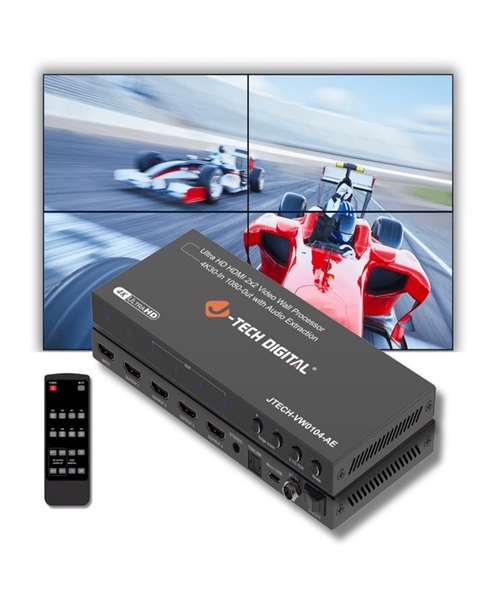
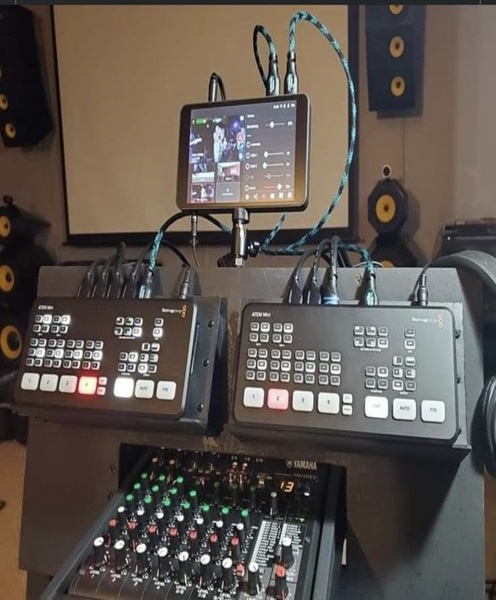
A video switcher allows operators to select between connected camera feeds and create a combined programme output.
For instance, during a conference, the operator may switch from a wide stage shot to a close-up of the speaker and then to a panel discussion.
The switcher must support the relevant input formats, connection types and video settings.
Multi-Channel Video Recorder
A multi-channel recorder may capture several camera feeds simultaneously, depending on its design and supported input configuration.
This can be useful when organisers require multiple camera recordings without relying entirely on the switched programme output.
The number of supported recording channels, formats and resolutions must be confirmed before hiring.
Recording Computer
A recording computer may be used with compatible capture hardware and software to record and manage video sources.
Its suitability depends on the number of incoming signals, recording resolution, encoding requirements, processing capacity and available storage.
Video Capture Cards
Video capture cards connect compatible video sources to a computer for recording or production.
Some capture devices support a single input, while others provide multiple channels. The correct equipment should be selected according to the camera outputs and the recording workflow.
Camera Monitoring Equipment
Monitoring equipment helps camera operators and production personnel check framing, exposure, focus and video signal quality.
A production monitor can also help the director or switching operator review the available camera feeds.
Camera Tripods and Support Equipment
Stable camera support is essential for consistent footage. Tripods, fluid video heads, camera plates, mounts and other accessories may be required.
Different camera positions may need different support arrangements depending on the venue and shooting style.
Video and Power Cables
A multi-camera setup requires appropriate signal and power connections.
Depending on the equipment, this may include HDMI cables, SDI cables, fibre transmission equipment, power extension cables and signal converters.
Cable length, connector compatibility, supported resolution and signal transmission distance should be considered when planning the installation.
Audio Recording Integration
Although the system focuses on video, audio is equally important.
The cameras or recording equipment may receive sound from the venue’s mixing console, wireless microphones, dedicated microphones or an external audio recorder.
A professional setup should establish how the audio will be recorded and synchronised with the camera footage.
Applications of Multi-Camera Recording System Hire
Corporate Conferences and Seminars
Corporate conferences frequently involve keynote speakers, panel discussions, presentations and audience participation.
A multi-camera recording system can provide:
-
A wide view of the stage.
-
Close-ups of individual speakers.
-
Coverage of panel participants.
-
Audience reaction shots.
-
Recording of presentation demonstrations.
This gives organisations more complete footage for internal archives, promotional content and future communication.
Concerts and Musical Performances
Concerts involve several performers, instruments and stage activities. A single camera may not capture all the important details.
Multiple cameras can cover the lead performer, supporting musicians, stage-wide activity and audience engagement.
The system should be planned around the stage layout, lighting conditions, performance duration and recording objectives.
Church Services and Religious Conferences
Churches may use multi-camera recording to capture sermons, worship performances, special celebrations and conferences.
A typical arrangement could include a wide camera covering the altar or stage, a closer camera for the preacher and another camera for musicians or other programme activities.
For larger productions, PTZ cameras may be considered where remote camera control is appropriate.
Weddings and Special Events
Weddings and formal celebrations contain important moments that may happen at different locations or at the same time.
Multiple cameras can provide coverage of the ceremony, speeches, performances, entrances and other significant activities.
Camera placement should be coordinated with the event planner and venue team to avoid obstructing guests or interfering with the programme.
Product Launches and Corporate Announcements
Product launches may involve presentations, demonstrations, interviews and audience engagement.
A multi-camera system can record the presenter while also capturing product details and reactions from attendees.
This material can later be used for promotional videos, corporate communication and digital marketing.
Interviews and Panel Discussions
Multi-camera recording is particularly useful for interviews involving two or more participants.
One camera can capture a wide two-person shot, while additional cameras capture individual close-ups.
This gives editors more flexibility when producing professional interviews, discussion programmes and corporate videos.
Educational and Training Productions
Universities, colleges, training institutions and professional organisations can use multi-camera recording for lectures, demonstrations and workshops.
Different cameras can capture the instructor, presentation materials and practical demonstrations.
Where recordings will be distributed to learners, organisers should consider audio clarity, screen visibility and suitable file formats.
Exhibitions and Trade Shows
Exhibitions often include demonstrations, interviews, product presentations and promotional activities.
A multi-camera setup can capture different areas of an exhibition stand or presentation stage, making it easier to produce comprehensive event coverage.
Multi-Camera Recording Versus Single-Camera Recording
The main difference is the number of camera perspectives available during production.
A single-camera setup may be appropriate for a small presentation, interview or straightforward event where one viewpoint is sufficient.
A multi-camera setup is more suitable when different activities need to be captured or when the final video requires varied perspectives.
With multiple cameras, production teams can record wide shots, close-ups and alternative viewpoints. This provides greater flexibility during editing and can create a more polished finished video.
However, multi-camera recording requires more planning. Camera operators, recording channels, signal connections, power requirements and storage capacity must all be considered.
The best solution depends on the production’s objectives, budget and technical requirements.
How to Choose the Right Multi-Camera Recording System
Determine the Number of Cameras
The first consideration is how many camera positions the event requires.
A small panel discussion may only need two or three cameras, while a concert or large conference may need additional coverage.
The number should be based on the venue layout and the activities that must be recorded, rather than selecting cameras without a defined purpose.
Identify Camera Positions
Each camera should have a clear role.
Consider the stage, audience, presentation screens, performance areas and movement around the venue. Camera positions should provide useful coverage without obstructing walkways, emergency exits or audience views.
Confirm Recording Requirements
Determine whether the client needs separate recordings from every camera, one switched programme recording or both.
This is an important distinction because the required recording equipment and channel capacity may differ considerably.
Check Video Compatibility
All cameras, switchers, recorders and capture devices should support compatible signal formats and settings.
The production team should confirm:
-
Video resolution.
-
Frame rate.
-
HDMI or SDI connectivity.
-
Input and output compatibility.
-
Recording format.
-
Available recording channels.
-
Supported storage media.
Consider Lighting Conditions
Some venues have challenging lighting conditions, particularly concerts, evening events and indoor stages.
Camera selection and positioning should take the lighting environment into account. Camera operators may also need to adjust exposure, focus and white balance during the production.
Plan Audio Recording
Clear audio should be considered from the beginning.
The production team should confirm whether the system will receive a direct feed from the venue’s mixing console, use dedicated microphones or combine several audio sources.
Plan Storage and File Management
Recording several cameras simultaneously can produce large amounts of data.
Storage capacity should be calculated using the expected number of cameras, recording quality, file format and programme duration.
Organisers should also decide how recordings will be labelled, transferred, backed up and delivered after the event.
Multi-Camera Recording System for Live Events
Multi-camera recording can support live event production when connected to suitable switching and monitoring equipment.
An operator can select between camera feeds during the programme, creating a live-cut recording that follows the action.
For example, during a corporate presentation, the operator can switch between the speaker, presentation screen and audience. During a concert, the operator can select shots of performers, musicians and stage-wide activity.
The switched output can be recorded directly, while individual camera feeds may also be captured separately if the system supports this arrangement.
If the event requires live streaming, an additional compatible streaming workflow may be incorporated. Streaming requirements should be communicated before the rental booking so that the complete signal path can be planned.
Technical Planning and Safety Considerations
A multi-camera production requires careful installation and testing.
Before the event begins, the production team should:
-
Test every camera and confirm video output.
-
Check all switcher inputs and recorder channels.
-
Confirm that camera settings are consistent where required.
-
Test recording and verify that files are being saved.
-
Check storage capacity and recording duration.
-
Confirm audio signal levels and synchronisation.
-
Secure tripods and camera supports on stable surfaces.
-
Route cables safely and protect them in areas where people may walk.
-
Check power distribution and avoid overloading electrical circuits.
-
Confirm camera operator positions and communication arrangements.
Outdoor events require additional attention to weather exposure, equipment protection and safe cable routing.
For long productions, recording checks and file-management arrangements should be planned to reduce the risk of losing important footage.
Why Choose Janeson Rentals for Multi-Camera Recording System Hire?
Janeson Rentals provides equipment hire and rental solutions for event organisers, production teams, corporate clients and institutions in Kenya.
When arranging a multi-camera recording system rental, clients can discuss the number of cameras, recording format, venue layout and intended production workflow.
Reasons to choose Janeson Rentals include:
-
Flexible equipment hire: Access suitable multi-camera production equipment for specific events without purchasing an entire system.
-
Event production solutions: Plan recording equipment around conferences, concerts, corporate events, exhibitions and other productions.
-
Related AV equipment: Coordinate camera systems with monitors, cables, video switchers, recording equipment and other compatible production accessories.
-
Support for different production scales: Discuss configurations for smaller presentations as well as more complex multi-camera productions.
-
Nairobi-based service: Janeson Rentals is based in Nairobi, with delivery arrangements available across Kenya.
Equipment availability, technical specifications, installation arrangements and any operational support should be confirmed when requesting a quotation.
How to Hire a Multi-Camera Recording System from Janeson Rentals
To make the booking process easier, share the following information when contacting Janeson Rentals:
-
Event date and venue.
-
Type of event or production.
-
Expected recording duration.
-
Number of cameras required.
-
Whether cameras will be operated manually or remotely.
-
Whether individual camera recordings are required.
-
Whether a live-switched programme recording is needed.
-
Whether live streaming is also required.
-
Preferred video resolution and recording format, if known.
-
Whether tripods, monitors, switchers, recorders and cables are required.
-
Whether installation and technical operation are needed.
Providing these details helps establish a suitable equipment configuration and identify any additional production requirements.
Book Multi-Camera Recording System Rental in Kenya
Capture your event from multiple perspectives with a suitable multi-camera recording setup from Janeson Rentals. Whether you are planning a conference, concert, church service, corporate launch, exhibition, interview or professional video production, multiple camera angles can help create more complete and versatile recordings.
Contact Janeson Rentals to enquire about multi-camera recording system hire and rental in Nairobi and across Kenya. Discuss your production requirements, camera positions and recording objectives to identify an appropriate solution for your next event.