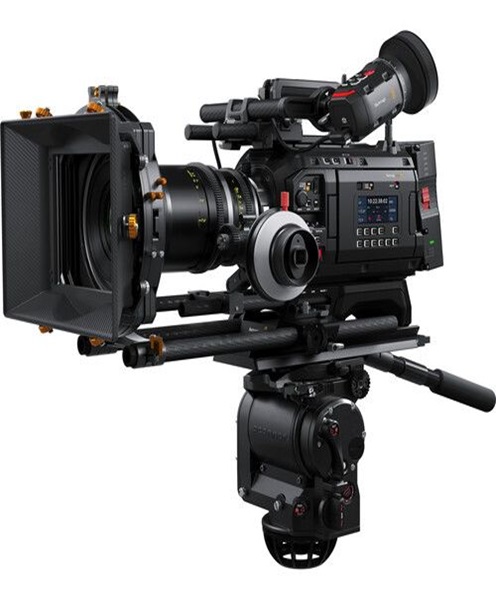
Multi-Camera Production Camera Hire and Rental in Kenya
Professional video production often requires more than one camera angle to capture an event, performance or presentation effectively. A single camera may record the main activity, but multiple cameras allow production teams to capture different perspectives, follow important moments and create more engaging video content.
Multi-camera production is widely used for corporate conferences, concerts, weddings, church services, television-style productions, panel discussions, interviews, product launches and livestreamed events. By positioning cameras at different points around a venue or production space, videographers can record wide shots, close-ups, audience reactions and other important details.
At Janeson Rentals, we provide camera hire and rental solutions for multi-camera production in Nairobi, Kenya, supporting event organisers, filmmakers, production companies, broadcasters, businesses and livestreaming teams. Hiring makes it possible to arrange the cameras needed for a specific project without purchasing an entire multi-camera inventory.
Whether you are producing a live conference, recording a concert, livestreaming a church service or filming a corporate programme, the right camera combination can help you achieve more complete coverage.
What Is a Multi-Camera Production?
Multi-camera production is a video recording or live production method that uses two or more cameras to capture the same event, performance or activity from different angles.
Each camera is assigned a specific role. One may capture a wide shot of the entire stage, another may focus on the main speaker, while a third records audience reactions or other activities.
The camera feeds can be recorded separately for editing or connected to a video switcher for live selection. In a livestreaming environment, the production team can switch between cameras as the event progresses, providing remote viewers with a more dynamic experience.
Multi-camera production is useful because events rarely happen from one fixed perspective. Speakers move, performers interact with audiences, and important moments may take place in different parts of a venue.
Using several cameras helps production teams capture these activities without constantly repositioning a single camera.
Why Hire Cameras for Multi-Camera Production?
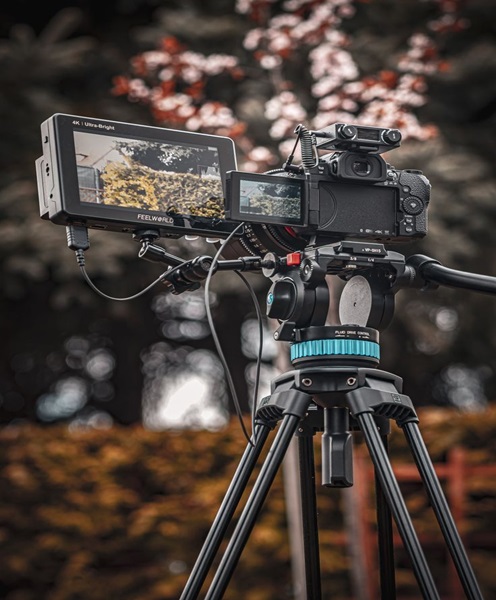
A multi-camera setup can require a significant amount of equipment. Each camera may need its own lens, tripod, power supply, monitoring arrangement and connection to the production system.
Hiring provides a practical way to organise these requirements for individual projects.
Capture Different Angles Simultaneously
The main advantage of multi-camera production is the ability to record several views at the same time.
For a conference, one camera can capture the full stage while another focuses on the presenter. A third camera may capture the audience, panel members or presentation details.
This provides more flexibility when editing the final video and helps a live production team select the most appropriate angle at each moment.
Improve Live Production Quality
In a live production, camera feeds can be connected to a compatible video switcher. The operator can select the most suitable camera view and send it to the display or streaming system.
This is particularly useful for concerts, conferences, church services, award ceremonies and hybrid events.
Instead of showing one static camera angle throughout the programme, the production can move between wide shots, close-ups and supporting footage.
Support Professional Event Coverage
Major events often involve several activities that need to be documented.
A multi-camera setup can record the main programme while capturing additional details such as audience engagement, product demonstrations, performances and interactions.
The resulting footage can be used for event highlights, promotional videos, internal documentation and full programme recordings.
Reduce the Need for Camera Movement
When a single camera is used for a complex event, the operator may need to move frequently to capture different views.
Multiple cameras can be positioned strategically before the programme begins. This reduces the need to reposition cameras during important moments and allows operators to focus on their assigned coverage.
Flexible Equipment Arrangements
Not every event requires the same number or type of cameras.
A small panel discussion may need two cameras, while a large conference or concert may require several cameras positioned around the venue.
Hiring allows production teams to arrange equipment according to the event’s scale, budget and technical requirements.
Applications of Multi-Camera Production Camera Rental in Kenya
Multi-camera production is suitable for different professional, corporate, educational and entertainment applications.
Corporate Conferences and Seminars
Corporate conferences often involve keynote speakers, panel discussions, presentations and audience participation.
A multi-camera setup can capture the event from several perspectives. One camera can provide a wide view of the stage, another can capture close-ups of speakers, and an additional camera can record audience reactions.
This approach is useful for live streaming and creating recordings that businesses can share with employees, clients and partners.
Concerts and Live Music Performances
Concerts and live performances benefit from multiple camera angles because performers and audience members are constantly moving.
A wide camera can capture the entire stage, while other cameras can focus on individual musicians, singers and instruments. An additional camera may capture audience reactions and the atmosphere of the venue.
For larger productions, camera positions should be planned around the stage design, lighting arrangement, audience seating and available production space.
Weddings and Special Celebrations
Weddings are full of moments that happen once, including the ceremony, speeches, entrances, performances and celebrations.
Multi-camera production allows videographers to capture different parts of the occasion simultaneously.
For example, one camera can record the couple and officiant during the ceremony, while another captures a wider view of the guests. A third camera may be used for close-up shots and supporting footage.
This can make the final wedding film more comprehensive and give the editor greater flexibility.
Church Services and Religious Conferences
Church services, worship concerts, prayer gatherings and religious conferences may involve speakers, choirs, musicians and audience participation.
Multiple cameras can provide different views of the stage, congregation and programme activities.
For livestreaming, camera feeds can be connected to a compatible video switcher and streaming system. This allows the production team to select different views during the service.
Product Launches and Brand Activations
Product launches often involve presentations, product demonstrations, entertainment and guest interactions.
A multi-camera arrangement can capture the presenter, product details and audience responses simultaneously.
The footage can be edited into promotional videos, event highlights and branded content for websites and social media.
Television-Style Interviews and Panel Discussions
Panel discussions and interviews often involve several speakers.
A multi-camera setup can assign one camera to a wide shot of the entire panel and additional cameras to individual speakers or selected groups.
This makes it easier to create a professional recording with appropriate changes in framing.
For livestreamed discussions, the production team can switch between camera feeds as speakers take turns.
Educational and Training Productions
Schools, colleges, universities and training organisations may produce recorded lectures, workshops and instructional programmes.
Multi-camera recording can capture the presenter, demonstrations and audience participation. It can also be useful for recording practical sessions where one camera may not provide sufficient coverage.
Hybrid Events and Livestreaming
Hybrid events connect physical audiences with remote participants.
Multiple cameras can provide different views of the venue and programme, while a video switcher combines the feeds into a live production.
The selected output can then be sent to a streaming encoder, computer or compatible platform. Audio must also be managed through an appropriate sound system or mixer.
Understanding the Different Camera Roles in Multi-Camera Production
A successful multi-camera setup requires more than hiring several cameras. Each camera should have a defined purpose.
Wide-Shot Camera
The wide-shot camera captures the overall scene. It may record the entire stage, presentation area, interview group or performance space.
This camera provides a continuous reference view and can be useful whenever the production switches away from close-ups.
Close-Up Camera
A close-up camera focuses on the main speaker, performer or subject.
During a conference, it may capture the presenter’s expressions and gestures. During a concert, it may focus on an individual musician or vocalist.
The lens and camera position should be selected according to the distance between the camera and the subject.
Audience Camera
An audience camera captures reactions, participation and interactions within the venue.
It can be useful for conferences, award ceremonies, concerts and panel discussions where audience engagement is an important part of the story.
Moving Camera
A moving camera can capture different areas of the venue and follow activities as they happen.
Depending on the production, it may be operated handheld, on a monopod or with a compatible stabilisation system.
This camera can provide additional visual variety, but movement should be coordinated carefully to avoid obstructing guests or interfering with other camera positions.
Presenter or Secondary Camera
A secondary camera may be dedicated to a specific presenter, panel member, demonstration or performance area.
This is particularly useful for programmes with several speakers or multiple activities taking place during the same event.
Choosing the Right Cameras for Multi-Camera Production
Different camera types can be used in a multi-camera production, provided their features and connections meet the requirements of the system.
Professional Camcorders
Professional camcorders are designed primarily for video recording and can be useful for conferences, concerts, interviews and event coverage.
Depending on the model, they may provide integrated lenses, optical zoom, dedicated video controls and professional connection options.
Their suitability for a particular production depends on recording formats, outputs, audio connections and power requirements.
Broadcast Cameras
Broadcast cameras are designed for professional live video and television-style production workflows.
Depending on the system, they may support professional video connections, remote control and integration with other production equipment.
Some broadcast camera configurations require additional components, such as camera control units or compatible accessories. These requirements should be confirmed before hiring.
Cinema Cameras
Cinema cameras can be used when a multi-camera project requires a particular cinematic look or advanced recording options.
They are useful for promotional productions, documentaries and creative event coverage, although the setup may require additional lenses, monitoring, power and rigging.
Mirrorless Cameras
Mirrorless cameras offer interchangeable lenses and flexible recording options.
They can be used in smaller multi-camera productions, interviews, corporate videos and event coverage. The selected models should have compatible video outputs and recording features.
DSLR Cameras
DSLR cameras can also be incorporated into suitable multi-camera projects, depending on their recording capabilities and output connections.
Before using them in a live production, check their recording limits, video output behaviour, autofocus and compatibility with the switching equipment.
PTZ Cameras
PTZ cameras provide remote pan, tilt and zoom control. They are useful when cameras need to remain in fixed positions while operators adjust their framing remotely.
They can be especially valuable in auditoriums, churches, meeting rooms and conference halls where camera movement by operators may be impractical.
Important Features to Consider Before Hiring Multi-Camera Production Cameras
The success of a multi-camera setup depends on choosing cameras that work well together and support the production workflow.
Resolution Compatibility
Different cameras may support different video resolutions.
When connecting cameras to a live switcher, confirm that their output resolutions are supported by the switching system. Matching resolutions can simplify production and reduce unnecessary signal conversion.
Frame Rate Matching
Cameras used in the same production should ideally be configured with compatible frame rates.
For example, a production team should plan a consistent frame rate across cameras when possible. This helps maintain a uniform appearance and simplifies switching and editing.
Colour Matching
Different camera models can produce different colour characteristics.
For a professional multi-camera production, the team should consider matching white balance, exposure and picture profiles. Where possible, cameras should be tested together before the event.
Colour matching helps avoid distracting changes in appearance when switching between angles.
Lens Selection
Each camera should have a lens appropriate for its role.
A wide-angle lens may be useful for establishing shots, while a telephoto lens may be required for distant speakers or performers.
The production team should consider focal length, aperture, focus performance and compatibility with the camera body.
Video Outputs and Connectivity
Multi-camera productions often require cameras to connect to video switchers, monitors or capture devices.
Depending on the equipment, connections may include HDMI, SDI, USB or network-based video systems.
Confirm the connection type, supported resolutions, cable requirements and any necessary converters before the production.
Power Requirements
Several cameras operating for extended periods need reliable power arrangements.
Check battery capacity, external power options and the availability of suitable power sources at the venue.
For long events, it is important to reduce the risk of cameras losing power during important programme moments.
Recording Media
If cameras are recording independently, each one needs sufficient storage capacity.
Estimate the recording duration and file sizes based on the selected resolution, frame rate and recording format.
For important events, establish a backup and file-management plan before recording begins.
Supporting Equipment for Multi-Camera Production
Cameras are only one part of a multi-camera production system. Additional equipment may be required to manage the feeds and create a complete production.
Depending on the project, consider:
-
Video switchers: Select between different camera feeds during a live production.
-
Camera tripods: Provide stable camera positions for wide shots and close-ups.
-
PTZ controllers: Operate compatible remote-controlled cameras.
-
External monitors: Allow operators and directors to view camera feeds.
-
Multiview monitors: Display several camera feeds on one screen for production monitoring.
-
Video capture cards: Transfer compatible camera signals into computers.
-
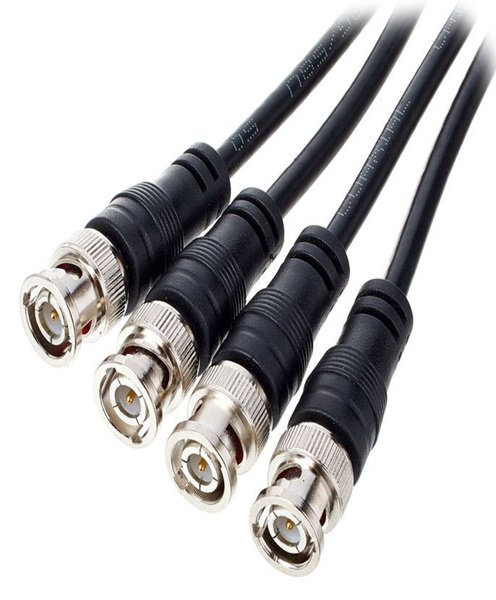
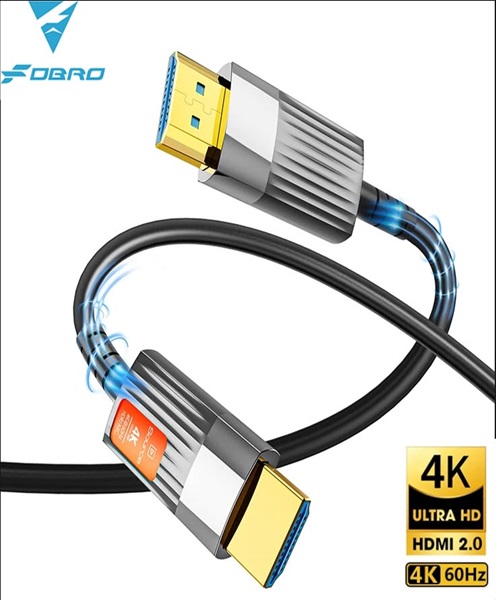
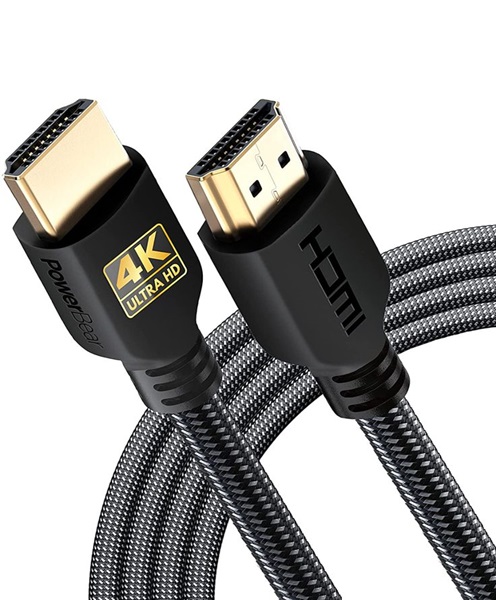
HDMI and SDI cables: Carry video signals between compatible devices.
-
Signal converters: Convert between supported video connection formats.
-
Wireless video transmission systems: Send compatible camera signals to remote monitoring positions.
-
Audio mixers: Manage microphones and other audio sources.
-
Microphones: Capture speakers, presenters, performers and interviews.
-
Streaming encoders: Send the final video output to online platforms.
-
Recording systems: Capture the programme for editing or future distribution.
-
Intercom systems: Allow camera operators and production staff to communicate.
-
Lighting equipment: Provide suitable illumination for the recording environment.
-
Power accessories: Support cameras and other production equipment during extended operation.
The exact equipment package should be determined by the number of cameras, venue layout, recording method and whether the production is live, recorded or both.
Multi-Camera Production for Live Streaming
Live streaming is one of the most common applications of multi-camera production.
Instead of showing remote viewers a single static view, the production team can switch between several camera angles as the programme develops.
A typical workflow may include:
-
Cameras capture the event from different positions.
-
Video cables or compatible wireless systems carry the feeds to the production area.
-
A video switcher receives and selects the camera feeds.
-
The production team monitors the selected output.
-
Audio is combined with the video through the appropriate system.
-
A streaming encoder or computer sends the final programme to the selected platform.
The setup may be expanded to include presentation slides, pre-recorded videos, graphics and remote participants.
Before the event, the team should test all camera feeds, cable connections, audio levels and internet arrangements. A backup plan is also useful in case one camera or connection experiences a problem.
How to Prepare for Multi-Camera Production Camera Rental
A multi-camera production needs careful planning because several pieces of equipment must work together.
Before hiring, consider these steps:
-
Define the production objective: Establish whether the project is a livestream, event recording, concert film, conference or promotional production.
-
Determine the number of cameras: Identify the angles needed to capture the programme effectively.
-
Assign camera roles: Decide which camera will capture wide shots, close-ups, audience reactions and moving footage.
-
Assess the venue: Check camera positions, lighting, available power, cable routes and audience movement.
-
Confirm technical compatibility: Check resolutions, frame rates, video outputs and switching requirements.
-
Plan the audio system: Establish how microphones and venue sound will be captured and combined with the video.
-
Arrange monitoring: Determine how operators and directors will view camera feeds.
-
Plan recording and streaming: Confirm whether footage will be recorded separately, switched live or both.
-
Test the complete setup: Run a technical rehearsal before the event begins.
A clear camera plan helps prevent overlapping camera positions, blocked views and unnecessary movement during the production.
Why Choose Janeson Rentals for Multi-Camera Production Camera Hire?
Janeson Rentals provides audiovisual and production equipment hire solutions for businesses, event organisers, videographers and production companies in Nairobi and across Kenya.
We understand that multi-camera productions require careful coordination between cameras, lenses, monitoring equipment, video connections and supporting systems.
Hiring allows you to plan your equipment requirements according to the production rather than investing in a permanent inventory of cameras and accessories.
Whether you are producing a conference, concert, wedding, church programme, corporate launch, panel discussion or livestream, you can enquire about suitable camera rental options and supporting production equipment.
When contacting Janeson Rentals, provide the event date, venue, expected production duration, number of camera angles required and whether the footage will be recorded or livestreamed. This information helps establish the equipment requirements for your project.
Book Multi-Camera Production Cameras in Nairobi, Kenya
Planning a professional production that requires several camera angles? Contact Janeson Rentals to enquire about multi-camera production camera hire and rental in Nairobi and across Kenya.
From conferences and concerts to weddings, corporate events, church services, interviews and livestreamed programmes, the right camera arrangement can help your production capture more of the action and deliver a more engaging viewing experience.
Choose Janeson Rentals for multi-camera production camera hire in Kenya and organise the video equipment needed for your next professional production.