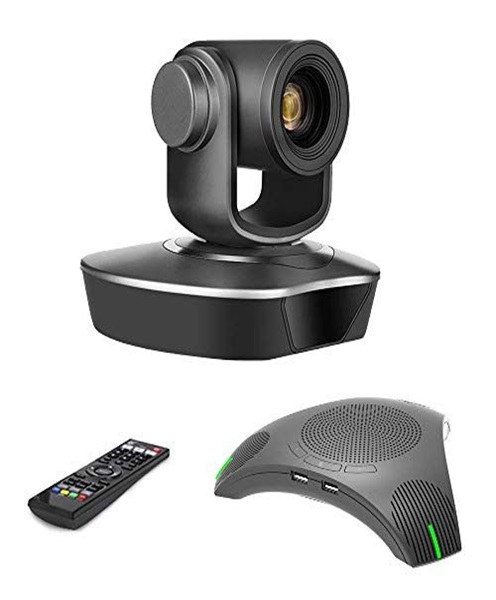
PTZ Camera for Hire and Rental in Kenya
A PTZ camera is a remotely controlled video camera that can move horizontally, vertically and zoom in or out without requiring an operator to physically handle the camera during every shot. PTZ stands for Pan, Tilt and Zoom, describing the three main movements that make this camera type useful in professional video production.
PTZ cameras are commonly used in conference rooms, churches, lecture halls, television studios, boardrooms, event venues and live streaming environments. They allow production teams to control camera movement remotely, making it possible to capture speakers, performers, presentations and other activities from different angles.
At Janeson Rentals, we provide PTZ camera hire and rental services in Nairobi for event organisers, churches, businesses, educational institutions, production companies and professional videographers across Kenya. Whether you are organising a corporate conference, streaming a church service, recording a lecture or producing a hybrid event, hiring PTZ cameras can help you create an organised and flexible video production setup.
PTZ cameras are available in different resolutions, zoom capabilities, control systems and connectivity options. Some are designed for small meeting rooms, while others are built for larger professional production environments. The most suitable option depends on the venue, camera placement, required image quality and production workflow.
What Is a PTZ Camera?
A PTZ camera is a remotely operated video camera that allows an operator to control its direction and zoom through a compatible control system.
The three primary functions are:
-
Pan: Moves the camera horizontally from left to right or right to left.
-
Tilt: Moves the camera vertically upward or downward.
-
Zoom: Adjusts the focal length to provide a wider or closer view.
These movements allow one camera to cover different areas of a venue without physically repositioning the equipment.
Many PTZ cameras can be controlled through a dedicated hardware controller, software interface, compatible network connection or other supported control method.
Depending on the model, a PTZ camera may support Full HD or 4K video, optical zoom, HDMI output, SDI output, USB connectivity, network video protocols and preset camera positions.
Not all PTZ cameras support every connection or control method. Compatibility must be checked before planning the production.
How Does a PTZ Camera Work?
A PTZ camera combines a video imaging system with motorised movement mechanisms. These mechanisms allow the camera to pan, tilt and zoom according to commands from a compatible controller.
The camera is usually installed in a fixed position, such as a wall, ceiling, tripod or specialised mounting structure. Once installed, the operator can control the camera remotely.
For example, during a conference, an operator can use the controller to move the camera towards the presenter, zoom in for a close-up or return to a wide shot showing the stage.
Many PTZ cameras also support preset positions. A preset allows the operator to save a particular camera angle and recall it when required.
A church production might have presets for the pulpit, worship team, choir and a wide view of the sanctuary. During a service, the operator can switch between these positions without manually adjusting the camera each time.
Some PTZ systems support automated tracking features, although the availability and performance of tracking depend on the specific model and configuration.
Why Hire a PTZ Camera Instead of Buying?
PTZ camera systems can involve more than the camera itself. A complete arrangement may require controllers, mounting equipment, cables, network infrastructure, monitors and compatible video switching equipment.
For organisations that only need PTZ cameras for selected events, hiring can be a practical option.
Cost-Effective Access to Remote Camera Technology
Hiring provides access to PTZ camera equipment without requiring a permanent purchase.
This can be particularly useful for event organisers, churches, conference planners and businesses that need remote camera coverage for specific programmes.
Flexible Camera Coverage
A PTZ camera can cover multiple positions within its movement range. This can be useful in venues where installing several fixed cameras would be inconvenient.
Its optical zoom can also help capture closer views of presenters and performers from a fixed installation point.
Reduced Need for Constant Physical Camera Operation
PTZ cameras allow an operator to control camera movement remotely. This can reduce the need for someone to stand beside the camera throughout the programme.
However, remote operation still requires planning and attention. A camera operator may be needed to select shots, adjust movement and monitor the video feed.
Suitable for Temporary Productions
PTZ cameras can be hired for conferences, worship events, training sessions, webinars, exhibitions and hybrid events.
This allows production teams to arrange the required equipment for the event period rather than maintaining a permanent installation.
Support for Different Production Setups
Depending on the camera’s connectivity, PTZ equipment can form part of a live streaming system, video conferencing setup, lecture recording arrangement or multi-camera production.
The exact configuration should be selected according to the intended workflow.
Applications of PTZ Cameras in Kenya
PTZ cameras are useful in environments where remotely controlled camera movement can improve video coverage.
Corporate Conferences and Business Meetings
Corporate conferences often involve speakers, panel discussions, presentations and audience interactions.
A PTZ camera can be positioned at the back or side of a conference room and controlled remotely to capture different parts of the event.
The operator can create wide shots of the stage, close-ups of presenters and views of panel members without constantly moving the camera equipment.
This can be particularly useful for hybrid events where remote participants need to see the speakers clearly.
Church Services and Worship Broadcasts
Churches can use PTZ cameras to record and stream services, worship sessions, sermons, conferences and special programmes.
A camera installed at a suitable position can be remotely directed towards the pulpit, worship team, choir or other areas of the sanctuary.
Preset positions can help operators move between commonly used views during a service.
For churches with limited production space, a PTZ camera can provide flexible coverage without requiring a camera operator to stand in the congregation with a handheld camera.
The camera’s zoom range, low-light performance and mounting position should be considered carefully, particularly in large sanctuaries.
Live Streaming and Hybrid Events
PTZ cameras can be integrated into compatible live streaming systems to capture video for online audiences.
A production team may use one or several PTZ cameras to provide different views of a presentation, panel discussion or live performance.
The camera feed can be sent to compatible switching or streaming equipment, depending on the available outputs and supported protocols.
For hybrid events, the production should ensure that remote viewers receive clear video and properly mixed audio.
Lecture Halls and Educational Institutions
Universities, colleges and training institutions may use PTZ cameras to record lectures, seminars, presentations and educational activities.
A remotely controlled camera can follow a lecturer across the front of a classroom or capture presentation screens and demonstrations where appropriate.
Hiring can be useful for graduation ceremonies, special lectures, conferences and temporary training programmes.
Boardrooms and Video Conferencing
PTZ cameras are commonly used in professional meeting environments where participants need to be visible during video conferences.
They can be positioned to capture the entire meeting room or zoom in on a speaker.
The selected camera must be compatible with the conferencing platform, computer, capture equipment or USB connection required by the setup.
Television and Studio Production
PTZ cameras can support studio productions where remote camera control is beneficial.
Several cameras may be installed at different positions and controlled from a central production area.
They can be used for interviews, discussion programmes, presentations and certain live broadcast applications, subject to the camera’s image quality and production capabilities.
Interviews and Panel Discussions
A PTZ camera can be positioned to cover an interview area or panel discussion. The operator can adjust the framing to capture individual speakers and wider group shots.
For professional interview productions, lighting, microphone placement and camera positioning should be planned together.
Important Features to Consider When Hiring a PTZ Camera
Selecting a PTZ camera requires attention to its imaging capabilities, movement, control options and connectivity.
Video Resolution
PTZ cameras may support Full HD or 4K video, depending on the model.
Full HD can be suitable for many standard conferences, online presentations and video conferencing applications. 4K may be useful where higher-resolution recording or additional cropping flexibility is required.
The selected camera resolution should match the capabilities of the connected switcher, recorder, capture device and streaming workflow.
Optical Zoom
Optical zoom is one of the most important features of a PTZ camera.
It allows the camera to move from a wide shot to a closer view without physically changing its position.
The required zoom range depends on the venue size and camera-to-subject distance. A camera installed at the back of a large auditorium may need more optical zoom than one used in a small meeting room.
Optical zoom should not be confused with digital zoom, which enlarges the image electronically and may reduce detail.
Pan and Tilt Range
Pan and tilt capabilities determine how far the camera can move horizontally and vertically.
A wide movement range may be useful in large conference rooms, churches and event spaces where several areas need to be covered.
The camera should be positioned so that it can reach the required viewing angles without obstructions.
Preset Positions
Preset positions allow operators to save and recall specific camera angles.
For example, a conference production may use presets for the main presenter, panel members, stage-wide view and audience area.
Presets can make camera operation more efficient, especially during programmes with a predictable running order.
Connectivity Options
PTZ cameras may support several connection types, including HDMI, SDI, USB and network-based video connections.
Some cameras support IP video protocols such as NDI or RTSP, depending on the model.
The production team should confirm the available connections and ensure they match the intended control and video distribution equipment.
Remote Control Compatibility
Different PTZ cameras use different control methods and communication protocols.
Some can be controlled through dedicated hardware controllers, while others support compatible software or network-based control.
The camera and controller must be compatible. A controller should not be assumed to operate every PTZ camera.
Low-Light Performance
Lighting conditions vary considerably between venues. Churches, conference rooms and event halls may have darker backgrounds, stage lighting and changing illumination.
The camera’s sensor and lens performance should be considered when selecting equipment for low-light environments.
Additional lighting may be necessary when the available light is insufficient.
Autofocus and Image Quality
Autofocus can help maintain focus as the camera moves between subjects, although performance varies by model and filming conditions.
For presentations and interviews, accurate focusing is important because the camera may move between people at different distances.
Image quality also depends on the sensor, lens, exposure settings and video processing.
PTZ Camera Control and Camera Presets
One of the main benefits of PTZ technology is the ability to control camera movement remotely.
A compatible PTZ controller may provide a joystick for pan and tilt movement, zoom controls and buttons for saving or recalling presets.
During a conference, the operator may use the joystick to follow a speaker and then select a saved preset for a panel discussion.
For church services, presets can be programmed around the service layout, allowing the operator to move between the pulpit, choir, worship team and other important positions.
Before an event, the operator should test the camera’s movement speed, zoom response and preset accuracy. This helps avoid sudden or distracting movements during live production.
PTZ Cameras for Multi-Camera Live Streaming
PTZ cameras can form part of a multi-camera live streaming setup.
For example, a conference may use three cameras:
-
One PTZ camera for a wide stage view.
-
A second PTZ camera for close-ups of the presenter.
-
A third camera for panel members or audience coverage.
The cameras can connect to a compatible video switcher or production computer, allowing the operator to select which feed appears in the live programme.
The production team should confirm that all cameras provide compatible video formats and that the switching system supports their connections.
Audio must also be planned separately. The camera’s built-in microphone, where available, may not provide the quality required for a professional event. A dedicated audio mixer and suitable microphones may be needed.
For online distribution, the selected camera feeds can be processed through compatible streaming equipment and software.
PTZ Camera vs Traditional Broadcast Camera
A PTZ camera and a traditional broadcast camera can both be used for professional video production, but their operation differs.
A traditional broadcast camera is commonly operated by a camera operator who physically adjusts the camera’s position, framing and lens controls.
A PTZ camera uses motorised pan, tilt and zoom functions that can be controlled remotely. This allows the operator to manage camera movement from a separate control position.
PTZ cameras are particularly useful in fixed venues, conference rooms, churches and lecture halls. Traditional broadcast cameras may be preferable where the production requires mobile camera movement, specialised lenses or a particular broadcast workflow.
The right option depends on the production environment, creative requirements and available technical infrastructure.
Equipment That Complements PTZ Camera Hire
A PTZ camera often works best when combined with suitable supporting equipment.
Depending on the event, complementary equipment may include:
-
PTZ camera controllers: Allow remote operation of compatible cameras.
-
Camera mounts: Support secure installation on walls, ceilings or other approved positions.
-
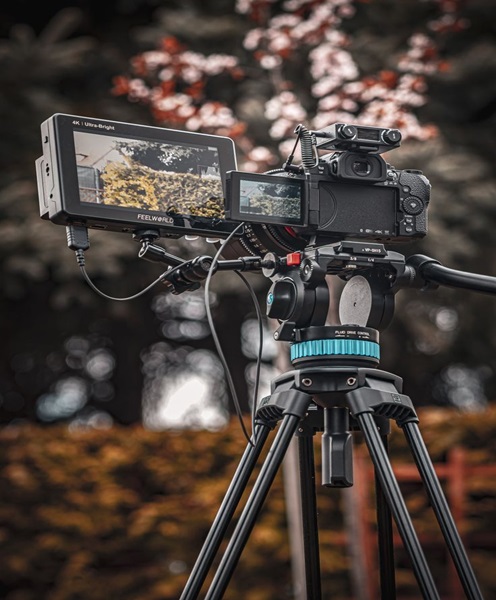
Camera tripods: Provide stable support for mobile or temporary installations.
-
Video switchers: Combine feeds from multiple cameras.
-
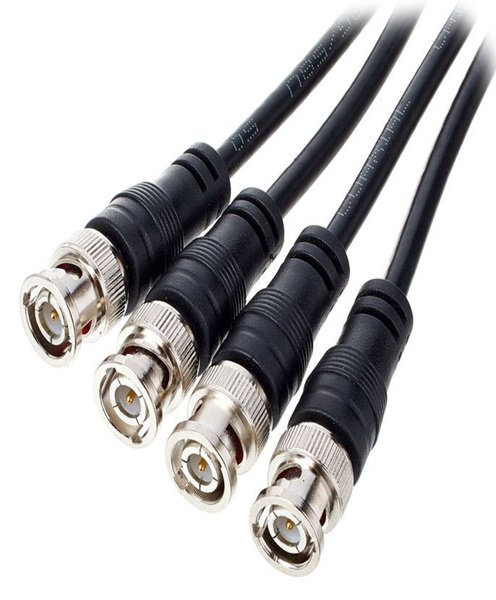
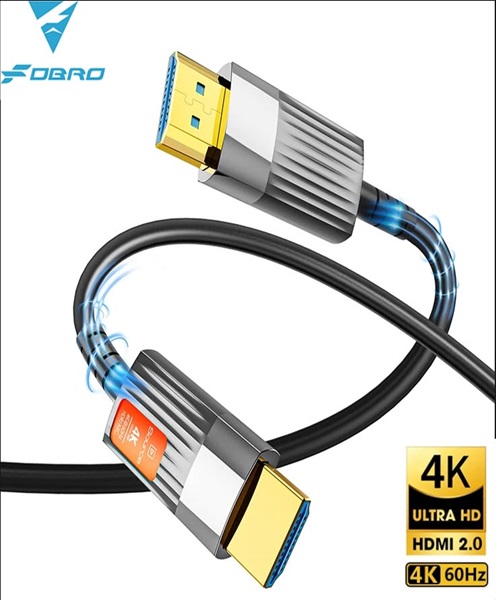
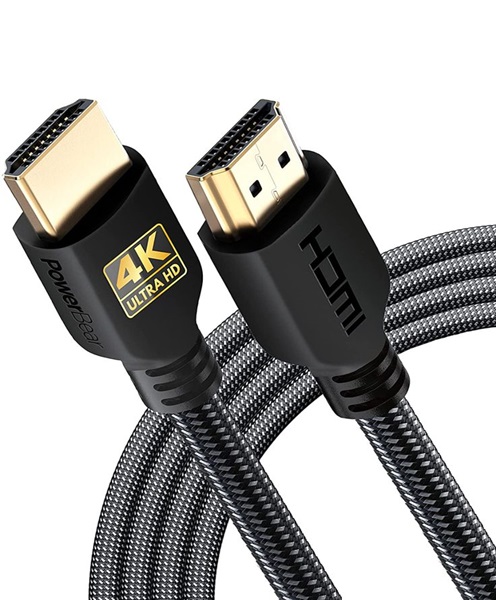
SDI and HDMI cables: Carry video signals to compatible production equipment.
-
Network switches: Support suitable IP-based camera connections.
-
Video converters: Convert supported signals between different connection formats.
-
Capture cards: Connect compatible video outputs to production computers.
-
Streaming encoders: Prepare video feeds for live online distribution.
-
Production monitors: Allow operators to review camera feeds.
-
Audio mixers: Manage microphones and other sound sources.
-
Wireless microphones: Capture presenters and performers during live events.
The required accessories depend on the PTZ camera model and the intended production arrangement.
Preparing a PTZ Camera Setup for an Event
Before hiring a PTZ camera, determine where it will be positioned and what areas it needs to cover.
Consider the distance between the camera and the subjects, the available mounting points and any obstacles that could affect the camera’s movement.
Next, confirm the video connection required by the production system. Check whether the camera will connect through HDMI, SDI, USB or a supported network video protocol.
If remote control is required, verify that the selected controller is compatible with the camera.
Test pan, tilt and zoom movements before the event. Save the necessary presets and confirm that the camera can reach the required positions.
Check the image under the venue’s actual lighting conditions. Adjust exposure, white balance and focus as needed.
For live streaming, test the camera feed through the complete production workflow. Confirm that the video reaches the switcher or computer correctly and that audio is synchronised with the picture.
Finally, establish a backup plan for power, cabling and signal distribution where uninterrupted video coverage is important.
Why Choose Janeson Rentals for PTZ Camera Hire in Kenya?
Janeson Rentals provides event equipment hire and rental solutions in Nairobi for corporate events, churches, educational institutions, conferences and professional video productions.
We understand that PTZ camera hire involves more than selecting a camera. The mounting arrangement, controller compatibility, video connections, network requirements and production workflow must all be considered.
Whether you are preparing a church broadcast, corporate conference, hybrid event, lecture recording or live streaming production, contact Janeson Rentals to discuss the camera requirements for your project.
Our Nairobi-based services support clients across Kenya who need professional video equipment for temporary events and productions.
Book a PTZ Camera for Hire and Rental in Nairobi
If you need a PTZ camera for a conference, church service, corporate presentation, webinar, lecture recording or live streaming event, contact Janeson Rentals to enquire about availability and rental arrangements.
When making your enquiry, provide the event date, venue, number of cameras required, preferred video resolution, control requirements and intended connection to the production system.
Choose Janeson Rentals for PTZ camera hire and rental in Nairobi, with services available to clients across Kenya.