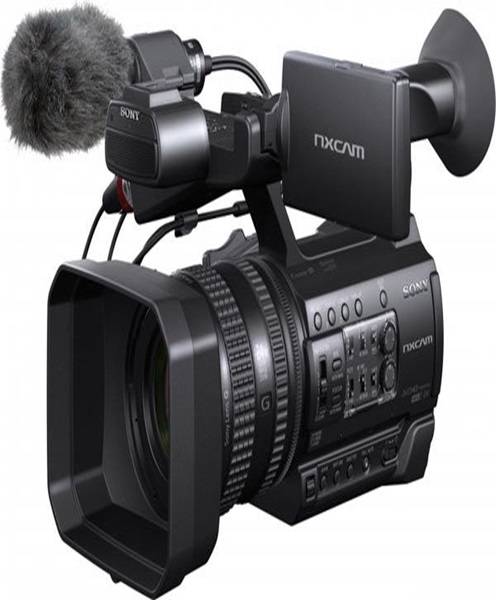
Studio Camera Hire and Rental in Kenya
A professional studio production requires more than a suitable background, lighting arrangement and microphone. The camera plays a central role in determining how presenters, guests, performers, products and other subjects are captured. Whether a studio is being used for television broadcasting, corporate interviews, podcast video recording, online programmes or promotional content, choosing the right camera is essential for achieving a consistent and professional visual presentation.
Janeson Rentals offers studio camera hire and rental in Kenya for production teams, broadcasters, businesses, content creators, educational institutions, churches and event organisers. Renting a studio camera provides access to equipment for temporary productions without requiring an organisation to invest in a permanent camera setup.
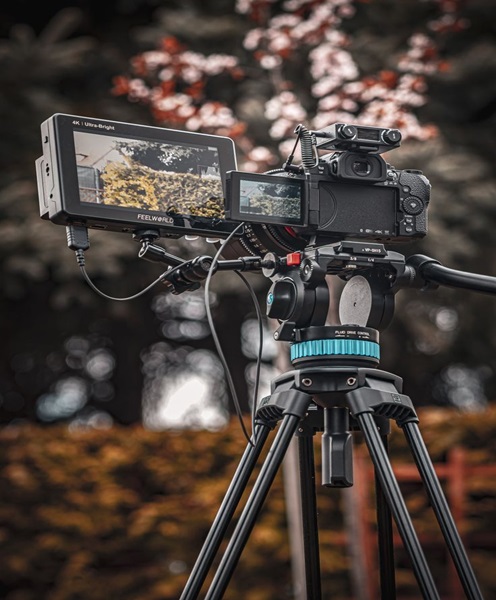
Studio cameras are used in controlled environments where the production team needs reliable framing, appropriate image quality and compatibility with the rest of the recording or broadcasting equipment. Depending on the project, the required camera may be a professional broadcast camera, cinema camera, camcorder, mirrorless camera or another suitable video camera.
From recording interviews in a small production room to operating a multi-camera television-style studio, the choice of camera should reflect the production’s technical requirements, shooting environment and intended final output.
What Is a Studio Camera?
A studio camera is a video camera used in a controlled production environment to capture footage for recording, broadcasting, livestreaming or post-production. It is commonly used in television studios, video production rooms, podcast studios, interview spaces, educational facilities and corporate recording environments.
Unlike a camera selected primarily for casual photography, a studio camera is chosen according to its ability to support a planned video production workflow. Important considerations include image quality, lens options, video outputs, mounting arrangements, power supply, monitoring and compatibility with production equipment.
Some studio cameras are designed for integration into professional broadcast systems. Others are compact cameras that can be mounted on tripods and connected to computers or video switchers. The most appropriate option depends on the scale of the production.
A studio camera may be used to capture:
-
News presenters and television programmes.
-
Corporate interviews and executive messages.
-
Podcast hosts and invited guests.
-
Educational lessons and training videos.
-
Product demonstrations and promotional content.
-
Panel discussions and roundtable conversations.
-
Church programmes and religious broadcasts.
-
Live studio presentations and online shows.
-
Documentary interviews and recorded discussions.
The camera can operate independently for a simple recording or form part of a larger studio arrangement involving multiple cameras, microphones, lighting, monitors and video switching equipment.
Why Hire a Studio Camera Instead of Buying One?
Professional studio equipment can represent a significant financial commitment. Purchasing a camera is only one part of the investment, as a production setup may also require lenses, batteries, tripods, monitors, cables, recording media and compatible video equipment.
For organisations that only need studio cameras for particular projects, hiring can offer several advantages.
1. Control Production Costs
Studio camera hire allows a production team to access equipment for a specific assignment without paying the full purchase price. This can be beneficial for businesses producing occasional promotional videos, organisations recording annual reports and institutions preparing temporary training programmes.
Instead of maintaining a permanent inventory, clients can arrange rental equipment according to their production schedule.
2. Choose Equipment for Different Projects
A corporate interview does not necessarily require the same camera as a television programme or a product demonstration. Different projects may require different lens characteristics, camera outputs, mounting arrangements and recording capabilities.
Hiring makes it possible to consider the requirements of each production before selecting suitable equipment.
3. Avoid Long-Term Equipment Storage
Professional cameras and accessories require careful handling and appropriate storage. Organisations that do not operate studios regularly may find it more practical to hire equipment when required rather than maintaining equipment throughout the year.
4. Expand Existing Studio Facilities
A production company may already own one camera but need additional cameras for a panel discussion, interview series or multi-camera recording. Studio camera rental can help expand the existing setup for a particular production.
5. Support Temporary Studio Projects
Some projects require a temporary recording environment. For example, a company may establish a studio-style room for a product launch, internal communication programme or executive interview. Hiring can provide access to suitable camera equipment for the duration of that project.
Where Studio Cameras Are Used
Studio cameras support a variety of professional productions. Their applications extend beyond traditional television broadcasting.
Television and Broadcast Production
Television programmes often use studio cameras to capture presenters, guests, interviews, discussions and live segments. Multiple camera positions can provide wide shots, close-ups and alternative angles.
In a broadcast environment, camera selection should consider compatibility with the production system. Depending on the equipment, this may involve video outputs, remote camera control, monitoring, tally indications and other studio workflow requirements.
Podcast and Video Interview Studios
Video podcasts and recorded interviews rely on clear, well-framed footage. A studio camera can capture the host, guest and wider conversation space.
For a two-person interview, a production may use separate cameras for each participant and another camera for a wider view. This allows editors to change perspectives during post-production or enables a live production operator to switch between camera feeds.
Camera positioning is especially important in small studios. The camera should provide an appropriate field of view without making subjects appear too distant or creating unnecessary distortion.
Corporate Video Production
Businesses use studio-style recording spaces to produce executive interviews, company announcements, staff training videos, internal communications, advertisements and promotional material.
A suitable studio camera helps create consistent footage across different recording sessions. This is particularly useful when a company produces a series of videos that need a similar visual appearance.
Educational and Training Studios
Schools, colleges, universities and training organisations may use studio cameras to record lectures, demonstrations, tutorials and online learning programmes.
A camera can capture an instructor, demonstration table, presentation area or practical activity. The appropriate camera depends on the room layout and whether the content will be recorded, livestreamed or distributed through an online learning platform.
News and Discussion Programmes
News-style productions and discussion programmes often use a studio arrangement with presenters, interview guests and panel participants. Camera placement should allow the production team to capture both individual speakers and the wider studio environment.
For a panel discussion, multiple camera angles can help viewers follow the conversation and see the person speaking.
Church and Ministry Productions
Churches and ministries may establish studio spaces for devotionals, interviews, teaching sessions, announcements and recorded programmes. Studio cameras can also be used for livestreaming services or producing content for online audiences.
The camera setup should reflect the available space, lighting, number of presenters and the intended broadcast or recording platform.
Important Features to Consider When Hiring a Studio Camera
Selecting a studio camera requires an understanding of the technical requirements of the production. Not every camera offers the same connections, recording formats or lens options.
Image Resolution and Recording Quality
Consider the resolution required for the final production. Full HD may be suitable for many online videos and standard broadcast workflows, while some productions may require 4K capture for additional detail or editing flexibility.
The camera’s recording capability should be considered separately from the resolution of the final livestream or exported video. Other equipment and software in the production chain may affect the final output.
Lens Compatibility and Field of View
The lens determines how much of the studio environment can be captured and how subjects appear within the frame.
A wide-angle lens may be useful when recording several people in a compact room. A longer focal length can help isolate a presenter or guest. For cameras with interchangeable lenses, the lens mount and compatibility should be confirmed before hiring.
Video Output Connections
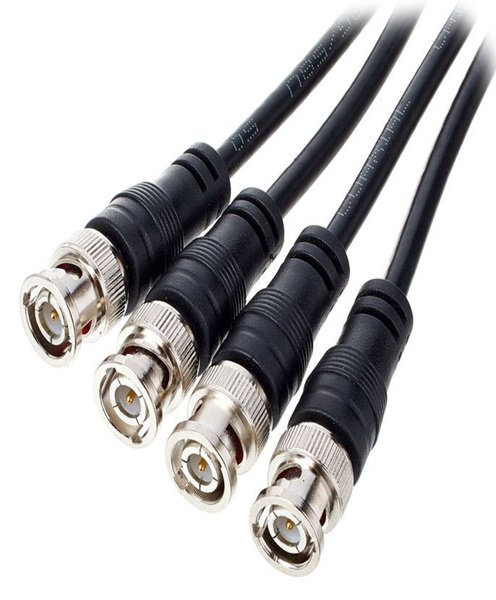
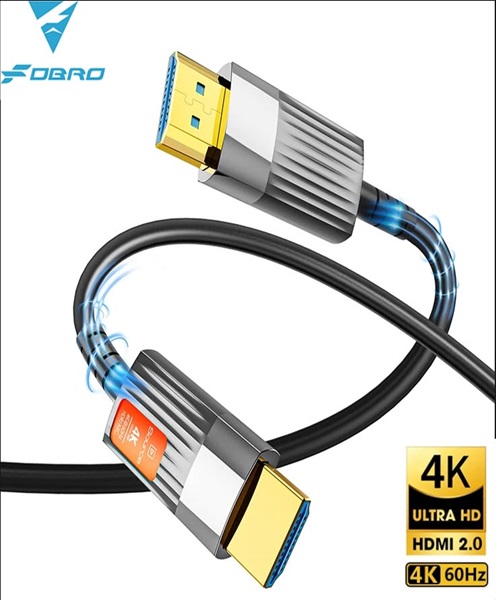
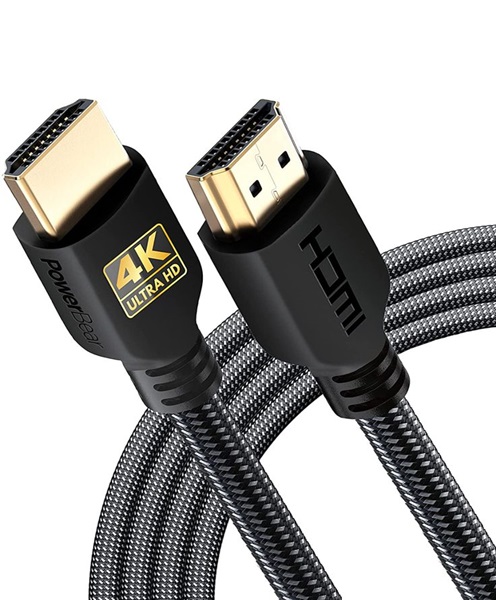
Studio cameras may support different video connections, including HDMI, SDI or USB, depending on their design.
A camera intended for connection to a professional video switcher may have different requirements from one designed to connect directly to a computer. The camera’s output must be compatible with the intended capture or switching equipment.
Camera Control and Monitoring
Some studio workflows benefit from remote camera control, allowing an operator to adjust supported settings without physically accessing every camera. This can be useful in multi-camera environments.
However, remote control features vary by model and system. Confirm compatibility between the camera and any proposed controller before the production.
Power Supply
Studio productions may run for extended periods. Reliable power planning is therefore important.
Consider whether the camera uses batteries, an external power adapter or another supported power arrangement. The production should also account for cable routing and safe access to electrical outlets.
Mounting and Positioning
Studio cameras are commonly mounted on tripods or other suitable supports. Camera height, viewing angle and stability all influence the final image.
A stable mounting arrangement helps maintain consistent framing and reduces unwanted movement during recording.
Low-Light Performance
Although studio environments are often controlled, lighting conditions can vary. Camera sensor performance, lens aperture, exposure settings and the quality of the studio lighting all influence image quality.
The camera should be assessed according to the actual lighting arrangement rather than assuming that every studio has identical conditions.
Single-Camera and Multi-Camera Studio Production
A studio can operate with one camera or several cameras, depending on the format of the programme.
Single-Camera Studio Setup
A single-camera setup is suitable for straightforward productions such as solo presentations, product demonstrations, training videos and some interviews.
The camera is positioned to capture the main subject, with the operator adjusting framing and focus as required. This arrangement can be economical and easier to coordinate in a small studio.
Multi-Camera Studio Setup
A multi-camera setup is useful when a production needs several viewpoints. For example, a discussion programme may use a wide camera to capture the entire panel and additional cameras for individual speakers.
Multi-camera production can improve the viewing experience by providing visual variety and allowing the operator to select the most relevant angle.
Before arranging a multi-camera studio setup, consider:
-
The number of participants and their seating positions.
-
The number of camera angles required.
-
Whether all cameras need matching resolution and frame rates.
-
Compatibility with the video switcher.
-
The distance between cameras and the production control position.
-
Available mounting positions and power sources.
-
How camera feeds will be monitored and recorded.
-
Whether remote camera control is required.
The production team should also consider matching colour, exposure and framing between cameras. Consistency makes it easier to switch between angles without distracting visual differences.
Equipment That Complements a Studio Camera
A studio camera is often part of a larger production arrangement. The supporting equipment depends on the type of programme and the workflow being used.
Studio tripods and camera supports: These provide stable mounting and help maintain consistent camera positioning.
Video monitors: Production monitors allow operators to view camera feeds and check framing, focus and exposure.
Video switchers: These allow a production operator to select between different camera feeds during a live programme.
Capture cards: Capture cards can convert compatible camera signals into a format that a computer can receive.
HDMI and SDI cables: These carry video signals between cameras, monitors, switchers and recording equipment.
Studio lighting: Key lights, fill lights and background lighting can help create a controlled and consistent appearance.
Microphones: Studio microphones capture speech from presenters and guests. The appropriate type depends on the recording environment and presentation format.
Audio mixers: These combine microphone and other audio sources before the signal is sent to recording or streaming equipment.
Headphones: Monitoring headphones allow operators to listen for audio problems during recording or transmission.
Streaming encoders and computers: These support productions that need to transmit studio footage to online platforms.
The exact equipment should be selected according to the camera’s connections and the intended production workflow.
Preparing a Studio Before the Camera Rental
Good preparation helps the production team make effective use of hired equipment.
Begin by identifying the purpose of the studio production. A television-style interview, corporate presentation, podcast and product demonstration may require different camera positions and lens choices.
Next, assess the available room. Consider its dimensions, ceiling height, lighting conditions, background arrangement and the distance between the camera and the subjects. These details help determine the most suitable camera and support equipment.
Plan the camera positions before the recording day. If several people will appear on screen, establish where they will sit or stand and how each person will be framed.
Check the signal connections. Identify whether the camera will connect directly to a recording device, computer, monitor or video switcher. Confirm the required cables and compatible input formats.
Lighting should also be arranged before recording. Avoid relying entirely on the room’s existing lighting, particularly where windows or overhead lights create inconsistent exposure. Test the camera under the actual lighting conditions.
Finally, conduct a technical rehearsal. Check the camera’s focus, exposure, framing, power, video signal and recording workflow. If microphones and audio mixers are being used, test those systems as well.
Why Choose Janeson Rentals for Studio Camera Hire in Kenya?
Janeson Rentals provides equipment hire and rental solutions for clients organising events and productions in Nairobi and across Kenya. We support a variety of temporary production requirements, from corporate video projects and interviews to conferences, broadcasts and studio-style recordings.
We understand that studio camera requirements vary according to the production. A small interview space may need a different arrangement from a television-style studio or a multi-camera discussion programme.
When enquiring about studio camera hire, clients should share the type of production, recording date, venue, expected duration and number of camera angles required. It is also helpful to explain whether the production is intended for recording, livestreaming or both.
Where additional equipment is required, identifying the intended workflow helps determine which supporting accessories and production devices may be needed. Compatibility between the camera, lenses, video connections, monitors and switching equipment should be checked before the booking is finalised.
Our aim is to help clients plan suitable equipment arrangements for their production requirements without investing in equipment they may only need temporarily.
Book Studio Camera Hire and Rental in Nairobi and Across Kenya
Whether you are producing a television programme, recording a podcast, conducting corporate interviews, creating educational content or setting up a professional video studio, choosing the right camera is an important part of your production planning.
Janeson Rentals offers studio camera hire and rental solutions for businesses, broadcasters, production teams, churches, educational institutions and event organisers in Nairobi and across Kenya.
Contact Janeson Rentals to enquire about studio camera rental for your next project. Share your production requirements, venue and preferred setup so that the appropriate camera and complementary equipment can be considered for your recording or broadcast.