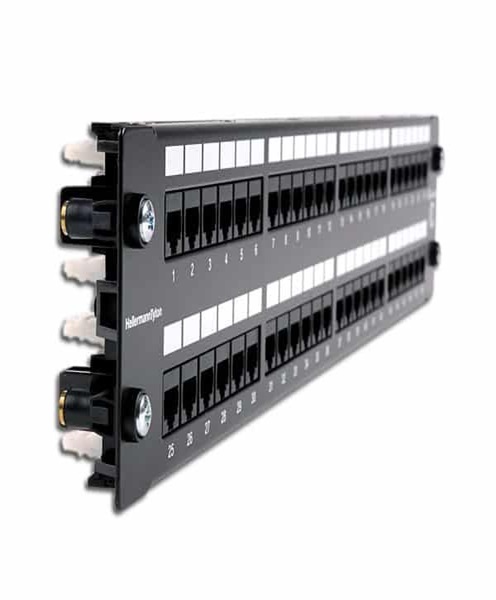
Video Patch Panel Hire and Rental in Kenya – Professional Video Connection Management by Janeson Rentals
Professional video production environments require more than cameras, monitors and recording equipment. They also need an organised infrastructure that allows video signals to travel between different devices efficiently. In a broadcast studio, for example, several cameras may connect to a central control room where operators manage video feeds, recording systems, monitors and production equipment. Without a structured connection arrangement, handling numerous cables can become complicated, especially when equipment needs to be changed or rerouted during a production.
A video patch panel provides a central connection point where video cables can be organised, labelled and connected through patch cables. It helps production teams manage their signal paths without repeatedly accessing equipment positioned in racks, studios or technical areas.
At Janeson Rentals, we provide professional audiovisual equipment hire and rental solutions for conferences, corporate events, broadcast productions, filming, live streaming and temporary production installations in Kenya. Our video patch panel hire service is suitable for production companies, broadcasters, event organisers and AV technicians who require organised video connection management.
Whether you are setting up a temporary television studio in Nairobi, preparing a multi-camera production, organising a conference or managing a professional recording environment, a video patch panel can help create a cleaner and more manageable signal infrastructure.
If you are searching for video patch panel hire in Kenya, video patch panel rental in Nairobi, or professional video connection management equipment, Janeson Rentals can help you plan your production requirements.
What Is a Video Patch Panel?
A video patch panel is a connection management device that provides multiple video input and output connections in one organised location. It allows production teams to connect video cables from different equipment and establish signal paths using short patch cables.
Rather than repeatedly connecting cables directly to cameras, monitors, switchers and other devices, a patch panel creates an accessible central point for managing connections.
Video patch panels are available in different formats depending on the signal technology and installation requirements.
Common types include:
- SDI video patch panels.
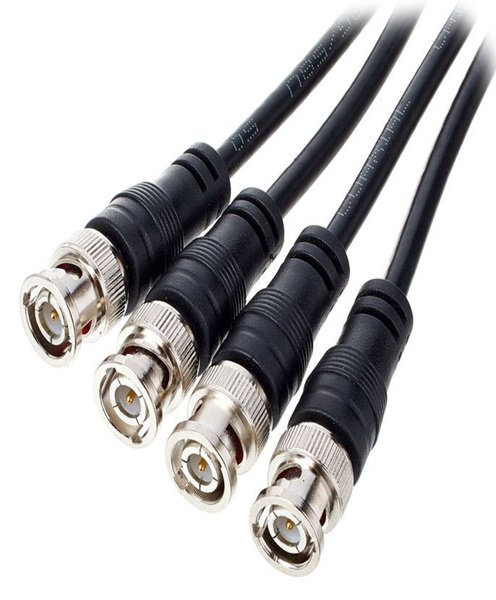
- BNC video patch panels.
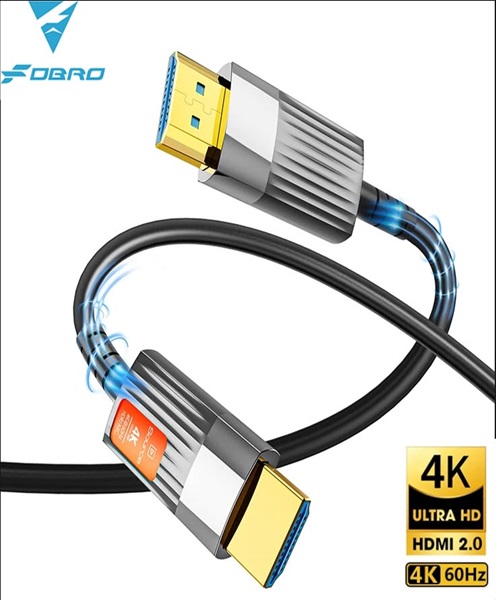
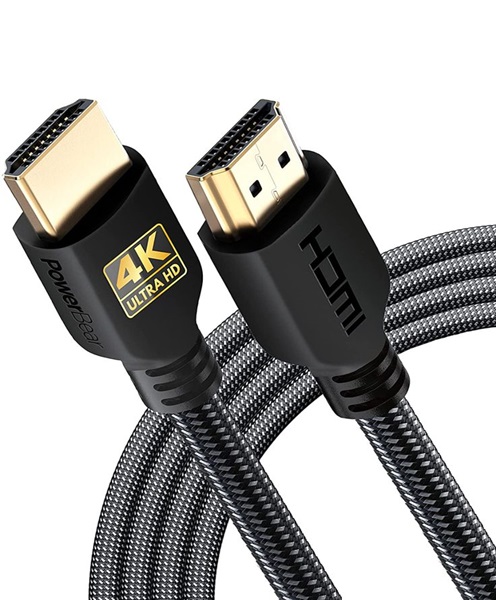
- HDMI patch panels.
- Fibre-optic patch panels.
- Analogue video patch panels.
- Modular broadcast patch panels.
- Rack-mounted video patch panels.
For example, an SDI patch panel may contain multiple BNC connections arranged in a rack-mounted panel. Cables from cameras and other video sources can be connected to the rear or designated connections, while the front provides accessible patching points for technical operators.
A patch panel does not normally perform electronic video switching or amplification. Its main purpose is to provide organised physical connections that make signal routing and cable management easier.
How Does a Video Patch Panel Work?
A video patch panel works by bringing several video connections together at a central location.
Video cables from cameras, video switchers, monitors and other equipment connect to the panel. The panel provides accessible connection points that allow operators to establish or change signal paths using compatible patch cables.
For example, a production studio may have four cameras, two video monitors, a video switcher and a recording device.
The camera signals can be connected to an SDI patch panel. The technical team can then use patch cables to connect the required camera feeds to the appropriate production equipment.
If the production workflow changes, operators can adjust the physical patch connections at the panel instead of accessing the rear of every device.
The exact arrangement depends on the patch panel design. Some panels provide straightforward feed-through connections, while more advanced broadcast installations use specialised patching configurations.
The panel must match the signal type and connector standard being used. An SDI patch panel, for example, should use suitable connections and cabling for the SDI workflow.
Why Hire a Video Patch Panel from Janeson Rentals?
Professional patch panels are particularly useful in production environments with numerous video connections. However, purchasing one for a temporary event or occasional installation may not be practical.
Video patch panel rental provides access to suitable equipment for a specific production without requiring permanent ownership.
Janeson Rentals offers professional audiovisual equipment hire solutions for clients in Nairobi and across Kenya.
Benefits of hiring a video patch panel include:
Organised cable connections: Bring multiple video connections together in one accessible location.
Simplified signal management: Make it easier to establish and change physical video connections.
Improved equipment organisation: Reduce unnecessary cable clutter around production equipment and technical racks.
Convenient maintenance: Clearly organised connections make it easier for technicians to identify individual signal paths.
Flexible production setups: Use a suitable panel configuration for a temporary studio, broadcast production or event.
Coordinated AV equipment: Arrange your patch panel alongside SDI cables, cameras, monitors, video routers and distribution equipment.
Applications of Video Patch Panel Rental in Kenya
1. Television Broadcast Studios
Television studios often have numerous cameras, monitors, recording devices and video processing systems.
These devices need to exchange video signals through organised connections. A patch panel provides a central point where operators can manage these physical connections.
This is useful for news studios, interview spaces, television programmes, panel discussions and broadcast production environments.
2. Film and Video Production
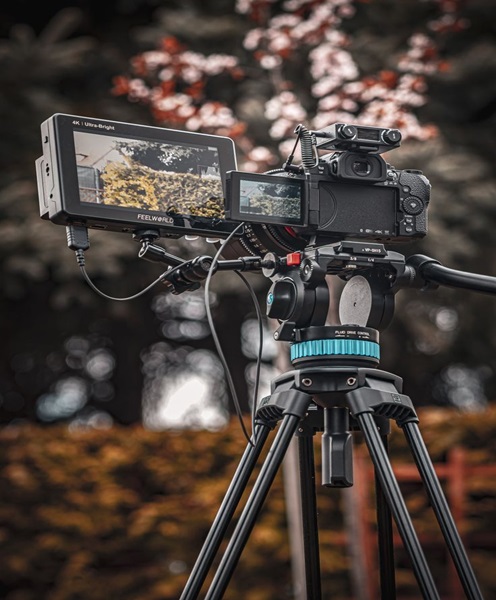
Film and video productions may involve several cameras, recording systems and monitoring stations.
A video patch panel can help production teams organise connections between camera feeds, monitors, video recorders and other equipment.
This is particularly useful when several technical departments share the same video infrastructure.
3. Live Streaming and Webcasting
Live streaming productions may involve cameras, switchers, capture devices, recording systems and streaming encoders.
A video patch panel can help organise the physical connections between these devices.
For example, an SDI patch panel may provide a central point for camera feeds and connections to the video switcher or recording equipment.
This can support corporate livestreams, church broadcasts, conferences, seminars, hybrid events and online presentations.
4. Corporate Conferences and Business Events
Large conferences may use multiple cameras, production monitors, recording equipment and video switching systems.
The technical team needs to manage these connections throughout the event.
A video patch panel can provide an organised connection point, making it easier to manage the production system and identify the relevant cables.
It can be useful for annual general meetings, corporate launches, conferences, executive presentations and award ceremonies.
5. Production Control Rooms
Production control rooms contain different devices that need to exchange video signals.
A patch panel can simplify the physical connection arrangement by providing a central location for patching between equipment.
This helps technical operators manage camera feeds, monitors, recording systems and other production devices.
6. Educational and Institutional Recording Facilities
Universities, colleges and training institutions may maintain recording studios or temporary production spaces for lectures, seminars and educational broadcasts.
A video patch panel can help organise the connections between cameras, computers, monitors and recording equipment.
7. Event Production and Temporary Studios
Event production companies may establish temporary control rooms at hotels, exhibition centres, conference venues and outdoor event spaces.
A video patch panel can help manage the connections between the different devices used in the production.
It is useful when equipment needs to be installed and connected in a structured way for the duration of an event.
Types of Video Patch Panels
Different patch panels support different signal formats and connection requirements.
SDI Video Patch Panel
An SDI patch panel is designed for professional Serial Digital Interface connections.
SDI is widely used in television broadcasting, professional video production, filming and live streaming.
These panels commonly use BNC connectors and suitable 75-ohm connections.
They allow technical operators to organise SDI signals from cameras, video switchers, monitors and other compatible devices.
HDMI Patch Panel
An HDMI patch panel provides organised HDMI connection points.
It may be used in conference rooms, presentation spaces, temporary installations and audiovisual production environments where HDMI sources and displays are connected.
The panel should support the relevant HDMI connection type and be suitable for the intended signal bandwidth.
Fibre-Optic Video Patch Panel
A fibre-optic patch panel is used to organise optical fibre connections.
Fibre transmission is useful in professional production environments where video signals need to travel over long distances or between different technical areas.
The panel provides a central point for organising fibre connections and supporting structured cabling arrangements.
The connector type, fibre type and optical transmission specifications must match the connected equipment.
BNC Patch Panel
A BNC patch panel provides organised BNC connection points.
It may be used for SDI video, analogue video and other compatible signal connections, depending on the panel specifications.
BNC patch panels are common in professional broadcast and video production environments.
Modular Broadcast Patch Panel
A modular broadcast patch panel allows different connection modules to be installed within a single panel or rack system.
Depending on the configuration, it may support different connection types and signal requirements.
This can be useful for larger production facilities that manage several video formats and equipment connections.
Important Features to Consider When Hiring a Video Patch Panel
Selecting the right video patch panel requires understanding the equipment and signal formats involved.
Connector Type
The panel should use connectors that match the cables and equipment in your production.
Common connector types include:
- BNC.
- HDMI.
- LC fibre connectors.
- SC fibre connectors.
- Other supported professional AV connections.
Using the wrong connector or an unsuitable adapter can prevent reliable connections.
Number of Connection Points
The number of ports determines how many cables can be organised through the panel.
A small production may require a panel with a limited number of connections, while a broadcast studio may need a larger configuration.
The panel should provide sufficient connection points for the planned equipment.
Signal Compatibility
A patch panel must be appropriate for the signal format being transmitted.
For example, an SDI patch panel should be suitable for the SDI standards used by the production. An HDMI panel should be compatible with the intended HDMI connection requirements.
Cable Quality
The cables connected to the panel should meet the required signal specifications.
For SDI systems, suitable 75-ohm coaxial cables are important. Fibre systems require compatible optical fibre cables, while HDMI systems require cables that support the intended bandwidth.
Rack Compatibility
Many professional video patch panels are designed for equipment racks.
Confirm the panel’s rack dimensions and mounting requirements before installation.
Rack-mounted panels can help keep connections organised in production control rooms and technical areas.
Labelling and Identification
Clear labelling makes it easier for operators to identify camera feeds, monitors and other connection points.
This is especially important during live productions, where technicians may need to change connections quickly.
Feed-Through Configuration
Some patch panels are designed as straightforward feed-through panels, while other specialised configurations may include normalled or half-normalled connections.
These configurations affect how signals are connected and how patching changes the existing signal path.
For professional broadcast applications, the patching arrangement should be understood before installation.
Video Patch Panel vs Video Router
A video patch panel and a video router are both used to manage video connections, but they perform different functions.
A video patch panel provides physical connection points. Operators establish or change signal paths by connecting patch cables manually.
A video router is an electronic device that selects and routes video signals between multiple inputs and outputs.
For example, a patch panel may allow a technician to connect a camera feed to a switcher using a patch cable. A video router allows an operator to select a camera feed electronically and send it to a chosen output.
Patch panels are useful for physical cable organisation, while video routers provide electronic routing flexibility.
Video Patch Panel vs Video Distribution Amplifier
A video patch panel and video distribution amplifier also serve different purposes.
A patch panel organises physical connections. It does not normally amplify or duplicate a signal.
A video distribution amplifier actively distributes a compatible video input to multiple outputs and may provide buffering or signal conditioning.
For example, a patch panel can help organise the cables connecting cameras and monitors. A distribution amplifier can provide multiple copies of one camera signal to different destinations.
Both may be used in the same professional video infrastructure.
Related Equipment to Hire Alongside a Video Patch Panel
A video patch panel is often part of a wider audiovisual infrastructure. Depending on your project, you may also need:
- Video router: For electronically selecting and routing video sources.
- SDI matrix: For flexible routing between SDI inputs and outputs.
- HDMI matrix: For routing HDMI sources to multiple displays.
- SDI distribution system: For distributing professional SDI video signals.
- Video distribution amplifier: For distributing compatible video signals to multiple outputs.
- SDI splitter: For duplicating one SDI signal.
- HDMI splitter: For duplicating one HDMI source across multiple displays.
- SDI cables: For professional video connections.
- HDMI cables: For compatible digital video connections.
- Fibre video transmission system: For suitable long-distance video transmission.
- Production monitors: For monitoring camera feeds and programme output.
- Video switchers: For switching between camera sources.
- Recording systems: For capturing production footage.
- Production racks: For organising technical equipment and cable connections.
Video Patch Panel Hire in Nairobi and Across Kenya
Janeson Rentals is based in Nairobi and provides event and audiovisual equipment hire solutions for clients across Kenya.
Our video patch panel rental service is suitable for broadcasters, production companies, corporate event organisers, churches, educational institutions and professional AV technicians.
Whether you are setting up a temporary broadcast studio, managing a multi-camera conference or organising a professional video production, it is important to choose a patch panel that matches your connection requirements.
When requesting a quotation, provide the following information:
- The video signal format being used.
- The connector type required.
- The number of connection points.
- Whether you need SDI, HDMI, BNC or fibre connections.
- Whether the panel needs to be rack-mounted.
- The equipment being connected.
- The event date and installation location.
This information helps identify the appropriate panel and any additional cables or accessories required.
Why Choose Janeson Rentals?
Janeson Rentals provides professional audiovisual equipment hire solutions for events, broadcasts, conferences and productions in Kenya.
Clients choose Janeson Rentals for:
Professional AV equipment options: Solutions for video production, broadcasting, conferences, filming and live streaming.
Flexible rental arrangements: Access specialist connection management equipment for temporary productions and installations.
Related equipment coordination: Arrange your patch panel alongside compatible cables, monitors, routers, matrices and distribution equipment.
Kenya-focused service: Based in Nairobi, Janeson Rentals serves clients organising events and productions across Kenya.
Equipment planning: Sharing your connector, signal and port requirements helps identify an appropriate configuration.
Book Video Patch Panel Hire and Rental in Kenya Today
A video patch panel is an important component of an organised professional audiovisual system. It provides accessible connection points for managing video cables and changing physical signal paths during production.
Whether you are preparing a television studio, filming project, conference, live stream or temporary event installation, Janeson Rentals can help you plan your video patch panel hire requirements.
Contact Janeson Rentals today to enquire about video patch panel hire and rental in Kenya. Share your signal format, connector type, number of ports and production location so that the appropriate equipment can be arranged.
Choose Janeson Rentals for professional audiovisual equipment hire and make your next production more organised, connected and efficient.